




Product description
UGREEN NAS DXP4800 Plus-Team Cooperation Assistant
The video showcases the product in use.The video guides you through product setup.The video compares multiple products.The video shows the product being unpacked. UGREEN nas team cooperation Merchant Video
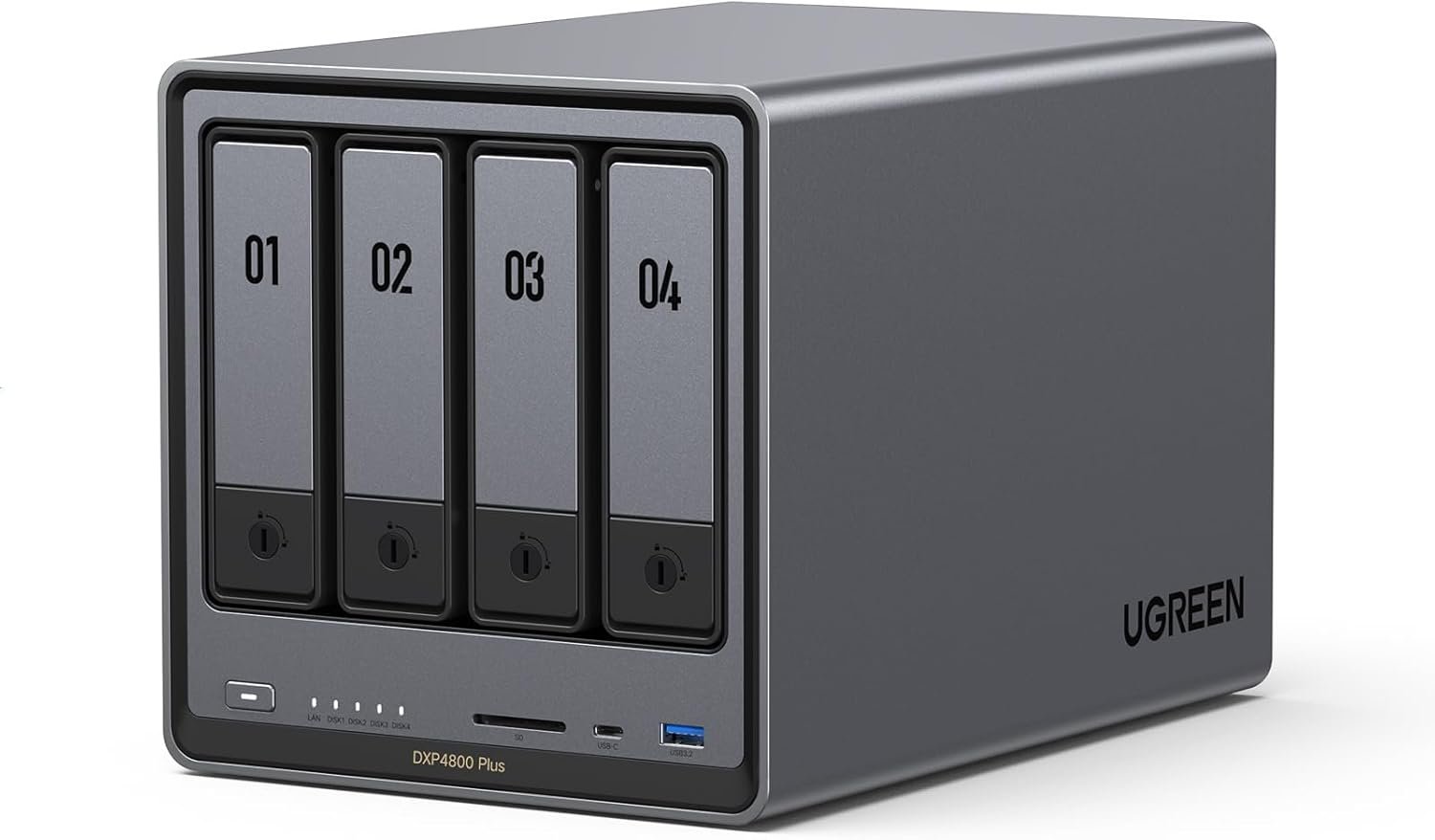
Flagship 4-bay NAS powered by a high-performance Intel processor. Delivers smooth performance for running virtual machines, Docker containers, and demanding workloads.


1 Intel CPU
2 DDR5 RAM
3 Network
4 Storage
5 Expansion


1 System
2 All in One
3 Smart Assistant
4 Remote Access
5 Data Format


1 Sync & Backup
2 Media Streaming
3 Docker & VM
4 Data Management
5 Up-coming Plan


1 Multimedia
2 Backup
3 Remote Access
4 Host Backup
5 Broad Compatibility


1 Professional Servies
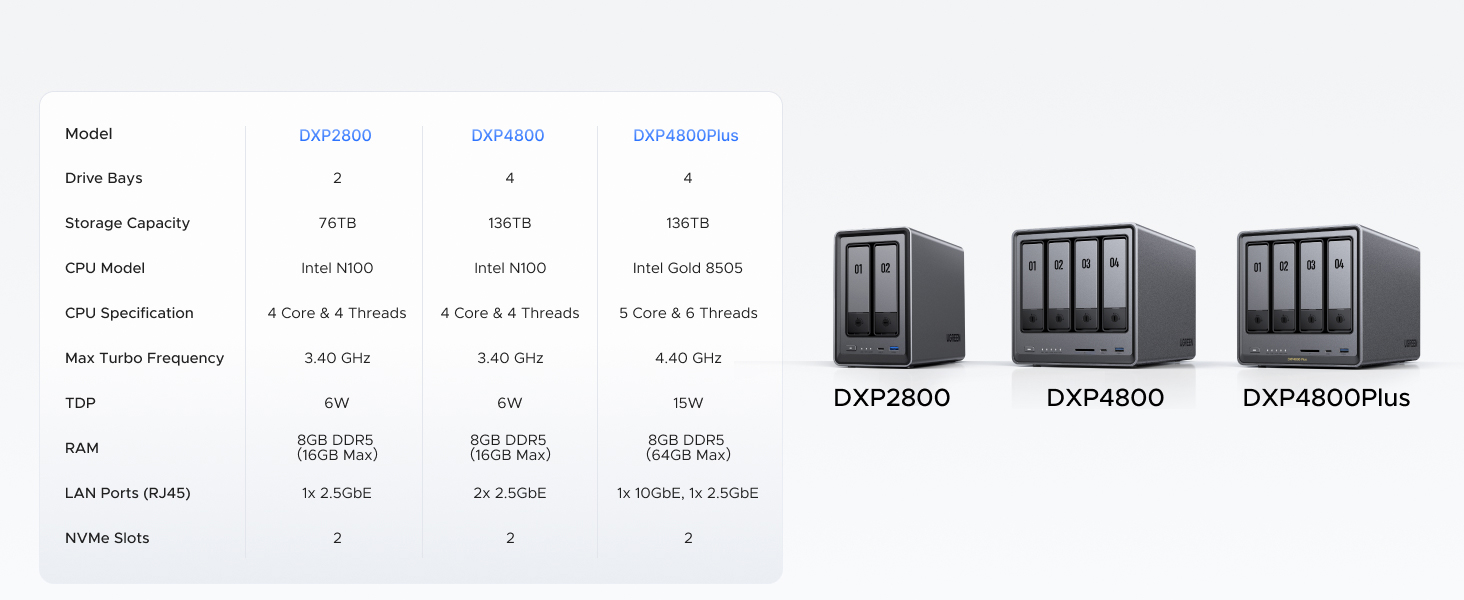
2 Model Comparison
3 FAQ
4 Cooling Fan
5 Package Include
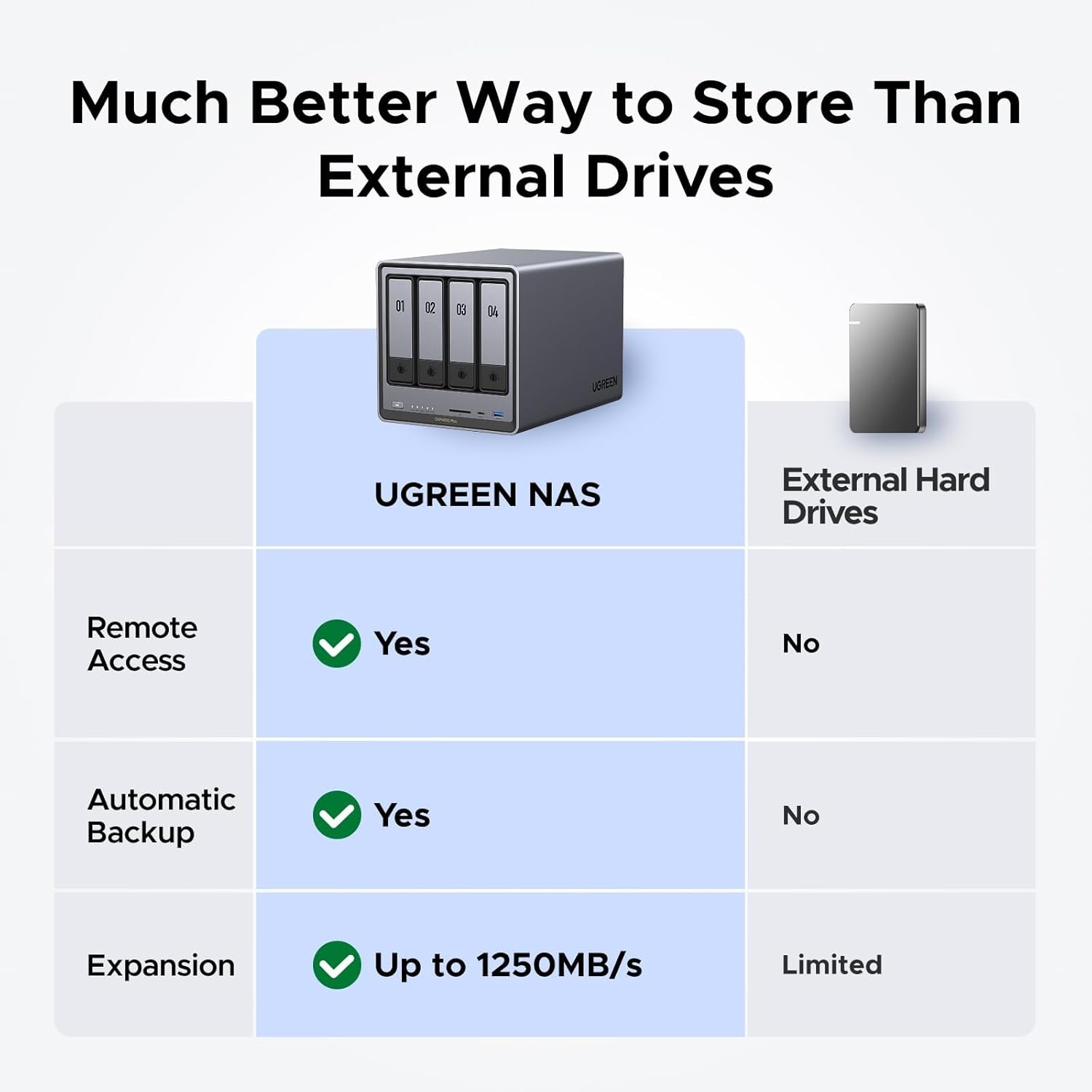
Better Way to Store Than External Drives: NAS offers centralized storage, automatic backups, remote access, and a wide range of RAID options for easy data recovery even if a drive fails.
Massive Storage Capacity: Never worry about storage limits again. With up 136TB capacity, you can store 47 million photos or 92,000 movies! *Hard Drives not included.
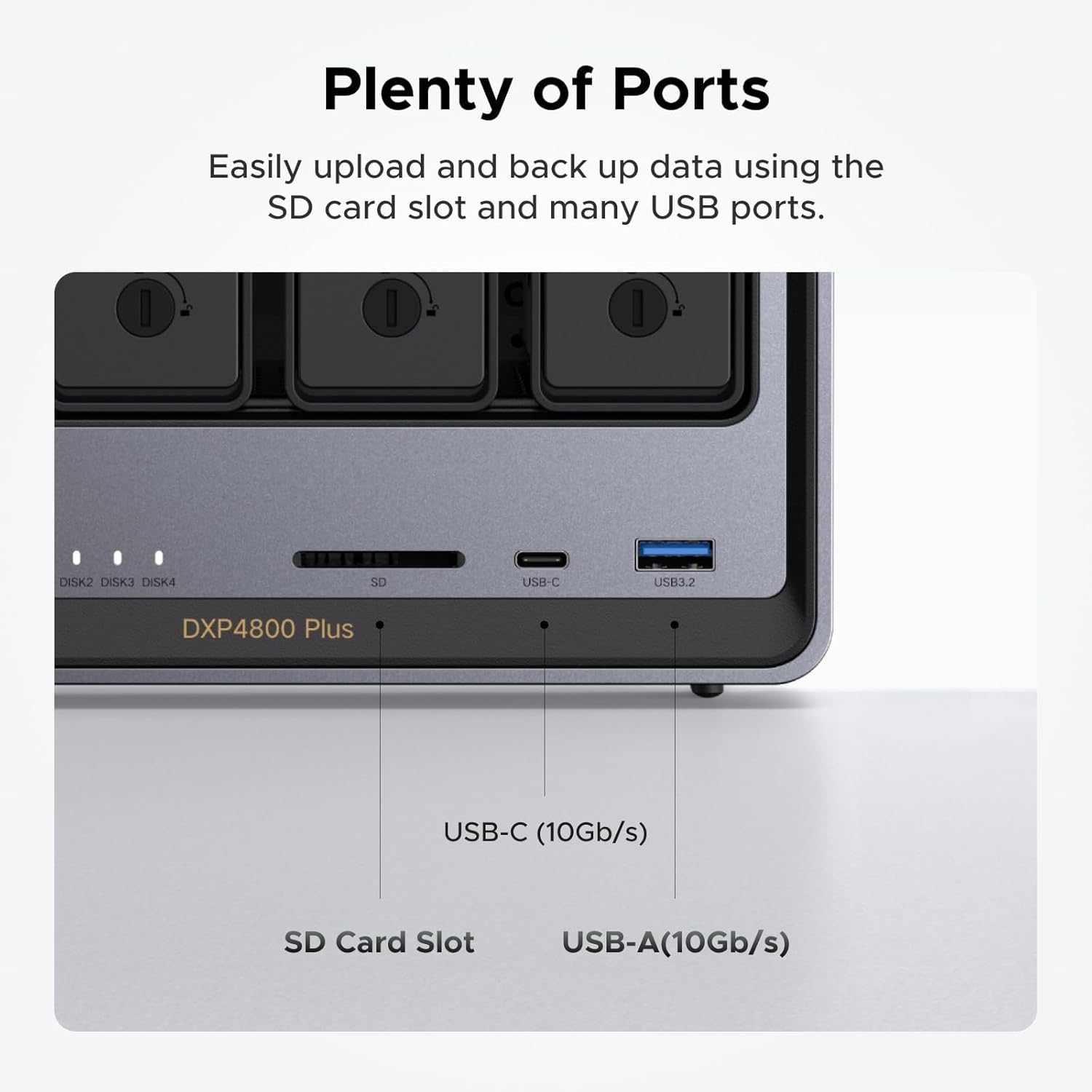
Super-Fast Transfers: Back up 1GB in less than a second using either the 10GbE network port or the 10Gbps USB ports.
Secure Private Cloud: Retain 100% data ownership with advanced encryption to protect your files. Flexible permission management makes it easy to protect your privacy when collaborating with others.
AI-Powered Photo Album: Automatically organizes your photos by recognizing faces, scenes, objects, and locations. It can also instantly remove duplicates, freeing up storage space and saving you time.
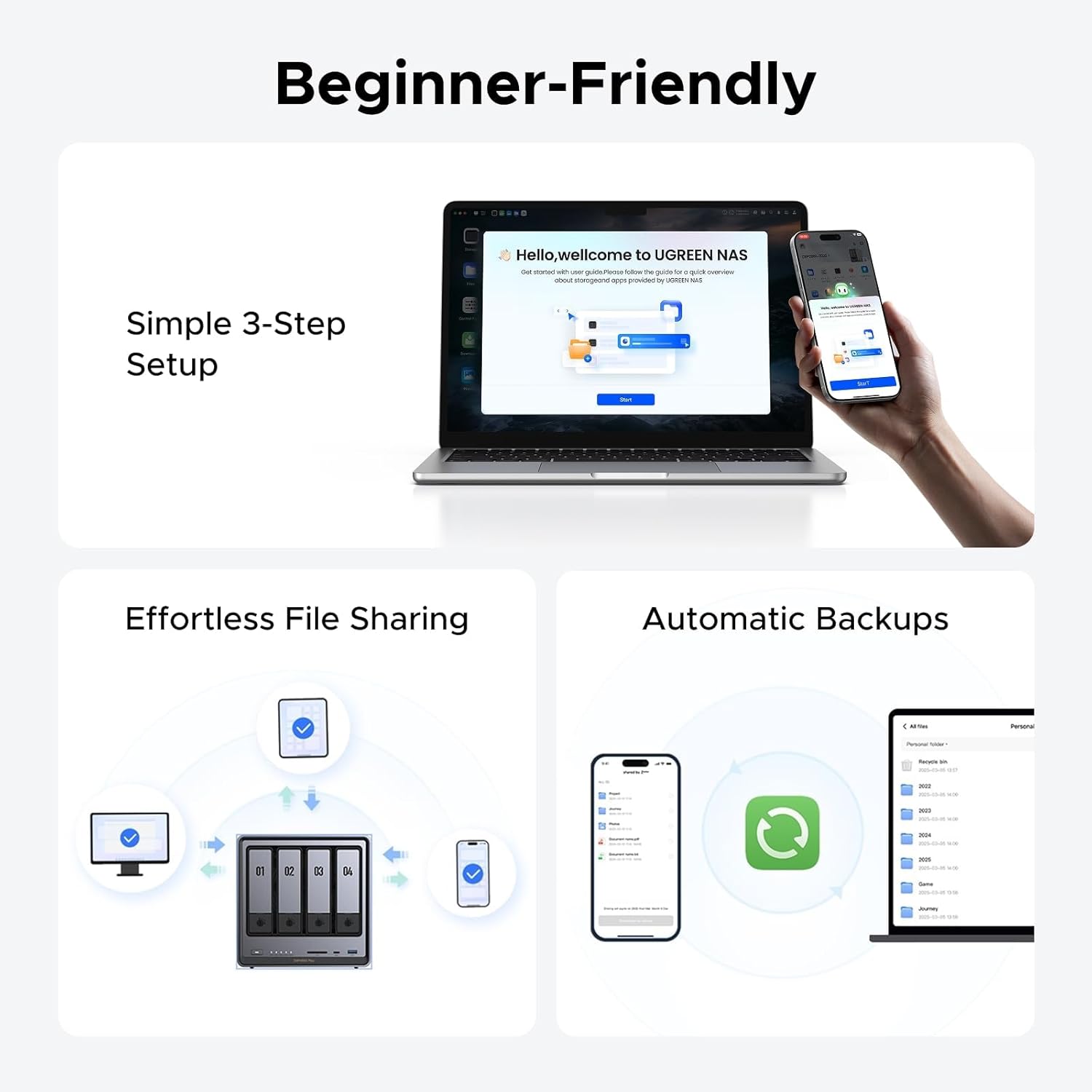
User-Friendly App: Simple setup and easy file-sharing on Windows, macOS, Android, iOS, web browsers, and smart TVs, giving you secure access from any device.
Widely Compatible: UGREEN NASync is compatible with Western Digital, Seagate, Toshiba, and more third-party hard drives. Please check our compatibility list for full details. Note: Storage hard drives are not included and need to be purchased separately.
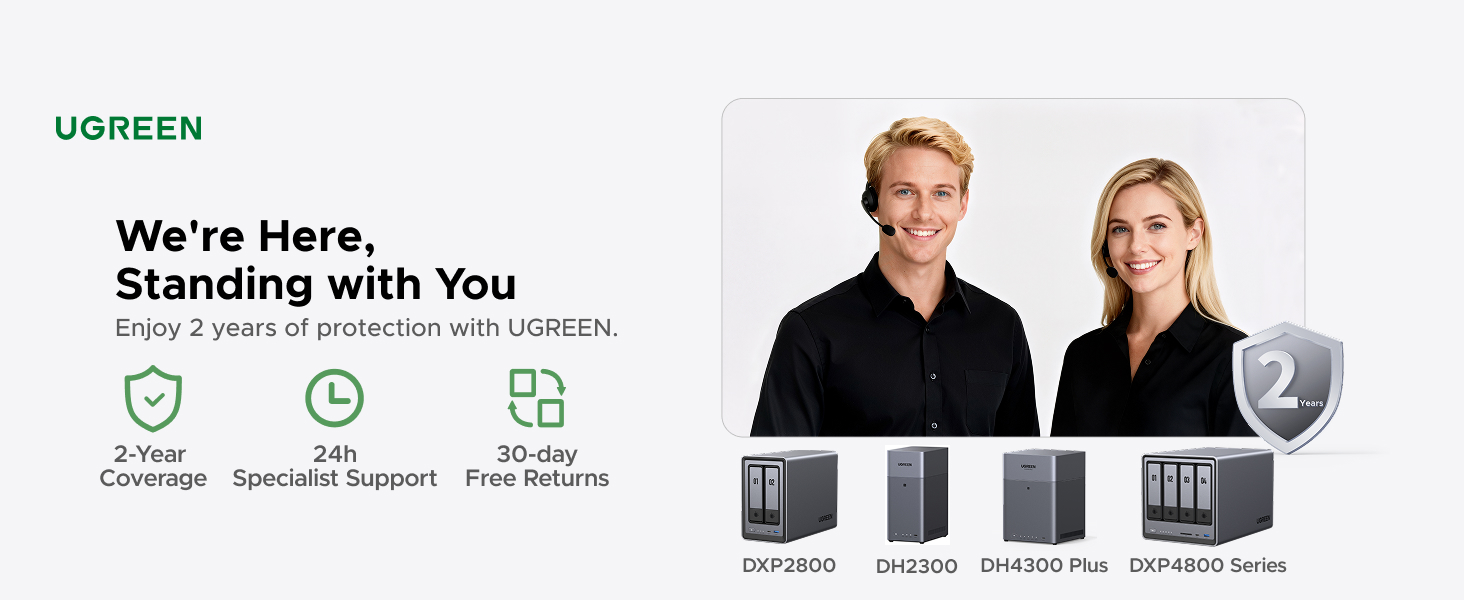
2-Year Warranty: Enjoy 2 years of protection with UGREEN. You will get 24h specialist support, 30-day free returns. We are here, standing with you. Please feel free to contact our specialist support.
NAS Knowledge & Support Center: Any questions or issures, please contact Amazon Customer Service or visit the UGREEN Knowledge Center or the ‘Support’ section in the NAS app. There are also user manual, trouble shooting guide on the product page where Safety and Product Resources is.











Vicente –
Amazing piece of tech. Wish I got into this stuff years ago.
Background was I found myself with $1000 in Amazon gift cards and I’ve been thinking about getting into this stuff on and off for a while now – it’s one of the things I told myself I’d look into when I went for 2Gb Fiber internet at the beginning of this year. Little did I know what I was getting myself into.Gear:- UGreen DXP4800 Plus- Upgraded with 32GB 4800MHz DDR5 RAM- 3x 18TB Seagate Exos X18 HDDs, will add a 4th down the line- Added a 2TB 990 Pro NVMe- Opted to get a 10Gb PCIE expansion card for my personal PCStorage Config:- Volume 1: 36TB RAID5 (54GB total from the current 3 x 18TB, but 18TB of that reserved for parity)- Volume 2: 2TB NVMeDidn’t do that much upfront research on OS options and decided to stick with whatever UGOS was going to end up being, which is …. okay? Easy to use for the most part but some baffling decisions. For example, it took me a good 15 minutes to figure out how to delete folders in the UGOS UI and now I just do that through Windows.On using an NVMe – looked into it and decided how could I *not* do it. For example, I edit videos fairly often. So one thing I can do is copy raw footage from the HDDs into the NAS nvme and make it so that Adobe Premiere Pro on my pc does everything on that nvme over a 10Gb cable without ever having to move stuff to/from my pc. 8pm rolls around, i export a draft copy of the video to the nvme that takes 10 minutes or so to encode while i cook, then I hop on my phone/pad while i’m eating and view the exported draft video still on that nas nvme. Workflow can’t be that smooth with just HDDs.Another thing, if you can tell from my PC, I also game here and there and like to record footage. I don’t have good warm and fuzzies recording 4k/60 footage over a 10Gb onto HDDs, so instead Nvidia Overlay points to a “Passthrough” folder on the NAS nvme where throughput is seamless. Then wrote a cron script that executes a mv command to migrate footage on the nvme into the HDD every night at 4:30AM.Other things I got done over the first weekend:- Pihole up and running for network wide DNS-level adblocking. This alone is lifechanging and worth the price of admission if you ask me. I actually had a friend come over at one point over the weekend and he freaked out about his phone browsing feeling so nice at my place.- Set up a homegrown VPN so I can benefit from pihole outside my home. Fun fact: most name-brand subscription VPNs charge extra for enhanced adblocking. With your own home server and a little coding DIY, you can set up your own service for free (outside the hardware costs, obviously)- Took about 18hrs to migrate ~7TB of data I’ve been slowly accruing since like 2014, and that’s WITH numerous cleanups and whatnot over the years. Feels really good to not have to delete stuff anymore just to make room…… for now- Got Plex and Jellyfin up and running- Got an “arr” docker container stack going to automate media acquisition.- Least exciting thing, obviously I got remote phone and automatic pc/data backups going on a reasonable scheduleThings I’m looking to work on throughout this next week or two:- Finish up that VPN/reverse proxy project, likely using Tailscale, featuring Pi-hole as the adblock service- Start messing around on a VM or two, plus there are definitely games I’ve been wanting to host persistently in the background with friends.- Been meaning to host a personal website- Look into Home Assistant- Get a retro game arcade cabinet going that pulls from the NASI can’t remember the last time I was thrilled about getting into a new thing that slots into the rare “lifechanging new hobby” category. Snowboarding maybe? This homelab stuff with the UGreen DXP4800 Plus at the center of it all has been a blast.
John MacMullen –
A Powerful NAS at a very Good Price that Provides Lots of Storage Options
I purchased the UGREEN DXP4800 Plus 4-Bay Desktop NAS because my previous NAS (Drobo 5n2) failed and the manufacturer is no longer in business.What attracted me to the 4800 Plus was the upgradability, especially the RAM. The second factor I considered was price.I have been using the DXP4800 Plus for several months and I have to say I am very, very pleased with it I have a 2.5GPs network and this comes with not only 2.5GPs but also a 10 GPs connection, so belive me when I say file transfers are rapid. In addition, the 4800 Plus has not 1, but 2 slots for M2 drives for file caching purposes (sorry, you can’t use the M2 drives as additional storage). The combination of the 4 bays plus the 2 M2 drives (and the 32 GB of RAM I upgraded to over the 8GB it comes with) is really unbeatable for a NAS in this price range.I found setup to be fairly easy, albeit the creation of the share took the better part of a day to configure. The instructions were very clear and the menus were very intuitive. Once I got the share created, I had to migrate multipl TB of data and the machine performed flawlessly. I mainly use this for storing of all of my media for Plex, family photos, movies, etc. and it handles everything I throw with it.The software included to manage the NAS is pretty easy to use, and it has a good variety of apps to enhance your experience. If you’ve used a NAS before, then you’d see that UGREEN’s software functions just like other NAS software, so the learning curve is short.I would remove a 1/2 star for the unintuitive way to have the NAS mapped as a network drive. It took me a few days to figure how to get this accomplished. This is one area Synolgy has UGREEN beat. But once I figured it out (and how to lock the IP address to the 4800 Plus through my internet provider’s router), it is now pretty much set and forget.The other big con of this NAS is that for drive sizes of 20TB and above, the number of supported drives is very limited.The final thing I would say is that I like the DXP 4800 Plus so much, I was seriously considering purchasing a second one. I came up with a cheaper, non network option, but I still would buy this again.
Ken325 –
Excellent hardware, good enough software.
I have had this NAS for about 10 days I also have a Synology DS1910+ that is 6 years old. So this is kind of a comparison. The hardware is excellent. Much better processor, faster LAN ports, better USB ports, and it seems quieter. The software selection is smaller, but they have most of the stuff I want to use. Most of the software is easier to set up, but for some things you have to use docker, and that can be complicated. I have also found it difficult to mount folders so I can use them from Windows Explorer. It works, but it is more complicated than Synology. The remote access works great. One big negative is no SHR raid so all your drives have to be the same size or you lose storage capacity. I am also less trusting of a Chinese company from a security standpoint. I would also like to have the ability to add external drives if needed. Synology has this feature. I am also hoping for software upgrades in the future.
Brian –
Amazing little NAS. Rock solid, performant, and it looks nice too.Installing and removing drives is very easy. Getting at the m.2 and memory is also reasonably easy. It has lots of CPU and memory (though I added another 8GB to mine).I can’t comment on the software, as I installed TrueNAS Scale on it without ever even booting to the provided OS.Right now it’s running nicely with 4 drives and several apps (Jellyfin, Immich, Syncthing, etc). No complaints!
Taso P –
Powefull unit. Constantly getting updates and making it better .
Raven437 –
A good home or small office NAS. Works well, but the in-house Linux OS is very minimal. Hopefully there will eventually be more apps ported for it, or it will become open source. The NVMe drives don’t need to be large and can be mirrored (RAID1) when used as cache. I used two 1TBs I had around, but only about 13-17% is being used. Only in operation for 10 days, so longevity no yet evaluated.
JOHN BAXENDALE –
Super easy to set up and works amazing.Great way to access files remotely without having multiple smaller hard-drives.
SK –
Running it for the last several months.Good, solid, stable.