


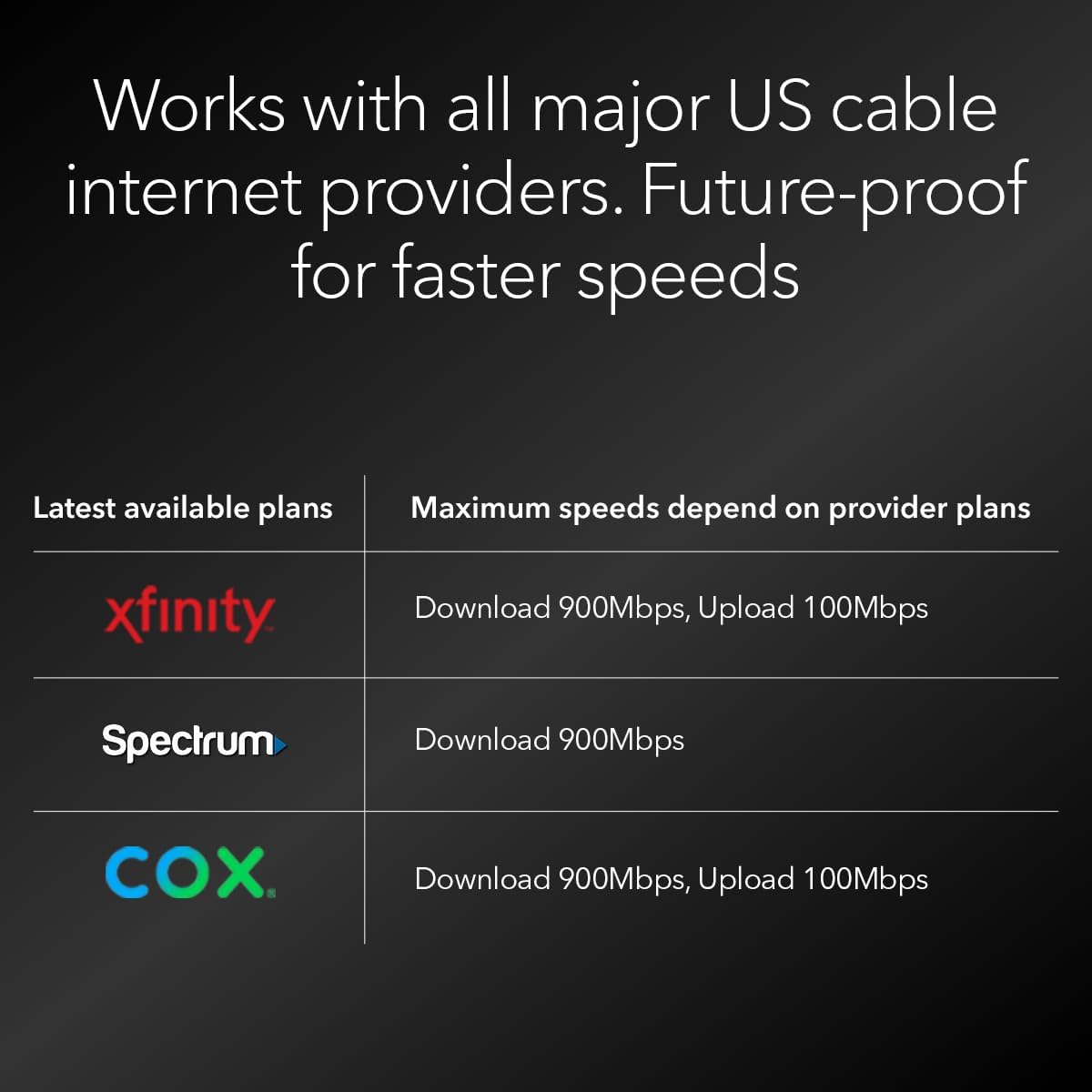


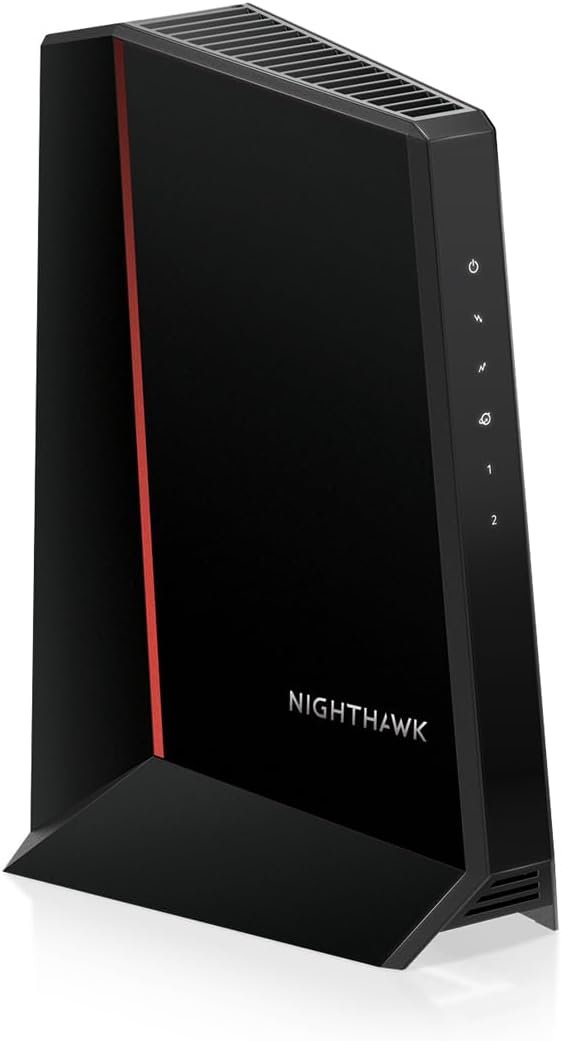
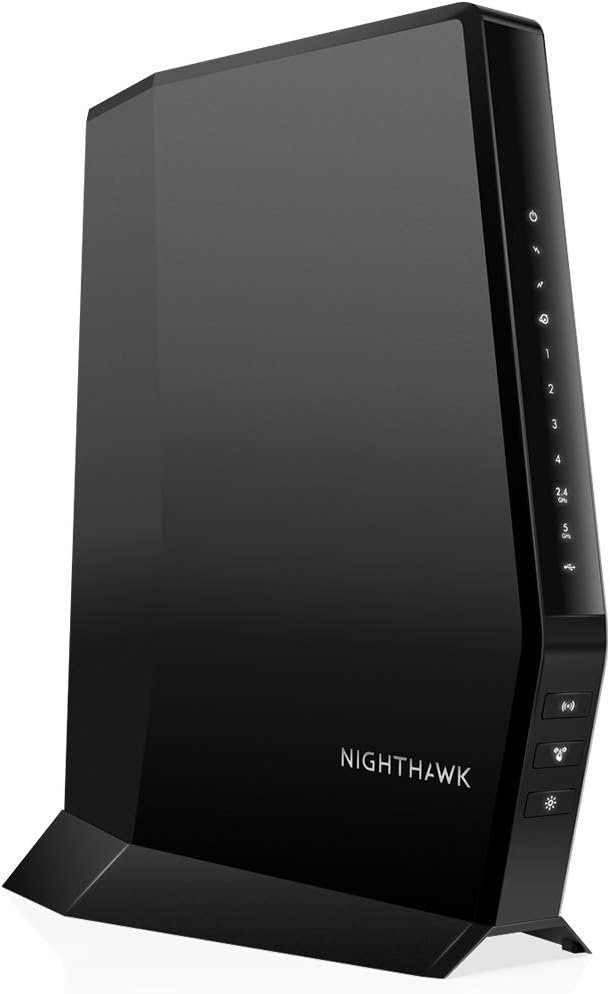
Upgrade to faster speeds with the revolutionary DOCSIS® 3.1 mid/high-split cable modem from NETGEAR. The Nighthawk® CM2500 cable modem is specifically engineered to handle today’s faster DOCSIS 3.1 cable internet speeds that can only be accessed with mid/high-split technology, such as Xfinity’s 900Mbps Internet download speeds and 100Mbps upload speeds. Your entire family can enjoy faster download speeds up to 2Gbps (with link aggregation) and unprecedented upload speeds up to 1Gbps for lag-free gaming, crisp video conferencing, smoother music and video streaming, and instant app downloads. Connect for multi-gig speeds up to 2Gbps by connecting the two 1Gig ports to a router that supports Internet with link aggregation. And to push your Nighthawk’s performance even further, you can simply pair the CM2500 with a NETGEAR WiFi 6E or WiFi 7 router or Orbi mesh system. The Nighthawk CM2500 works seamlessly with every major U.S. cable service provider.
Mid/high-split DOCSIS 3.1 cable modem delivers up to 2Gbps of download speeds and 1Gbps of upload speeds
Unlock faster cable internet speeds, such as Xfinity’s 900Mbps download speeds and 100Mbps upload speeds. Works with all major US internet providers. Not compatible with Xfinity Voice plans
Faster download speeds powers your digital lifestyle with enhanced speed, capacity, efficiency, and response times
10x faster upload speeds for seamless multi-family gaming, video conferencing and uploading even the largest files—simultaneously. Plus provides easy remote access to your home security cameras and files on your NAS
For the ultimate in performance, link a NETGEAR WiFi 6E or WiFi 7 router or Orbi system to the CM2500 cable modem
Stay ahead of future internet speeds with our mid/high-split DOCSIS 3.1 cable modem for much higher performance levels
Save up to dollar 300 a year in ISP rental fees by owning this high-performance modem
Connect the two Gigabit ports to a router with link aggregation for up to 2Gbps
Made for use in the US only
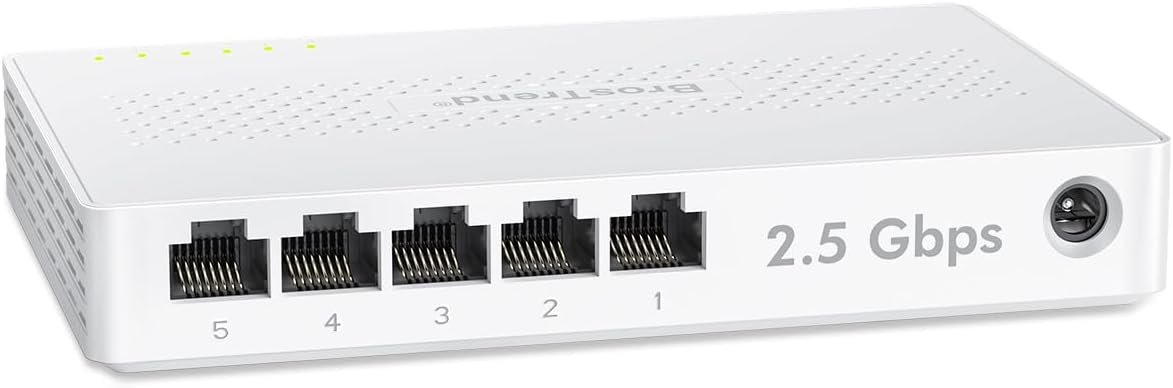
BrosTrend 5 Port 2.5GB Switch, Unmanaged Ethernet Switch for Game Console, PC, NAS, etc. 2.5 Gigabit Network Switch Fanless Plug & Play, Multi-Gigabit Switch, Desktop / Wall Mount, Lifetime Protection
Original price was: $49.99.$6.99Current price is: $6.99.
-88%







Kindle Customer –
Worth it
Others say only one port works. Ether way it is pointless. You only need one so the router can be hooked up. You plug everything into the router. The modem is for the cable coming in and an outlet going out to the router that is it. Don’t make a simple thing complicated like I did. It really increased the speed too!
John Anthony –
Reliable!
Sooooo much more reliable than the modem I was renting from Optimum. Since installing this my wi-fi has not gone down once. With the optimum supplied modem it was going down often, sometimes every few days. Very -leased with this -urchase.
Amazon Customer –
Nighthawk Modem & Router
The Nighthawk modem and router upgrades for me were an excellent choice for my internet needs. It’s crazy but the modem came out of the box looking like a Bird of Prey. Both devices were easy to install. I especially appreciate the mandatory registration required for my product security. This level of product is providing me with outstanding signal strength and quality. I would highly recommend this reliable and affordable product for anyone seeking to upgrade their system. The performance is beyond compare.
Anthony –
CM1200 Provides Intermittent Signal – Inconsistent Mpbs, Mostly < 100 Mbps & Frequent < 50 Mpbs I purchased the CM1200 in August 2020 and received it 8/8/2020. I attempted to connect the device at home as it was replacing the CM500. I have an AC1750 Netgear router that was connected to the CM500 and is now connected to the CM1200. I spent 5 hours the first night working with Netgear and my ISP (Comcast) to setup the device correctly; I was unable to use the activate link and had to call Comcast. While on the phone, Comcast stated because it's a Netgear product, Netgear would have to provide the firmware. However, Netgear's knowledge base states Comcast actually pushes the firmware. It started to feel like I was in the middle between Comcast and Netgear. This should have been an easy experience - plug and play - just like I have done with many other computer hardware.Once the device was setup, it worked well for about a week. The following Sunday I contacted Comcast again because I no longer was getting internet service. Comcast could not see the modem. We went through normal troubleshooting of a power cycle of both the modem and router. Internet service resumed. A little later, Comcast could not see the modem again. Went through the same steps and it was back.Comcast sent a technician out on 8/18/2020. They changed connections outside of my place. Also pushed all the service to one cable connection in my place; all other cable wall outlets do not have cable as I'm trying to ensure all the service is going to where I am connecting my internet and TV (I've been in this place for 4 years and did not have this problem previously until recently).The following Sunday I contacted Comcast again and went through the same steps. The following days I had to restart my modem each morning because I no longer had wifi when I got up to start work. I contacted Comcast 8/27/2020 to further discuss the issue. The first time we went through the normal steps of trying to restart the modem, unplug the modem, attempt to make a connection from Comcast to the modem, etc. Internet service came back... for an hour. An hour later I contacted Comcast again and they pointed me to Netgear. Now I really feel like I'm between Comcast and Netgear and no one taking ownership of the problem.After speaking with Comcast on 8/27/2020, I entered a support case with Netgear. I contacted them on 8/28/2020 because Netgear apparently does not reach out when a case is entered, it is up to the user to contact them after creating a case online. At 4 PM on 8/28, the Netgear technician had me reset the modem, unplug the modem, unplug the router and then reconnect everything. I explained I do this on a daily basis, but went along. When this was done, internet service returned... as expected. The tech said to monitor the internet for the next couple days to see if the problem persists. I told him I know what's going to happen and that I will be contacting Netgear again before a couple days ends. I asked if they could just send a replacement because I've been dealing with this issue for 3 weeks at this point, and he said just monitor the internet service.At 8 PM on 8/28 (4 hours after reaching Netgear) I was on the phone again with Comcast because internet service was non-existent. At 8:30 PM I began my hour long hold with Netgear following up on my open case stating what I told the prior technician that I would be calling Netgear back because I would no longer have internet service. We went through similar steps, however this time the technician had me change a setting on the router.I'm expecting I'll once again be contacting Comcast and Netflix on either 8/29 or 8/30 because the internet is no longer working for me.At this point, I'm caught between Comcast stating that I'm using my own device and they can't support that, and Netgear saying I have 90 days on my service warranty. Meanwhile, I have intermittent internet issues causing me to use my mobile hotspot to work.I will say Netgear tech support has been pleasant once I get through the queue, but I've been on hold 30 to 60 minutes each time I call and then another 30 to 60 minutes troubleshooting. I've also had to repeat many details along the way when I call, however, so that's frustrating.I'm hoping this gets resolved, or I'll have to work with Amazon to return the modem and hopefully get a full refund.
St John –
Compatible with Cox?
The modem seemed to work well for a bit. I bought it to replace an older modem that suddenly had internet connectivity issues. This one worked for an hour or so, then had the same issues – I could not get any router connected to have working internet. Then the modem would not connect to internet at all. So I got a modem/router from Cox and everything works perfectly. Modem issue? Cox messing with customers to force us to rent their equipment? – Most likely.
BVG –
All Good
NETGEAR Nighthawk Cable Modem CM1200Simple install using Spectrum on line step by step. Getting 85 mps higher than the 400 spectrum can guarantee.Working very well without any Apps or any technical phone help to make it do its job.All Good Cheers.
Mark Currie –
Great modem.
Replaced my Spectrum issued modem with this and a better router. Big difference.
Buck –
Superior Modem
I paired this with my Nighthawk router and my setup is lightning fast. It was fairly easy to set up with my internet provider. This is, by far, the best modem that I have owned.