




Product description

Communicate From Your Camera
Speak in real-time to anyone who passes via the camera’s built-in two-way audio.

Instant Mobile Alerts*
Notifies* you in seconds when suspicious motions are detected.

Dual Storage** Options
Store your data and recordings: locally with an extra SD card (not included) or in the cloud.

Follows the Action
When motion is detected the camera automatically tracks and follows the moving object.

Know When You Are Needed
The built-in AI notifies* you of excessive noise levels so you know when your little one needs some attention.

Instant Detection
As soon as motion is detected the camera will start recording and push a notification* in case you want to see what is happening.

Activity Zones
Only receive the alerts* which matter. Customize the area in which detection takes place to suit your home.

Sight at Night
Keep an eye on any room, even in low light settings.
Add to Cart
Add to Cart
Add to Cart
Add to Cart
Customer Reviews
4.4 out of 5 stars 23,303
4.5 out of 5 stars 1,489
4.2 out of 5 stars 12,503
4.4 out of 5 stars 1,754
Price
$29.99$29.99 $49.97$49.97 $29.99$29.99 $79.98$79.98
Weather Resistance
Indoor use only Indoor use only Indoor use only Indoor use only
Camera lens
Single Single Single Dual
Resolution
2K 4K UHD 2K 4K UHD
Night Vision
IR (32.8ft) IR (32.8ft), Color (16.4ft) IR (32.8ft) Recognize Faces at 30 ft
FOV
125° 125° 125° 130
Storage
Local**, cloud, NAS (RTSP) Local**, cloud, NAS (RTSP) Local**, cloud, NAS (RTSP) Local**, cloud, NAS (RTSP)
Included microSD Card
Not included Not included Not included Not included
Recording Method
24/7 & Event 24/7 & Event 24/7 & Event 24/7 & Event
AI Detection
Human, Pet, Crying Human, Pet, Audio, Crying Human, Pet, Crying Human, Pet, Crying
eufy Security Indoor Cam E220
Local** Security, No Monthly Fee From your newborn crying for mom, to your victory dance after a game, your personal moments are yours and yours alone. We are committed to products and services that keep your data private and secure.
Know When You Are Needed
The built-in AI notifies you of excessive noise levels so you know when your little one needs some attention.
Activity Zones
Only receive the alerts that matter. Customize the area in which detection takes place to suit your home.
Sight at Night
Advanced night vision allows you to keep an eye on any room, even in low light.
360° Check-Up
Get a full view of the entire room at the press of a button.
What’s Included:
1x eufy Security Indoor Cam E220, 1x USB Adapter, 1x USB Cable, 1x Mounting Bracket, 1x Screw Pack, 1x Quick Start Guide
Notes: Upgrade firmware to v.2.0.6.9 or newer
Non-Waterproof; Requires MicroSD card*** (not included)
When opening HomeKit, users must add the device in the eufy Security app and then complete the activation process.
FAQ:
1. Does Indoor Cam E220 support 5GHz Wi-Fi?
No, it only supports 2.4GHz Wi-Fi connection.
2. Is the Indoor Cam E220 compatible with HomeBase ?
Yes, it is compatible with Homebase 3, however it currently only supports the storage function. BionicMind modes, and automation are not yet supported.
*Push notifications with thumbnail previews require thumbnail preview images to be temporarily stored in the cloud.
**If you choose to use cloud-based features such as cloud storage or push notifications with thumbnail previews, videos or thumbnail previews will be sent to the cloud as needed to provide your selected features.
***Use at least a Class 10 microSD card with a maximum of 128 GB.
3. Is the Indoor Cam E220 Support Apple Homekit?
Yes, the product supports Apple HomeKit. To use the product with Apple HomeKit, users must add the device in the eufy Security app and then complete the activation process. HomeKit Secure Video requires a supported iCloud+ plan.
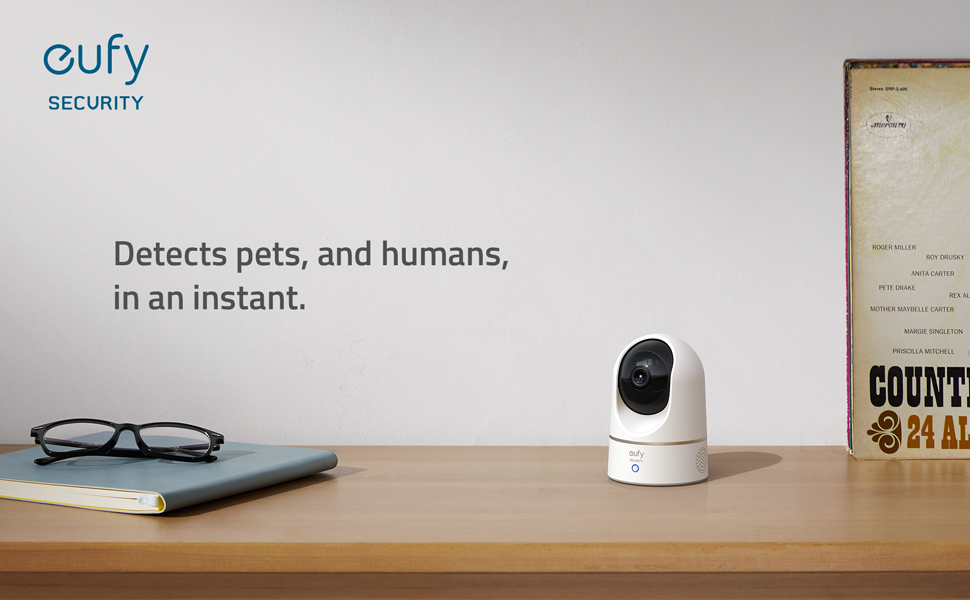
Relevant Recordings: The on-device AI determines whether a human or pet is present and only records when an event of interest occurs.
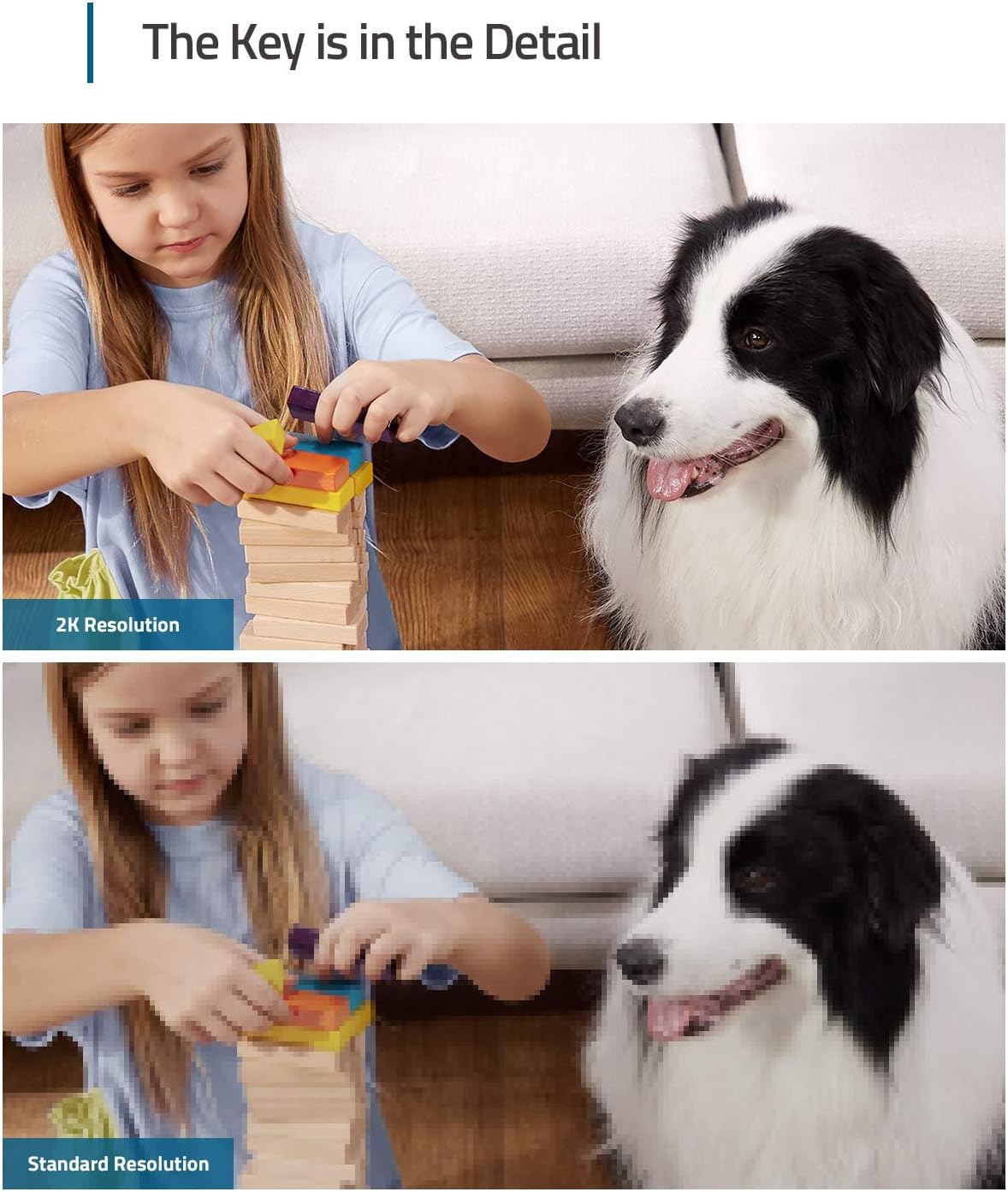
The Key is in the Detail: View every event in up to 2K clarity (1080P while using HomeKit) so you see exactly what is happening inside your home.
Smart Integration: Connect your IndoorCam to Apple HomeKit (download our HomeKit User guide in the product information section below), the Google Assistant, or Amazon Alexa for complete control over your surveillance.
Follows the Action: When motion is detected the camera automatically tracks and follows the moving object. Pan the lens 360° horizontally or tilt it 96° vertically to get a clear view of the whole room.
Communicate From Your Camera: Speak in real-time to anyone who passes via the camera’s built-in two-way audio.


Gadsdan –
Feature Packed Indoor Security Camera!
Short Version: The Eufy Security Indoor Cam E220 Pan and Tilt offers exceptional value, featuring 2K resolution, 360° pan, 96° tilt, digital zoom, two-way communication, and a siren. Its quick live view response, customizable settings for audio, notifications, recording, and motion tracking make it versatile for monitoring pets, children, and home security. The camera supports continuous 24/7 recording with local storage (up to 128GB microSD), adjustable audio settings, and a variety of notification options. Motion and sound detection can be fine-tuned for specific needs, and it includes a unique Pet Command feature. While it offers cloud storage, the camera’s full functionality doesn’t require a subscription, adding to its appeal. The device is easy to manage with settings for Wi-Fi, time, and device naming, and can be integrated with HomeKit. Optional HomeBase offers expanded storage and enhanced security features. This review is based on personal experience without endorsement or compensation from Eufy.Detailed Version: The Eufy Security Indoor Cam E220 Pan and Tilt (with digital zoom) is an excellent wired indoor camera. With up to 2K resolution, the ability to remotely pan, tilt, and zoom, two-way communication, and a siren, this camera is a beast for the price, especially on sale. I currently have 4 setup, though I can see myself getting more, and it covers everything I need. I’ve been using them for about 4 months now. My average time from clicking on a live view to it being live is about 1 second, many times it’s almost immediately. That will depend on your network strength and speed.PANWith 360° of panning and 5 levels of responsiveness, there isn’t any direction this camera can’t see. The camera does have a stopping point and you then must rotate it the opposite direction, but it is true 360° coverage.TILTWith 96° of tilt and 5 levels of responsiveness, you must position it right to get the optimal viewing angle, though there is a great deal of adjustability. I found that mounting it up high is less than ideal as the ability to pan down is somewhat limited when mounted up high. If mounted at the recommended 60” maximum if monitoring children/pets it will work just fine. If you must mount it higher than that and a wall or ceiling mount won’t work for you, you can always simply prop it up with something and tilt it forwardZOOMIt’s a digital zoom in a relatively inexpensive camera. It’s better than what I’ve experienced with other cameras, but don’t expect it to look as good zoomed in as it does zoomed out.NIGHT VISIONYou can set it to Auto which will turn on when the sensors determine it’s dark enough and will turn off when they sense it’s light enough. On, it’s just on all the time. Off, you guess it, it’s off all the time.MOTION DETECTIONYou can select specific activity zones to detect motion in, while ignoring others. It has some advanced technology built in and can even detect the difference between humans and pets, should you turn that feature on. You can select just humans, just pets, both, and/or all other motion. There are also 5 levels of sensitivity you can select. You are able to turn off motion detection as well.MOTION TRACKINGWhen turned on, if it detects motion, it will track it.TWO WAY COMMUNICATIONSelf-explanatory. You can talk to people, or pets, and they can reply. You can turn off the mic and/or speaker and can even turn off audio recording in the settings.SOUND DETECTIONWhen turned on, this camera will notify you of two things, all noise and/or crying. I’m hoping they expand this in the future to include things like glass breaking, smoke/CO2 detectors etc. but that this point, it’s just all sounds and/or crying. There are also 5 levels of sensitivity.PET COMMANDThis is a pretty nifty feature. When you select a certain zone under the Pet Command menu it will play an audio message of “Hey, what are you doing there?”. Sure, that’s pretty cool, but… you can also add a custom message that you record so it can literally say anything, in any voice. Or simply play an alarm if you record that as the message.WATERMARKOff (No timestamp or logo), Timestamp, or Timestamp and Logo.STREAMING QUALITYAuto (Adaptive based on its current connection strength, which can vary based on how many devices you have on your network at certain times). High, Medium, and Low. It doesn’t say exactly what these resolutions are.RECORDING QUALITY2K or 1080P. This is independent and has no impact on the Streaming Quality setting.CONTINOUS RECORDINGHonestly, one of the main reasons I went with this camera. This can continually record, 24/7. How much depends on your local storage and your Recording Quality setting. Each camera has a Micro SD card slot and can take up to a 128GB card, at the time of this review. Eufy recommends a class 10. I personally went with a SanDisk 128GB Extreme microSDXC UHS-I. Once the card is full, it will overwrite the oldest data first. If there is something you want to save, be sure and download it! If continuous recording isn’t your thing, you can schedule recording times as well. I don’t know if there is a limit, but you can keep adding different times/days. Keep in mind that if motion detection is turned on, it will record those events as well.NOTIFICATIONSYou can opt in/out of notifications for Human, Pet, All other motion, Crying (sound), All sound. This is different that the sound detection setting, that simply will record if it detects those sounds. It won’t notify you unless you have the corresponding notification turned on. While I haven’t tested it, I am able to turn notifications on for sound without having the corresponding sound detection setting turned on. That leads me to believe I could be notified for a sound/motion, even if I didn’t have it set to record it. I like the ability to select whatever I want, so that’s neat. You can also select between 0 and 5 minutes for a delay in notifications, 0 will have no delay and notify you every time. There are also several options for how you receive notifications. Most efficient will notify you with text immediately. Full Effect will notify you with text immediately and follow up with a thumbnail if available. Include Thumbnail will give you text and thumbnail if available. There are also 9 tones to select from, one of those being Silent and one being default alert notification.GENERALYou can give each camera a custom name, turn on/off the status LED (off means no light comes on during live view, or when it’s recording, Storage (Local and Cloud settings), NOTE: Cloud recording does require a monthly subscription but IS NOT required for full functionality of this device. You can remotely access the live view and all recorded events on your local storage. Cloud may be advisable if you simply must have recorded events, it would come in handy if the SD card was removed or damaged (highly unlikely in most scenarios). There are settings for Homekit (Apple), Wi-Fi Connection, Time Settings, Mounting Guide (180° image rotation is in this setting), and About Device. You can also turn each camera on or off as needed.There are truly no hidden fees and no monthly subscriptions for all of these features, that was also a major reason I went with Eufy. You can add on a Homebase if you want, but it is not required, at least for anything I’ve done so far. There are some benefits to the HomeBase though, expandible storage being one of them. The current HomeBase 3 supports an incredible 16 terabytes of expandable storage (sold separately) as well as dual-layered AES-128 and RSA-1024 encryption. I do not have the HomeBase so I can’t speak on it much, but it looks quite impressive. With its daily security reports, and BionicMind which helps recognize known individuals from strangers (think facial recognition). Perhaps someday I’ll get one!Eufy did NOT send me anything, compensate me, or solicit this review in anyway… though, I wish they would send me stuff!
Austin Scott –
This is an excellent indoor security camera and it has amazing capabilities for the price.
This was a game changer for me. Although the e340 doorbell I got works okay, it doesn’t let me download images I just get black with sound no matter where I download it from Portal or app. But it does display and I can screen cap it. That’s the e340, this particular camera though? I have no complaints. It works just as I would want it to and I am happy I got it. They seem like a good bunch and they are receptive we haven’t got to the bottom of the the e340 doorbell and I have tried and tried and it will not download images on my Motorola Android cell phone but it works on pc. This particular camera, the indoor camera that I’m reviewing, it downloads images everywhere perfectly from the phone app portal remotely. I need it because I had scumbags move in next door to me in an apartment complex. He has what I am safely assuming addicts coming through and buying and Amazon packages were getting stolen in the area. From him and his so-called guests. This gives me great peace of mind when I have to go to a doctor’s appointment, the grocery store down the street, I can just tune in to the app and watch what’s going on in my home or in front of my door using the eufy home base 3. It’s excellent It’s a good setup. My only complaint is for the doorbell that I’ve got that it doesn’t let me download on the phone but there are workarounds and it’s not a deal-breaker. It worked in the beginning and if I wanted to take the time to unsync everything and resync everything, which is a task, it would probably work I’m assuming as it did initially. But I changed a bunch of settings and now no matter what I do the doorbell won’t download natively on Android you get a file but it’s not shareable but however it can be viewed in certain applications, like vcf. But all I got to do is go to the computer and download it and it’ll be fine. In this particular camera I have found zero problems with. And it’s a deal for the price it gives me great piece of mind the camera tracking is good the night vision is good the alarm that goes off when it perceives movement in your home when you’re gone is good it’ll send notification to your phone it’s amazing. Yeah it’s a five-star I’m glad I have it. Wish I could get that doorbells download straightened out but you know counting workarounds it’s damn near perfect as well I wish I could just natively download on it but I’m super happy that it just works. Anyways I hope that helps this is a good camera it works well it does everything it’s supposed to do and I’m actually surprised that it’s functionality and capabilities for the price.
Ken –
Best home cameras
I LOVE these cameras. I bought these to replace my old camera from a different brand. I love that these are so easy to set up. Even if you get disconnected but unplugging or no network connection, it doesn’t take forever to reconnect.It has varying motion settings. You can silence the motion notifications if you have your camera’s on while home. You can also set it to act as an alarm system when you are out and motion is detected.The view is very clear. The videos are quick to upload. The subscription is very inexpensive. I’m glad I purchased this brand. I also love that I can turn them off when I’m home as well, and they will turn around towards the wall.
Tarek –
Good quality , eufy proof their high end products
abraham yañez –
La cámara esta muy bien, es de buena calidad, el funcionamiento es bueno, la imagen es buena, el sonido esta bien, la grabación es de buena calidad y su funcionamiento de movimiento esta muy bien, el software es fácil de usar y tiene muchas funciones, los sensores son buenos, funcionan muy bienEs compatible con apple home pero pierde algunas funciones qué tiene en la aplicación oficial, pero si funcionaEs recomendable ponerle la tarjeta de memoria, para que grabe unos días y tengan el respaldo, el software la va manejandoMe gusto como funciona, hasta el momento todo bienEs tal como se describe, el envío estuvo todo bien sin problemas y llego el producto sin detalles
Amazon Customer –
This camera replaces a Yi Camera, which was advertised as performing all of the features as this camera does – but since my purchase those features were slowly being removed and people pushed to their cloud solution. So after some research I bought this one!I use this camera to monitor my apartment when I am away, and leave it off when I am home. I have it waking up on sound, motion, and human motion. Simple. So I only use this camera with my SD Card as there is no need for me to use the advanced features (cloud, etc.).This app gives you fantastic control over the unit and notifications. It works as expected, and follows the intruder appropriately. This camera has a fast response time (motion tracking). The softare isn’t too bad to install – if you don’t like the camera siren then you can disable it in the Security tab per each of the different security modes offered. The only thing I’ve noticed is if you turn off the camera before it returns to home then when you turn it back on it will just stay there. As well, it is not obvious that you can physically move the camera ball up and down by hand – it won’t break the motor. You have to do this to insert the SD Card, and as well to set the initial visual positioning. I thought it a little odd to find the SD Card located in a moving camera part, but that’s where it is located. Because I found it odd that the last camera system occassionally just ‘turned on’ by itself, just to be sure I always turn off this camera after putting it in Disarmed mode (I’ve yet to have this happen with this camera). I’ve yet to explore all that this app has to offer – but this camera is meeting my inital needs without issue. Happy with the purchase – would suggest it to anyone!
SBL –
Great. Works well. I have 3 of them now. I use under my veranda. You do need to buy a separate SD card for it to operate. Need to check what type and capacity is compatible.
Placeholder –
I recently purchased the eufy security camera, and I couldn’t be more impressed with its performance and features. Here’s why it’s the best low-budget option with HomeKit Secure Video compatibility, excellent video quality, human detection & tracking, and a compact form factor.**Low Budget Brilliance**: One of the standout features of the eufy security camera is its affordability. It’s perfect for budget-conscious users who still want reliable home security.**HomeKit Secure Video**: I was thrilled to find a budget-friendly camera that supports HomeKit Secure Video. This adds an extra layer of privacy and security, allowing me to store and review footage on my Apple devices with end-to-end encryption.**Crystal Clear Video**: The eufy camera delivers exceptional video quality. The 2k resolution ensures that every detail is sharp and clear, whether it’s day or night. The night vision is particularly impressive, providing a clear view in low-light conditions.(but due to Apple conditions it’s reduced to 1080P.**Human Detection & Tracking**: The eufy camera’s ability to detect and track humans sets it apart from many other budget cameras. It reduces false alerts and ensures that you’re notified only when a person is detected, which is especially handy in high-traffic areas.In conclusion, the eufy security camera is a fantastic low-budget option that doesn’t compromise on essential features. With HomeKit Secure Video compatibility, top-notch video quality, human detection, and its compact design, it’s an excellent choice for anyone looking to enhance their home security.