


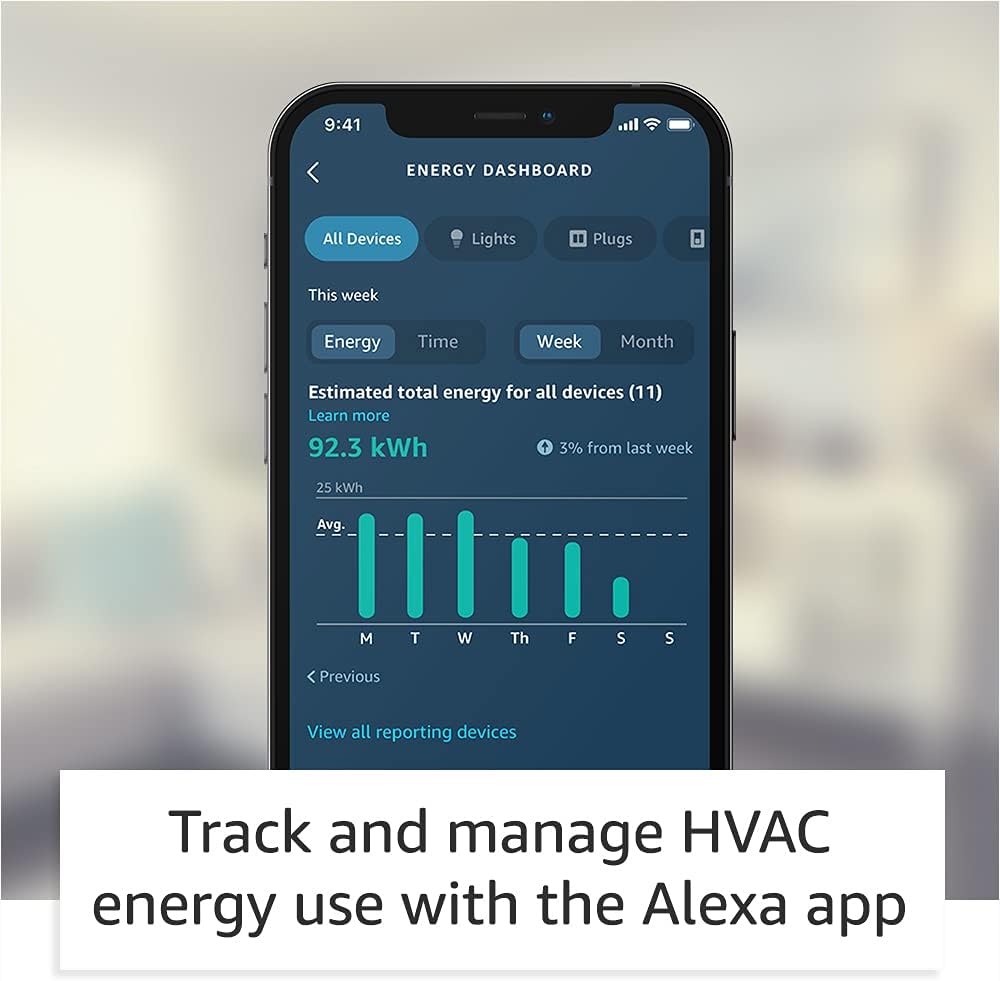
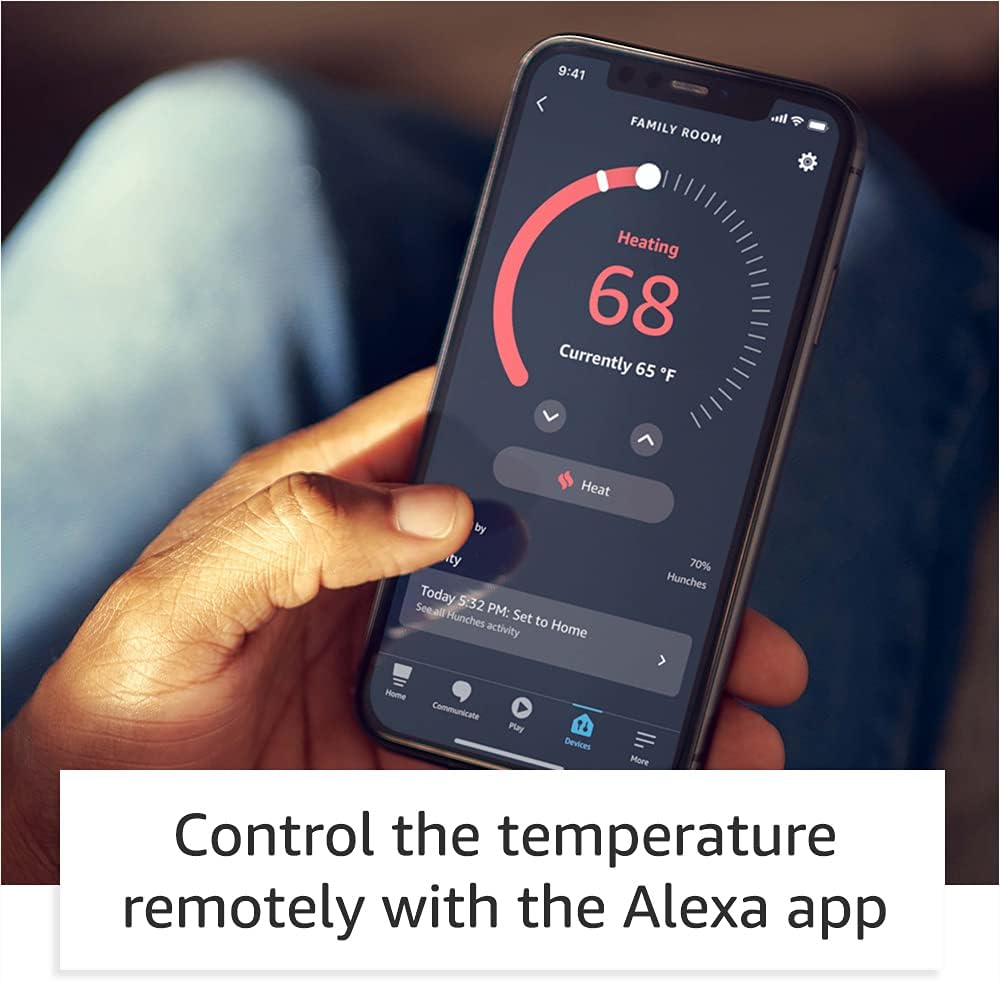

Smart upgrade – Amazon Smart Thermostat is an easy way to switch from a traditional thermostat and help reduce energy usage.
Create comfort zones throughout your home by using select Echo devices or Amazon Smart Air Quality Monitor to automatically adjust heating and cooling based on temperature readings or presence detection.
Save money – After purchase, Amazon will send you an email with details about rebates that may be available from energy providers in your area. Explore rebates above.
Save energy – According to EPA estimates, ENERGY STAR certified thermostats save an average of $50 on yearly energy bills.
Automatic Control – Alexa can automatically switch between your preferred home, away, and sleep temperatures.
On-the-go control – Let Alexa set the temperature, or set it yourself from anywhere with the Alexa app.
You can do it – The Alexa app will guide you through the installation process, but customer service is always available.
Reliable – Made with Honeywell Home Thermostat Technology and backed by 130 years of experience.
Create your Alexa+ home: With Alexa+, set routines using just your voice, control multiple devices at once, and chat casually to make requests.

Minoston 800 Series Z-Wave Scene Controller, 4 ZWave Button, Zwave Plus Wall Switch Remote Control, Support Long Range, Work with Z Wave Hubs (MR40Z)
Original price was: $29.79.$23.83Current price is: $23.83.

MOES 2nd Generation Smart Touch Wall Switch, 2.4GHz Wi-Fi Single Fire Single Pole Switch, No Neutral Wire Required, Remote MOES APP Control, Compatible with Alexa and Google Home 110V White 1 Gang
Original price was: $19.99.$15.99Current price is: $15.99.







funnytennisman –
Amazon Smart t-stat honest review
I’m a big Nest fan had it on my old house the problem that I have with them it’s the cost, and even with gas company great rebate didn’t justify the cost especially with my new home having a total of 5 thermostats (t-stat). I was excited when I found that Amazon partner with Honeywell to get this t-stat created as Honeywell has been creating t-stat for years which make me feel better when making the purchase.—COST—Now let go over the details for cost it’s good and I got two of them which at the end of the day will be free due to the electric company rebate for a smart t-stat. I didn’t get a C- adapter and I will explain later (INSTALL session) why I purchase a 24-volt transformer for my first-floor unit.—INSTALL—Love the package it reminds me of the NEST when it first starts came with everything that you needed the only additional tools, I need was a harmer, and drill but this is normal for these installations.Now the biggest question that everyone has is the C (common) wire. This is where you need to do your research regardless of what company you go with when upgrading to a smart thermostat, due your homework on what you need. For me I have a spill unit (boiler & A/C) first for my second-floor unit it was super easy I had an extra wire and I use it for Common the t-stat startup and finish within 30 min. Now for my first floor I utilize a 24-volt transformer because I didn’t have spare cables and I didn’t want to run a new cable which drove me to make the purchase again do your homework before and see what option best works for your use case.I connected the transformer to the C wire and the other end to Rc and that works like a champ. This is critical if you have a split unit since Honeywell power their t-stat via Rc only when you have two RED Wire (R (heater) and Rc(cooling)) and the blue tab (internal jumper is down position. If you only have one RED Wire you are fine just keep the blue tab up and your t-stat will turn on without any problems. I did reach out to Honeywell and explain to them they need to explain this on their site and white papers that when you have split units’ power for the t-stat will come from Rc and not from R this is critical because my house previous owner installed a switch to keep the A/C unit down through the winter to avoid accident turning on the unit which is great idea. Please keep in mind this is NOT an Amazon problem that is Honeywell they did acknowledge their mistake and agree to update their site and documentation.Running my transformer cable and installing the unit took me about 60 minutes because I wanted to look perfect with the transformer cable going through the wall this make the installation look cleaner.—-SETUP—-Once all wire were connected the setup of the t-stat was simply and when I say simple it was super didn’t have input the WiFi password or anything else since it automatic joined my account that was amazing and simply just like setting a fire table that was a great experience. Amazon did an amazing job doing this some users this my not be as good, but I look automation the less click I must do the less chances of mistake A+—LOOK—The t-stat looks great after the final install the wall panel (included but optional for install) made it easier for me since I didn’t have to paint (if you had a different color paint I would recommend adjusting before completing the install but that is just me)—Interface (GUI)—-For me the GUI is great for some it my but I’m one of those people that like to have one application on my phone or tablet rather than 2 and this is where Amazon did another amazing job. Please keep in mind that Google who purchase NEST is doing the same thing I see the NEST application going away in the future all new NEST is configure from Google Home and they also did a great job The GUI it’s simple and allows you to setup multiple schedules and copy them to different days or week. Huge plus on my book because for the NEST I had to do manually per day I can setup one day and copy to another. You can setup away and home schedule or utilize your current Amazon device to tell the t-stat that you are home or away. Another item that I love from the Amazon you can setup MAX cooling or heating this allows for mistake not to happen and getting your house too hot or cool really go option to have and you can set filter replacements without your assistance (optional) for me this is great no more remembering air filter as they will show up at my footsteps.Energy saving incentives can also be done via the application. The dashboard its great too it tells you how much energy you utilize each day and where you can save.Now the only downside for that I experience is only scheduling session on Android because it forces close my Alexa application all the time, I don’t have this problem with anything else on the application just the scheduling session. This option works perfect on my wife new iPhone and iPad pro and new Android phone. My old Android is the one with this problem, but I experience this kind of thing on and off since it’s an older device.——-Final judgment —-The device is good option for a smart t-stat and would recommend for anyone some of the problems that were reported it was on day one which is expected with any new launch overall I see this t-stat giving Google (NEST) and others a run for their money as now you have a great option for smart t-stat and you don’t require to break your budget to acquire one. In addition, love the one application for everything as previously mentioned all big companies are doing this model to stop the install of some many other applications. In a scale from 0 -10 this t-stat gets a 9 please note that the NEST 3rd gen got a 9 from me. Hope this helps everyone make the correct decision and I will update this review in a few weeks to report back.
Jay Greenblatt –
REQUIRES A “C” WIRE if you are upgrading from a Nest thermostat Great price point!
1000% REQUIRES A “C” WIRE if you are upgrading from a Nest or other thermostat that did not need one.Straight forward installation.A socket labeled “G” is above the “C” to plug in the continuous 24Volt power so be careful that you do not confuse them because plugging the 24Volt wire into the “G” socket will not make the thermostat work; it won’t harm it but it won’t work until you corrected.~Yes, I committed this faux pas and no, the thermostat did not work until I fixed this after taking a closer look, when I thought that my idea of a 50-50% shot on two labeled “C” sockets did not make sense design-wise as I do not believe there is a good reason to daisy chain continuous power on the “C”.This thermostat will blend into a white wall and is quite unobtrusive even if your wall isn’t white.A large covering base plate is included if you like the look or have a lot of sins to cover up.It felt very solid on the wall and the setup, via the Alexa app was very clear and straight forward.Display is on the low powered side.Getting the socket out of the thermostat is a bit tough, but you can do it with a small bladed screw driver, or the tool that they provide.Integrates to AlexaNeeds Alexa app to install itIt works and provides smart and remote programming.Price point is 30% that of the Nest newer generation thermostats. Sub $80 USD vs $250+ USD
Matt –
Good thermostat, but not ready for primetime yet (Updated)
UPDATE 12/27/21: After a month it would fail to turn on the outside unit of my heat pump, only the inside unit, despite audibly clicking twice, and the Alexa app would say “Delayed start”, as if it were on a cooldown timer, which the unit was not. This would happen both on scheduled times of temperature change and when manually changing it. Turning the breaker off and on would resolve the issue for a few hours before it would reappear. I ordered a replacement unit thinking that was the problem, but it did the same thing. I put my old “dumb” digital thermostat, the Lux TX9100E, for which there is a newer version (Amazon ID B00CX2QA3Y), back on and I haven’t had a problem since.Changed star rating to 1 and will say to avoid this thermostat, it’s not worth potentially risking damage to your system, especially when all of the issues mentioned in my original review were not addressed before the much larger issue occurred.———————————————————–ORIGINAL REVIEW:This review pertains to the unit with Device Software Version 16843520 and Manufacturer Software Version 16844544.This is my first venture into a smart thermostat. I’ve wanted a Nest or one from Honeywell for a while, but their high price tags put me off. Enter the $60 Amazon Smart Thermostat. Installation was fairly easy, I say fairly because since the thermostat is small, the wiring can get cramped. The optional included backplate is quite large, which is a GOOD THING in my case as it easily covered several holes from previous thermostats. Connecting it to Alexa is also easy, just tell it to discover devices and it proceeds smoothly.There are a few negatives though. I waited 10 days to write this review hoping they would release an update that would fix them, but so far they have not.1) It has issue reconnecting to the network after a power loss. I had to pull it off the wall (it clips on to the mounting bracket) and put it back on to get it to reconnect after a few seconds long power failure today due to storms. My router is connected to a battery backup so it never lost power.2) The scheduling is very basic. You can only set 4 fixed temperature types (Work, Home, Away, Asleep) and assign them to certain times, and you can’t adjust them differently. For example, you can’t set 5AM and 5PM as “at home” and set the 5AM to 65°F and the 5PM one to 68°F, they both have to be the same. Also, as of this review anything you put in the Heat and Cool choices is changed by whatever you put in the Auto section, so it’s only really possible to use it with Auto.3) Voice commands don’t work well, or at all. When you say “Alexa, what’s the inside temperature”, it will often say “Thermostat does not support this function” when it does, same goes with humidity. Also when you say “Alexa, raise the temperature by 2 degrees”, it may not work correctly, the last time I did that I wanted to raise it from 66°F to 68°F and the air conditioning came on because it had set the temperature to 64°F. There are also functions which are unable to (yet) be controlled with voice commands, such as turning the fan from Auto to On or Circulate, you have to use the Alexa app to do it.4) The display. Currently it will cycle between the Active and Inactive brightness at random, even when there is nobody and no sound in the room.5) This is a critical bug. About half the time when the heat is engaged it will also use supplementary heat (I have an electric heat pump with electric aux heat), even if the temperature outside is above 50°F, and it is just coming on to maintain temperature and been raised multiple degrees manually. Disconnecting the W2 wire fixes this, but also disables auxiliary and supplemental heat completely.6) There is no display for auxiliary heat in use on the thermostat nor in the Alexa app. Considering aux heat, especially on electric heat pumps, uses a large amount of energy, there should be some kind of display or, preferably, a popup notification.