





From the brand

As a leading provider of smart home solutions, Aqara excels in delivering a wide array of award-winning, user-friendly smart home products and platform solutions tailored for your home. We proudly serve over 12 million customers in more than 170 countries and territories. Our products are designed to offer convenience, security, and energy efficiency, making your home smarter, more sustainable, and adaptive to your evolving needs.
Aqara Smart Lock
Aqara Cameras & Hubs
Aqara Sensors
✽【NOTES】Aqara Hub M2 requires 2.4 GHz Wi-Fi. One Aqara Hub M2 can connect up to 128 Aqara zigbee devices (Aqara Zigbee repeaters such as LED Strip T1, Smart Plug, Wall Switch(with neutre)are required). Hub M2 only support aqara zigbee child device but not aqara thread devices or zigbee devices from other brands.
360° Infrared Control: Control your existing IR devices such as fans, air conditioners, TVs from any part of your room by voice and via home automations (indoor use only).
Ethernet RJ45 Port & USB Power: Wired connection via Ethernet RJ45 for extra stability and lower response time. More flexible installation with USB power (power bank with pass-through charging is advised).
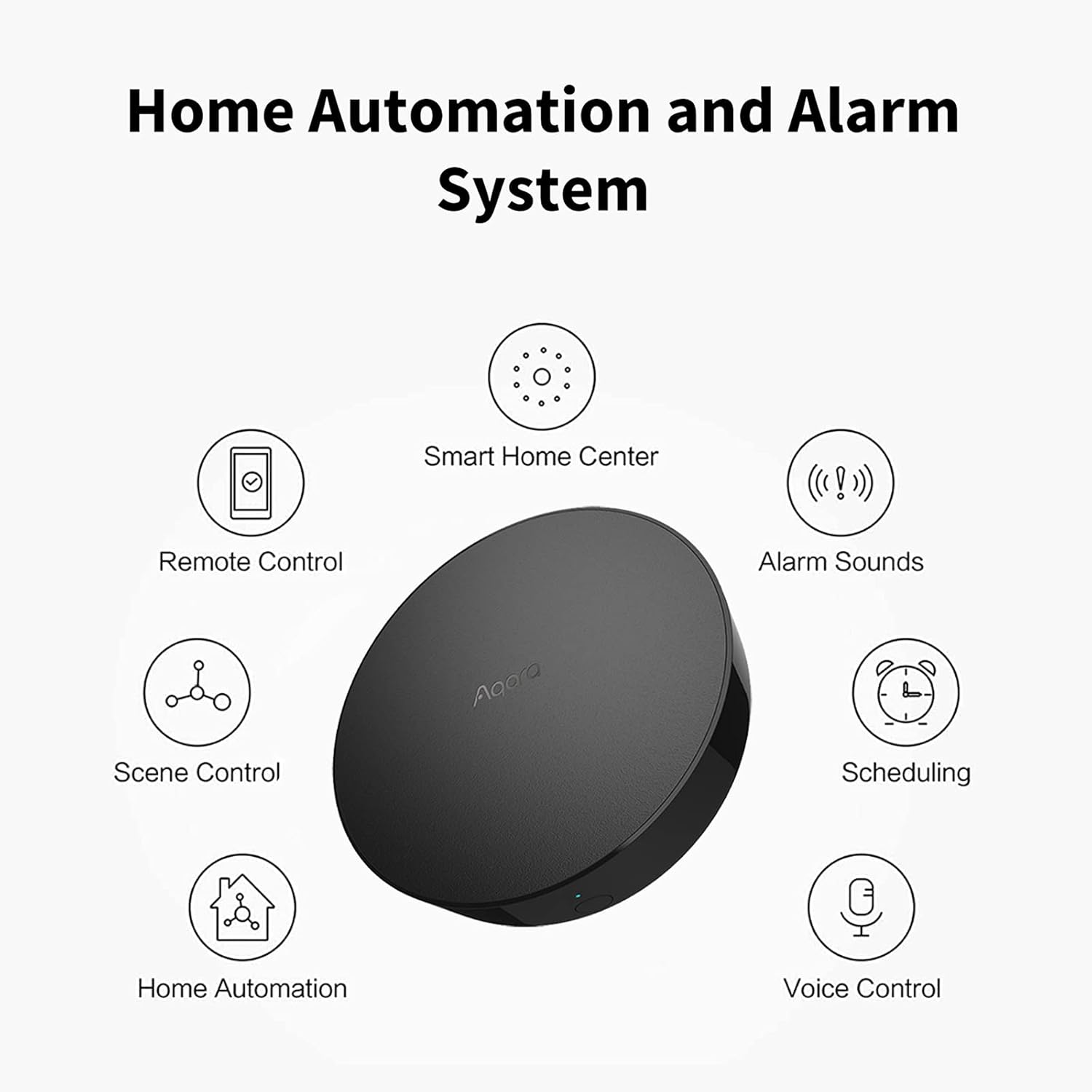
Home Automation and Alarm System: Works with all Aqara devices to create a comprehensive, smart home automation system. The Aqara Hub M2 is equipped with a built-in speaker that can be used in a variety of ways: security alerts, doorbell, alarm clock, and configurable ringtones (Aqara child devices are required).
All-Round Compatibility: The Aqara Hub M2 ensures seamless integration of your Aqara devices with a variety of smart home ecosystems and voice assistants, including Apple HomeKit, Google Assistant, Alexa, IFTTT, and more (𝐞𝐧𝐬𝐮𝐫𝐞 𝐭𝐡𝐞 𝐌𝟐 𝐢𝐬 𝐮𝐩𝐝𝐚𝐭𝐞𝐝 𝐭𝐨 𝐭𝐡𝐞 𝐥𝐚𝐭𝐞𝐬𝐭 𝐟𝐢𝐫𝐦𝐰𝐚𝐫𝐞). For questions or support, feel free to contact us. Note: Compatibility varies by sub-device. Please check each device’s specifications for platform support.


NYC Reader –
easy set up…. works really well.
After some consideration between the M2 Hub and the M3, I went for the M2 because it was on sale enough where it was worth a shot. My original goal was to pair it with some water leak sensors, but I also picked up a 3 pack of the switches to make some ‘dumb’ lamps smarter.Plugged it into ethernet, gave it power, installed app, and the rest of the process was very intuitive.Don’t forget to set a schedule to test the water leak sensors and the app will also tell you when the batteries need to be replaced.
Kinformer –
Bought for Siri voice command TV IR Control
I bought this product for one reason, the 360 degree IR blaster and HomeKit connectivity so that I can add Siri commands and use my HomePod to control my LG tv. This is all I tested so I cannot review it’s connectivity to other devices, but for this… IT’S PERFECT!Admittedly, the setup is a bit weird (did not know it would speak to me lol 😂 ) and very clunky, so don’t get frustrated, but if you spend the time, it is worth it. Here is what I did:———————————————I’ll assume you have the device connected to your network and setup, and are in the Aqara App.Add your device. First you want to add your device(s). I.e. my LG TvDon’t worry about Automation. For this you won’t go here, I assume you can setup other devices you connect automations here. For this, You want “Scenes”So this is where the setup is weird and clunky. You need to manually add each action you want (Tv volume up etc.). Yea, this is tedious but necessary.Basically what we are doing is creating a HomeKit scene for each action that will sink to your Home App. This sounds weird but works surprisingly well.Click Add Scene. You will see your TV, then remote, then alllll your remote options. Pick the first one you want.When naming each action, give it a device name then the action. I named my TV “El G”, so my scenes were named “El G Volume Up” “El G On” etc. Yes you have to do every action you want.**do not name it just “Volume Up” as Siri will just turn the HomePod up, thus the TV Name first.Once you have all the TV controls you want set up as scenes, click Edit at the bottom and you will see the option to sync with the MyHome app.Done! You will see all the crazy amount of scenes you just created synced in your MyHome App.Now when you say “Siri El G Volume Up”Boom, tv turns up!!TIPs*you can add delays and additional actions in each scene. I added a second volume up so the scene would turn my tv up 2 notches instead of just 1.**my tv controls my soundbar so I did not need to add that as a device. You may need to if you control your speakers separately***you will see a Siri circle on the right in the Aqara app, if you select that you can record your own Siri command!Cheers.
James R. –
Excellent Hub to start your HomeKit setup, almost perfect
I’ve had the “regular” Aqara M1 smart hub as the base for my Aqara smart home system for awhile now, and everything has been great. When this newer M2 hub was finally officially available in the U.S. market, I ordered one because it had one feature I really prefer when it comes to HomeKit hubs – that is, a wired network option. When the M2 hub arrived I was pleased to see that it was about as compact as the M1/M1s hubs – slightly larger in diameter but about 1/3 thinner in thickness. Adding it to my HomeKit setup took less than 30 seconds with the Aqara app, and in no time I had the M2 ready for service. However, when it came time to configuration it took some work.Since I intended on using the M2 as my new main hub, one thing I found a little annoying was that there was no way to manually select which smart hub to connect to for each Aqara accessory (I actually have 3 hubs total in my household spread out for good coverage). Because of this, I had to delete and re-add each Aqara accessory back into the Aqara app to bind them to the new M2 hub. This was a slightly tedious process because I currently have over 20 different accessories; however this gave me the opportunity to rebind each device to the hub with the best connection (as opposed to having all of the Aqara devices bound to one single hub). This let me take advantage of having multiple hubs for good signal for all of the Aqara accessories.Just like with the M1 and M1S hubs, once you have the Aqara devices bound to a hub in the Aqara app, you can then switch over to the Apple Home app for main controls. So far everything seems to be working as intended, though I have yet to try the integrated IR function of the M2 hub.A couple other things of note: first, you get a micro USB cable in the box, but no power supply; I simply used an extra USb charger from one of my iPhones as the power supply and it works fine. Second, the speaker in the M2 hub is not as loud as the M1/M1S hubs. I’m pretty sure this has a lot to do with the design: the M1/M1S hubs are mounted usually in a wall socket, with the unobstructed speaker holes facing outward; however with the M2, since it’s designed to sit on a flat surface, the speaker holes are around the base of the M2, aimed straight down at the table (or shelf, where I have mine). Fortunately as I mentioned earlier, I have more than one huib as part of my HomeKit setup and thankfully when you install the M2, all of the other M1/M1S hubs are synced with it, so if you turn the alarm function on the M2 to alert, all of my Aqara hubs will also make the same alert.So okay – the M2 is slightly more expensive than the M1/M1S, but you get LAN connectivity, you no longer need to find an open wall outlet (the M1/M1S hubs will block both wall plugs where you install them), and it has an IR function. Aside from everything I just said, the M2 is still a good choice to get your smart home started! Even if you’re not starting from scratch, I would say that the M2 hub is also a good addition to an already established Aqara smart home system.
SEKIAAA –
基本リビング照明をアプリ操作のみ使用してる。エアコンのリモコン設定ができればいいが、まだやってない
Carsten –
Die Aqara Smart Home Zentrale M2 lässt sich unkompliziert einrichten und steuert zuverlässig Alarmanlage, Geräte und Automationen. Sie ist kompatibel mit Alexa, Google Assistant und HomeKit, allerdings nicht mit U200 oder U200 Lite.Ideal für alle, die ihr Smart Home zentralisieren und Automationen, Sicherheits- und Infrarotgeräte komfortabel steuern möchten.Fazit:✅ Einfache Einrichtung und stabile Steuerung✅ Kompatibel mit Alexa, Google Assistant und HomeKit✅ Zentral für Alarmanlagen und Automationen✅ Nicht kompatibel mit U200/U200 Lite⭐ 5 von 5 Sternen
3MAD –
ممتاز
Ben –
The Aqara Smart Hub M2 has exceeded my expectations in every way. As a central component of my smart home setup, it seamlessly integrates with home assistant makes my setup easier.Setting up the hub was straightforward, requiring only a 2.4 GHz Wi-Fi connection, it serves as a robust bridge for my alarm system, IR remote control, and home automation needs.The hub’s compatibility with Aqara devices and third-party smart home products makes it a versatile choice for expanding my smart home ecosystem. I appreciate its reliable performance and the convenience it adds to my daily routine.Overall, the Aqara Smart Hub M2 is a must-have for anyone looking to enhance their home with smart technology. It delivers on its promises of functionality, ease of use, and broad compatibility with popular smart assistants.
Michael W. –
I’m not sure why others have mentioned that’s it’s difficult to setup and configure because I had it up and running in about 2 minutes and had linked my motorised blinds (Roller Shade Driver E1) and set a schedule for them in about 5 minutes and I’ve never used such a device before. I am however very ‘tech-savey’ so maybe it’s just easy for me.I’ll update if any issues occur, but for now – excellent.