




From the brand

GHome
When using Alexa or Google Assistant, search GHome APP for Voice Control.

As one of the leading brands in IoT smart home field, we develop, manufacture and market smart home products for decades, including smart plugs, smart power strips, smart switches , smart lights and more.
We aim to help customers to enjoy a more relaxed, convenient and fashionable future life. So far, we have supplied over 40+ countries and provided high-quality products to millions of consumers around the world.
3 Way Smart Dimmer Switch
Smart Switches for lights
3 Way Smart Switch
Smart Dimmer Dwitch
Ceiling Fan Light Switch
Dual Dimmer Switch
Product Dimensions : 4.72 x 2.75 x 1.29 inches; 1.21 Pounds
Item model number : SW5-4
Date First Available : October 21, 2021
Manufacturer : GHome Smart
ASIN : B09JZ6W1BH
Best Sellers Rank: #6,580 in Tools & Home Improvement (See Top 100 in Tools & Home Improvement) #26 in Electrical Light Switches
Customer Reviews: 4.4 4.4 out of 5 stars 1,710 ratings var dpAcrHasRegisteredArcLinkClickAction; P.when(‘A’, ‘ready’).execute(function(A) { if (dpAcrHasRegisteredArcLinkClickAction !== true) { dpAcrHasRegisteredArcLinkClickAction = true; A.declarative( ‘acrLink-click-metrics’, ‘click’, { “allowLinkDefault”: true }, function (event) { if (window.ue) { ue.count(“acrLinkClickCount”, (ue.count(“acrLinkClickCount”) || 0) + 1); } } ); } }); P.when(‘A’, ‘cf’).execute(function(A) { A.declarative(‘acrStarsLink-click-metrics’, ‘click’, { “allowLinkDefault” : true }, function(event){ if(window.ue) { ue.count(“acrStarsLinkWithPopoverClickCount”, (ue.count(“acrStarsLinkWithPopoverClickCount”) || 0) + 1); } }); });
【Smart Light Switch】Neutral wire required, 2.4GHz Wi-Fi Only (5G Wi-Fi not supported); No Hub required. Input and output: 120V/60Hz, 15A Max. The smart switch is rated up to 1800W. Note: 4×4 jumper wires are provided and are not compatible with smart bulbs.
【Smart Voice Control】This smart light switch works with Alexa and Google Assistant, so you can control your light using simple voice commands. Free hands by using WiFi switch and enjoy the convenience moment.
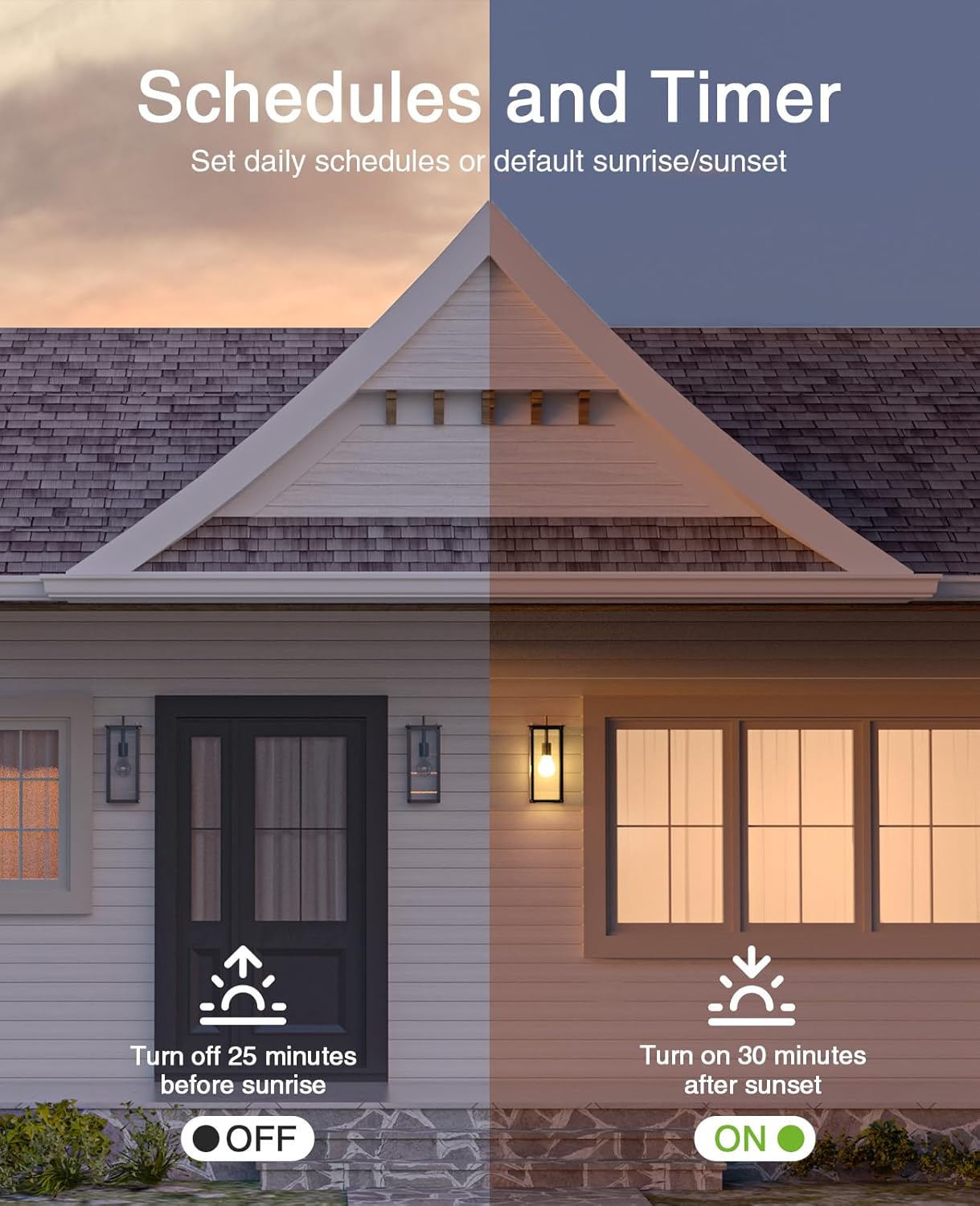
【Schedule and Timer】Create automation for your lights to meet your daily schedules or default to sunrise/sunset. Set the porch lights to turn on 30 minutes after sunset and turn off 25 minutes before sunrise.
【APP Remote & Group Control】light up your house anywthere anytime. Download the GHome App and search for SW5, you can view the lighting status of all your rooms on the application and remotely control them. You can also manage multiple smart switches simultaneously.
【Multiple safeguards】With UL & FCC certified, the quality of smart switches is assessed. The cover measures 4.72″*2.76″*0.34″(120*70*8.7mm), the internal dimensions without cover are 4.09″H*1.77″W*1.18″D (104*45*30mm).
NOTE: Latest Updates has optimized the stability of some features for better user experience, we recommend you to follow the prompts in the app and upgrade the firmware to the latest version V1.1.3.


Lee Crawford –
Amazing for this price point.
I admit, I bought this largely because of the price. If you’re upgrading lots of switches in your house to WiFi capable, you know you’re in for spending some money. Averaging 10 a switch is way better than 30. I bought one -pack, and then immediately bought two more. Here are my take-aways:True 3-way functionality. I’ve read reviews for other devices that imitate 3-way functionality. I had existing 3-way switches, so I need to wire up to a couple traveler wires and this allows you to do just that. One issue I had was in using two on one circuit: if you name two switches “Hallway Light West” and “Hallway Light East”, telling Okay Google to “Turn on/off Hallway Light” will result in the light NOT changing state because it’s trying to activate both switches at once. Mind your naming and you can work around this.Appearance is good, although you are limited to white. These have a little red lighted indicator to tell you the device is on, which at first seemed redundant because the light is on when the lights are one, but when you have a bulb go out, it’s nice to know the switch indicates the light is supposed to be on.This switch does not have an up and down input, like the rocker switch they mimic would imply. You tap the ‘down’ side of the button and it toggles the output. This is nice if standard 3-way switches make you a little batty because they can be up when the light is off, or down when it’s on. The only indication is the red light, and it accurately shows red when the circuit is live and off/not-red when the circuit is broken.The units run a little warm. Like you walk up and press the button and you notice the heat. I haven’t checked yet to see how much power it draws while inactive, but it’s enough that you’re producing heat, which is wasted energy. If this is a concern then you might want to look at another unit. It bugs me, but not enough to keep trying to find the perfect switch.The included hardware kit, some screws and wire nuts and a faceplate for each unit, is packaged well and none of mine were missing pieces. I actually used WAGO connectors, but having the included wire nuts is a good fallback if you’re not providing your own. I also installed many of these in multiple-gang boxes, so I won’t necessarily need the faceplates, but not needing to buy them if you need them is a bonus; at this price point I would’ve understood if they didn’t include them. Note that the faceplates snap on, and they’re the soft “unbreakable” plastic. So you don’t need screws, unless you do manage to break the faceplate snaps, and then you’d need to go buy replacements.They only connect to 2.5GHz WiFi; not 5GHz. Not everyone realizes the difference, so if in doubt, have a friend who knows the difference ready to help you. The app is okay, but you’re probably going to want to use these with a Google or Alexa assistant and that connects through a different app anyway. Integration was smooth as far as that goes.Bottom line, I bought these because they were cheap, and as such they exceeded my expectations. They’re actually a good purchase as well.
K –
UL Approved & Software Updates keep it working steadily
They are UL approved or listed, I forget which one but I did look it up. They’re relatively straightforward to install. YOU NEED A NEUTRAL WIRE. I’ve installed 3 of these in my home, and likely will look to get the 3 way switches at some point. We’ve had one issue where the physical button didn’t work and I had to flip the breaker. When I went into the app to check on it afterwards, there was actually an update waiting for that EXACT problem. I had it on auto-update, but there are certain ones that do not auto-update.The quality feels a bit cheap, the look is nice, though I am not the biggest fan of their branding on the wall plate, those are cheap and easily replaceable. I wish the switch itself was a toggle up or down rather than a physical button push, but as I have not used any other smart switches, I don’t know if this is a universal design or typical to GHome. I bought into this product when they were named Gosund and use a few of their smart receptacles for standing lamp lights. The LED light is app-controllable, you can set it to be on when the lights are off, on when the lights are on, or off entirely.
Renz –
Perfect for your home
Fit perfectly in the socket and worth every money that I spend very easy to install a d the instructions are easy to understand
Noah Orr –
Good switch. I like it.
Easy setup and works well in the app. I installed the switch quickly. So far no issues. The only thing I wish is that they would have a switch that didn’t need a neutral wire.
Alan Earhart –
Works with SmartLife App
GHome is rebranded Gosund (uses Gosund in the provided instructions). I’ve used Gosund smart devices in the past and I’ve been happy with them.With one exception, I buy smart devices and plugs which will work with the SmartLife app because I don’t want a split smart ecosystem unless it’s necessary.They’ve made some changes compared to the similar switch I bought years ago. First is that you get to choose when the indicator light comes on. It used to be exclusively red which got them a lot of comments because some people, including me, felt it was confusing. Now it’s green and you get to choose when the light comes on (switch on or off).The second change is awesome. Previous version dimensions were slightly different than what would fit in standard cover switches. They provide one, but many times people put it into a box with something else and now it fits properly without binding.Third change is that at least with this one the switch has a raised plastic lip around the switch which helps it fit better and helps keep the switch from binding.As for app compatibility, I opened the app, it found and added the switch, and I then selected the settings.Easy.