

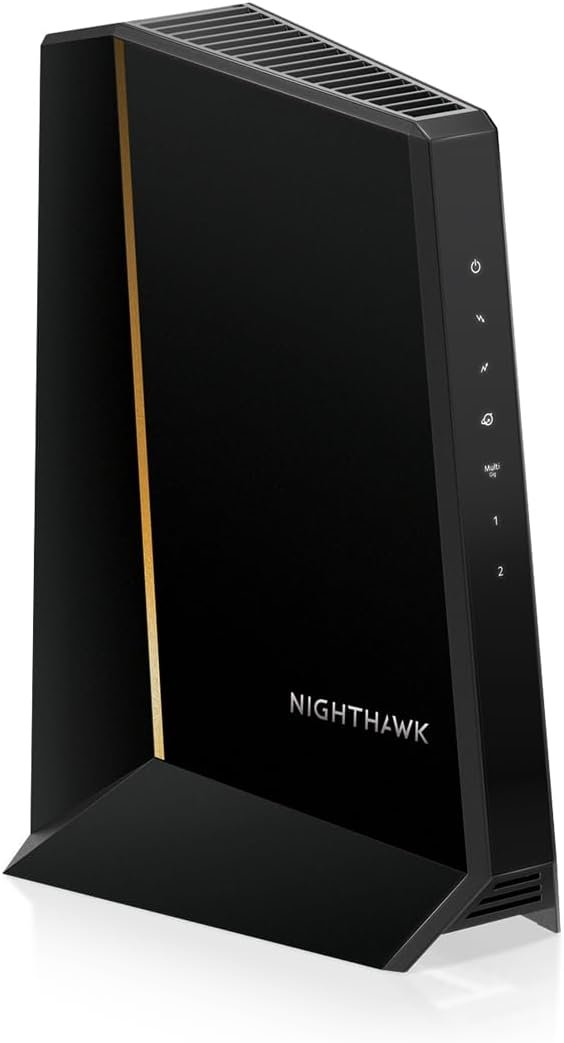
A new and improved version of the world’s most widely deployed DOCSIS cable modems. For the residential cable subscriber who wants a powerful modem capable of delivering a high-speed data service at blazing fast speeds.10 / 100 / 1000 Base-T Ethernet Port (RJ-45) and 1-Year Limited Warranty.
Additional information:
• Requires CABLE Internet Service, if not sure your provider is CABLE call them to confirm
• Compatible with ALL Major CABLE providers like Comcast, Cox, Charter, Time Warner, Mediacom, Bright House
Compatible with Time Warner Cable, Charter, Cox, Cablevision, and more
Not compatible with Verizon FiOS or AT&T U-verse, no longer approved by Comcast Xfinity
Requires Cable Iternet Service, if not sure your provider is CABLE call them to confirm
BROWN BOX models NOT VALID for this item when sold as New, should report to Amazon immediately and RETURN to Seller
Wired modem only, does NOT include WIFI Router or VOIP Telephone adapter. Gigabit Ethernet port to connect to computer or Router for fast downloads.
Internet speeds based on your Cable providers service – up to 172 Mbps download and 131 Mbps upload. 4 Download and 4 Upload Channels.

TP-Link Litewave 5 Port Gigabit Ethernet Switch | Desktop Ethernet Splitter | Unshielded Network Switch | Plug & Play | Fanless Quiet | Unmanaged (LS1005G)
Original price was: $16.99.$9.48Current price is: $9.48.

Western Digital 14TB WD Red Pro NAS Internal Hard Drive HDD - 7200 RPM, SATA 6 Gb/s, CMR, 512 MB Cache, 3.5" -WD142KFGX
Original price was: $329.99.$12.99Current price is: $12.99.
-92%




Rust Never Sleeps –
Smaller, Faster, and Better, too !!
I was one of the first to get a Motorola SB6120 — and was very much satisfied with the ease of set-up, the awesome speeds, the functionality, and the workmanship. But, like all electronic gizmos, they tend to crap out after a few years.When my SB6120 started dropping upstream channels, I looked to Motorola once again — right here at Amazon — and found the new Motorola SB6121.After checking the specs, I found that the new SB6121 Model has the latest IPV6 technology (higher bandwidth capabilities)that were not available on the SB6120. The newer IPv6 technology allows connection speeds up to 160 Mbps., against the 150 Mbps of the SB6120. IPV6 is not in common usage yet, but it will be pretty soon — And the SB6121 will be ready with the fastest speeds available!!The new SB6121 is a super-easy set-up, and the connection speeds are fast and steady. Comparing the DOCSIS 3 SB6120 to the newer SB6121 :1.- The Sb6121 is smaller (height and depth are smaller, width is greater).2.- The SB6121 runs slightly (average about 5 degrees F) warmer than the SB6120.3.- Connection speeds, latency, and jitter are better with the SB6121 than the SB6120 — and WAY faster than ANY DOCSIS 2 modems, regardless of manufacturer.Some tips I learned from using the Motorola DOCSIS 3 Modems with 2 different (D-Link DIR-655 and Netgear WNR3500L) “N”-speed Wireless Routers:The SB6120 runs coolest when mounted to a wall or other vertical surface, and spaced approximately 1/2-inch away from the surface. This allows an adequate air flow that’s necessary to keep the Modem cool. Mounted with the wires pointing straight down, the SB6120 runs at about 95 degrees F in a 78 degree room when mounted away from a wall. Temperatures measured with Mastercool Infra-Red Laser Thermocouple Gun (available at Amazon).The new SB6121 is smaller than the SB 6120, and it runs a little bit warmer (98-100 F), even when mounted the same way as the SB6120. I suggest that you mount the new SB6121 1/2″ away from the wall as well, but with the wires pointing straight back. Whatever you do, DON’T STACK ANYTHING on ANY Modem or Router !! Both of these devices give off heat and electrical interference, and will perform their best when spaced about 4 feet apart, which keeps the interferences from overlapping and killing the Wireless Router’s range.When you get your internet connection going, go to the Motorola Modem’s Home Page: Sample snapshot of my SB6121 =Cable ModemStatus Signal Addresses Configuration Logs Open Source HelpThis page provides information about the current upstream and downstream signal status of your Cable Modem.——————————————————————————–Downstream Bonding Channel ValueChannel ID 49 50 57 58Frequency 837000000 Hz 843000000 Hz 861000000 Hz 867000000 HzSignal to Noise Ratio 37 dB 37 dB 38 dB 38 dBDownstream Modulation QAM256 QAM256 QAM256 QAM256Power LevelThe Downstream Power Level reading is a snapshot taken at the time this page was requested. Please Reload/Refresh this Page for a new reading-1 dBmV -1 dBmV -1 dBmV -1 dBmVUpstream Bonding Channel ValueChannel ID 3 1 2Frequency 36100000 Hz 23300000 Hz 29600000 HzRanging Service ID 7425 7425 7425Symbol Rate 5.120 Msym/sec 2.560 Msym/sec 5.120 Msym/secPower Level 45 dBmV 45 dBmV 45 dBmVUpstream Modulation [3] QPSK[3] 64QAM[3] QPSK[2] 16QAM[3] 64QAM[3] QPSK[3] 64QAMRanging Status Success Success SuccessSignal Stats (Codewords) Bonding Channel ValueChannel ID 49 50 57 58Total Unerrored Codewords 1457238562 1457238645 1457237949 1457238150Total Correctable Codewords 17 26 23 27Total Uncorrectable Codewords 1031 937 1682 1468——————————————————————————–Status | Signal | Addresses | Configuration | Logs | Open Source | Help© Copyright 1997-2008It should give a snapshot of the specs for YOUR modem. You will be looking for 4 Downstream channels that read SNR @ 37-38 db and the power levels at around 0 dbmV.Upstream power levels on all 3 bonding channels should read around 45-50 dbmV. A deviation of 5 from any of these figures indicates a problem.If the Modem’s signal is solid and constant, but the power level readings are 5 points off in either direction, check your OUTDOOR SPLITTERS or TAPS first, because they tend to crap out when they’re exposed to heat for long periods. The operating temperatures for splitters and taps is only 140 degrees F. maximum, and that temperature is easily reached in direct sunlight, even when enclosed.Those of you who live in hot climates may notice that the Modem’s downstream power levels drop off 1 or 2 points when the outside temps get up to 110 F or higher. Don’t panic !! In case of rapture, dial 1-800-Oh Jesus. ;>)I found the RCA DH24SP High-Bandwidth (5-2400MHz)2-Way Signal Splitter (available at Amazon) to be an excellent handler of the high-speed signals of Cable, Satellite, and HDTV signals. It’s a “2-Way” splitter, so the power flows equally in either direction, enabling MUCH higher upload speeds.If you need a TAP for unequal cable lengths, a CommScope SV-DC-6G Digital Tap worked well for me.For strong and clear Wireless range and reception, use only Category 7 (shielded) Ethernet cable (available at Amazon) between your Modem and Router, and between your Router and Main computer.Good Luck !!
MS553 –
Lease no more
Full disclosure, I am writing this with the product just a few hours out of the box.Like most other buyers of this modem, I was annoyed having to pay Comcast the monthly modem lease fee. I finally got ticked off enough to do something about it when my leased modem became a hotspot and Comcast raised the lease rate to $10/month to boot. I compared the SB6121 modem to some others in the Arris product family. For my usage needs & level of service, this one fits the bill nicely (and at ~$65 the price is right).Having had the benefit of reading other reviews prior to installation I was aware of some potential pitfalls. The process I used was to first connect it to the cable line, power up the modem, and let it be for ~2hours (assumedly to let the firmware update and/or for Comcast to identify the new modem on the network).After the 2hr dwell, I connected the Ethernet cable from the modem to my laptop, opened IE and the Comcast setup for the new modem initiated. I had to be patient through the set up steps (took about 20 minutes to get through all of the login & initialization screens) but in the end my internet connected. After I had internet working through the laptop, I connected the modem to my wifi router. I had to power down & power up the modem and the wifi router to make the connection (first repowered the modem, and 30 seconds later powered up the wifi router) but I now had internet working through the router (wow, so far no problems).Then came the dreaded call to Comcast to get the lease fee waved… I couldn’t believe the experience (it was that GOOD). I was connected to customer service in ~ 2 minutes, only spoke to one operator who took care of everything- verified the modem’s ID number, waived the lease fee, and was advised where to return the Comcast leased modem. In total I only spent ~5 minutes on the phone with Comcast. I couldn’t believe how painless it was. Maybe I am one of the lucky few.But the modem works as advertised… no issues with connectivity (thus far), no compromise on speed, and the set up was pretty painless.
Prime Member –
If your ISP allows you to own your Modem instead of renting their monthly, this is a great option for coaxial internet connections that need to meet basic internet needs.Check with your ISP if this modem is compatible, as they need to authorize it to connect to their network. I used it with TekSavvy for a few years a while back.
NB –
great product
Levi Panipak –
I like it, nothing to dislike.
Etienne Ringuet –
I purchased this modem to use with Teksavvy. It works great and my speeds are the same as what I use to have on Rogers except I don’t have to pay $7 per month for rental.This is just a modem, it doesn’t have a built-in switch or wireless, which is the way I like it.
Harry –
I bought this modem at 9:30 at night and when i got home from work the next day it was waiting for me. On top of that, this is the best modem ive ever owned, I’ll never have to restart my modem again !