

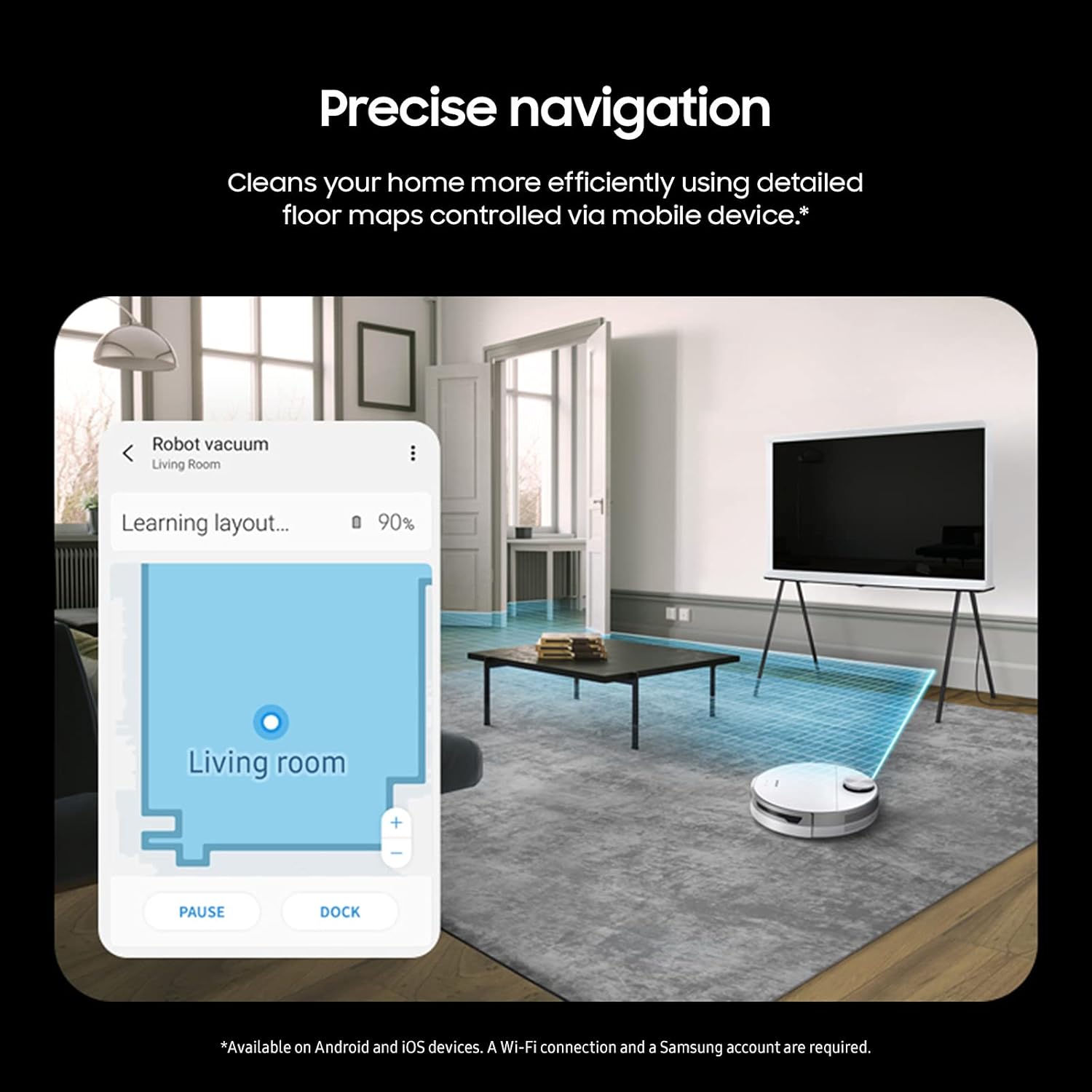


The new Samsung Jet Bot+ Robot Vacuum Cleaner & Clean Station with advanced LiDAR sensors uses precision mapping to clean your home more efficiently, using detailed floor maps controlled via your mobile device. Identify the type of floor surface and power needed to clean thoroughly and deeper into carpets with power control technology. Use the touchless, hygienic Clean Station to automatically empty the dustbin and prevent dust from being released back into your home. Comprehensive 5-layer HEPA filtration system traps up to 99.99% of dust. Select where the cordless vacuum should or should not clean right from your smartphone. Jet Bot+ recognizes rooms and cleans areas selectively based on your preferences. Check Jet Bot+’s status using the SmartThings App. Quickly view movement on a map of your home from wherever you are and see where it has cleaned, instruct it to pause or stop, and view its cleaning history. The 0.3-liter dustbin is fully washable. The high-efficiency brush has fine, anti-static fibers and self-cleaning extractors to avoid tangles. Clean your home using voice recogntion, compatible with Bixby, Google Assistant, and Amazon Alexa.
PRECISE NAVIGATION: LiDAR sensors create accurate room maps for the Jet Bot plus to navigate so no worrying about your robotic vacuum going to places it shouldn’t; Mapping can also be controlled via the Samsung SmartThings App
INTELLIGENT POWER CONTROL: Jet Bot plus identifies the surface type and amount of dust and automatically adjusts suction so you get a thorough clean no matter the floor type
AUTOMATIC EMPTYING WITH CLEANSTATION: A convenient, no-touch, hygienic way to empty your robot vacuum’s dustbin; Clean Station removes dust using Air Pulse technology
CLEANER AIR: Advanced 5-layer HEPA filtration system traps up to 99.99% of dust
CHOOSE WHERE YOU CLEAN: Select where Jet Bot should or should not clean by choosing specific areas of your home to clean with Select and Go
CLEAN ANY SURFACE: Cleans carpets and hard floors effectively; The high efficiency brushroll has fine, anti-static fibers, and self-cleaning extractors grind up hairs to avoid tangles around the brush
REAL TIME TRACKING: Check status in real-time using the SmartThings App and see where it has cleaned, instruct it to pause or stop, and view its history
VOICE RECOGNITION: Easily clean your household with voice recognition technology; Compatible with Bixby, Google Assistant and Alexa.
WASHABLE DUST BIN: The 0.3 liter dustbin is fully washable and can be removed easily

Dreo Ceiling Fans with Lights, 12 Speeds & 3 Fan Modes, Quiet DC Motor, Low Profile Easy to Install, Flush Mount Smart Ceiling Fan with Dimmable LED, 12H Timer for Bedroom, Remote, White, 44''
Original price was: $169.99.$23.99Current price is: $23.99.

Ninja DZ401 Foodi 10 Quart 6-in-1 DualZone XL 2-Basket Air Fryer with 2 Independent Frying Baskets, Match Cook & Smart Finish to Roast, Broil, Dehydrate for Quick, Easy Family-Sized Meals, Grey
Original price was: $229.99.$23.99Current price is: $23.99.
-94%


Asleidy –
Asleidy
Me encanta y deja todo limpio
Amazon Customer –
Not a flying car, but a housecleaning robot is pretty good.
Bought this vacuum at a ridiculous price – labeled ‘used’ but the description just said box was damaged. The box did indeed look terrible but the robot was brand new and in perfect condition.First off it talks and I didn’t love that part. Faced with learning a new app and the annoying voice, I let it sit in the corner for a couple of days. (You can turn off the voice, or do what I did and change to a different language so it sounds like robotic nonsense – kind of charming)The app however turned out to be very easy to use. The robot drives around and makes a map, which you then edit with some simple tools. Name the rooms and make divided / combined areas so you can clean whichever room(s) you want with a couple of clicks once the map is all dialed in. You will need to get cords, socks, small rugs off the floor because otherwise it will get stuck – but it has no trouble getting around furniture, under the couch, the bed, normal carpeting, wherever.This vac does a better and more thorough job than anyone else in my house and it speaks 20 different languages.
Abe Linc –
Great vacuum with HORRIBLE software and no features!
I’ve owned several robot vacuums the last few years, and had really high hopes for this super expensive Samsung one that would tie into my existing Smartthings system, but was incredibly disappointed by lack of software features and settings.The good: This is a well-made vacuum that has decent suction and a nice self-emptying dock.The bad: The integration with SmartThings is horrible, and the software and settings are extremely limited. For example, once you create a map of your floorplan, you can manually run it, but if you only want to clean one room, you can’t just check that room, instead you have to uncheck every other room. Well I happen to be using this in a large space with many rooms, so it takes a while to uncheck every other room, and half the time the app “refreshes” and checks them all again and I have to start over. Minor inconvenience but not a dealbreaker.What IS a dealbreaker for me is the poor scheduling options. Unlike every other vacuum I’ve owned, Samsung doesn’t let you schedule it to clean a particular room or set of rooms, you can only schedule it to do the entire map or not. So if you want it clean your kitchen every day but your bedroom only on certain days, you’re out of luck. It makes the scheduling component completely useless.The other issue is if it gets stuck somewhere (as these vacuums tend to do), it won’t try to free itself more than once, and it will go to sleep mode and offline, and you can no longer control it or see where it is on the map, so you have to then go searching all over for it and physically bring it back to the dock to charge. Other vacuums will stay online so you can still see it on the map. And despite the Samsung going offline, it still continues to use up the battery, so by the time you find it, it has no battery life and has to be charged. They really need to allow you to continue to connect with the vacuum even if it gets stuck.There’s also questionable availability for replacement parts. I can find third-party replacement bags, but you can’t order replacement brushes or rollers anywhere. And it came with 2 spinning edge brushes, and within a few uses, the brush lost one of the 3 ends, so I put on the replacement it came with, but if it happens again I’m left with a $600 vacuum with no side brush and no way to order another one? Every other vacuum I’ve owned I can always find replacement parts, as these side brushes don’t last long. It’s appalling that Samsung doesn’t offer any of these for such an expensive vacuum.Based on it missing so many features, I would strongly recommend passing on this model, and stick with a trusted brand with better mapping and scheduling.
Julius Mel –
I named mine, “Cleonardo DiCaprio”
I’ve owned two robot vacuums now, this being the second. The first one I bought was from a no-name Chinese brand, which no longer sells the vacuum on Amazon or their site. I didn’t break the bank with that vacuum – it was like less than $100 I believe. The issue with that one is that it was just bumper car style – bouncing off of the walls. Also, there was no “smart” features connected to it at all and it was handled with a simple remote. Eventually, the battery just wouldn’t hold. After vacuuming for 5 minutes it would return to the charger. Anyways, with my second vacuum, I wanted to have it more future-proof than my last one. I looked around at the more expensive models, like the ones around $1000 from the more popular robot vacuum brands, and they justified the cost because of room/zone mapping, self-cleaning, LIDAR, etc. So, I was down, but I didn’t want to spend $1000+. This Samsung Jet Bot, which I named Cleonardo DiCaprio, so far is ticking off all the boxes I had for a robot vacuum for the next few years. First, setup was kind of an interesting experience. It’s not as simple as an Apple device, definitely not. Though it’s what you’d expect from a non-Apple device, I guess. You have to sync your vacuum with the Samsung SmartThings app, which isn’t the easiest to use. At first, the vacuum wouldn’t sync to my wifi, requiring me to reboot the vacuum and my phone to ultimately get it working. Once it connected, everything was pretty seamless. Once it charged up, it did a zone/room mapping of my loft. The feature is cool I guess, but after having it for a week I honestly just let the thing go on auto and it cleans my whole place. It is cool how it can differentiate “no go zones” without me having to Cleonardo, but to say that it requires little supervision would be a mistake. At times it would still get stuck under chair legs, or under my fridge, which I’d have to then adjust. I don’t think we’re at a “set it and forget it” world yet for robot vacuums. There have also been times where it would miss a giant piece of dust or lint, so it ain’t flawless. However, the whole LIDAR camera thing is pretty dope. There’s no more bumping off of random objects like a bumper car – its movements genuinely look like it’s looking for all the dirt. There was one time where I was watching it zoom past a piece of dust, thinking if it would catch it. Right after I had that thought it ate it up like the Tasmanian devil. Also, the cleaning of the vacuum is pretty neat as the compartment comes out from the top and it’s pretty easy to access. The self-cleaning models seems like a good idea, but in the case of Samsung the bags needed for changing are few and far between, and actually pretty costly. I wouldn’t recommend going for the self-cleaning versions. Anyways, the last dope feature is the voice activation and the ability to tie it to Google Home. Again, it’s not necessarily plug and play. You’d need to create “scenes” in SmartThings and then add the device to Google Home. But once you get it sorted, asking it to “activate ‘room service’” sends Cleonardo into a cleaning frenzy. Then finally, the voice from the actual vacuum is a nice touch – it actually feels futuristic. I would definitely recommend this Jet Bot to someone looking for more futuristic features from their robot vacuum without breaking the bank. I was lucky enough to get this on discount from Amazon, which made it a no brainer. But I think I’d still get it without the discount – it’s a sweet middle spot for people looking for a robot vacuum to last them a few years (i hope!). Plus it’s sexy AF.