




From the brand


Understanding how much energy your home is using, when and where, empowers you to find savings. The average user saves 8% on their electric bill.

Which is right for you?
Scroll to find out.

Sense Flex
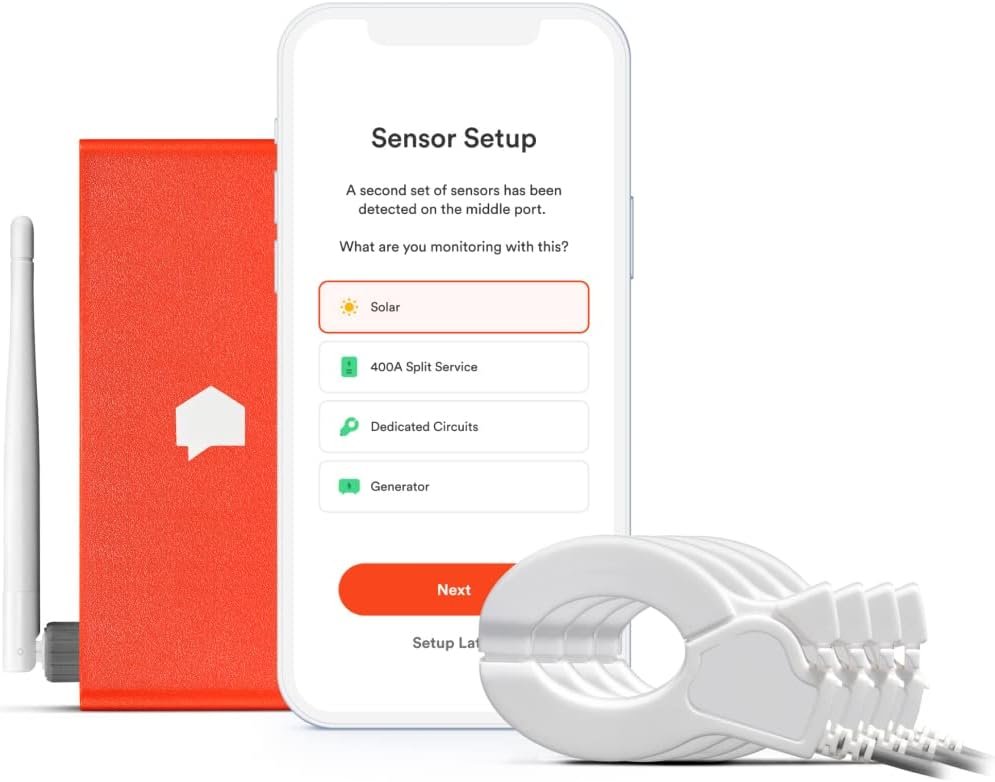
Our most comprehensive energy monitoring system. Monitor main energy plus: dedicated circuit OR generator OR 400A split-service.
Sense
Our base model for non-solar homes.
Sense Solar
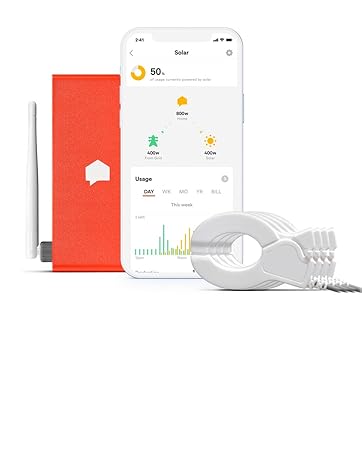
Monitor energy use and solar production. For homes with solar power systems.
Sense’s mission is to reduce global carbon emissions by making homes smart and efficient. We make it easier for people to take care of their homes and to actively participate in a cleaner, more resilient future.
COMBINES THE SENSE MONITOR AND FLEX SENSORS, allowing you to monitor up to two 120V/240V circuits, monitor your generator, solar, or 400A split-service system.
SENSE SAVES: Sense saves you energy and money by providing insight into your home’s energy use and activity. NOW SUPPORTING TIME-OF-USE RATE PLANS.
SEE WHAT’S UP. KNOW WHAT’S ON: Track how much electricity you’re using, what time your kids got home, or when someone leaves the basement light on. Sense identifies patterns in your energy use to help your family be more efficient, informed, and secure.
MONITOR YOUR HOME’S ENERGY USE FROM ANYWHERE: Real-time data through our iOS, Android, and web apps.
AVOID DISASTER: Set custom notifications for critical devices, like your sump pump, well pump, or flat iron. Sense is not currently available or compatible outside the United States and Canada.


Joe Thames –
Very easy to install
I am an Electrician and decided to buy this monitor for my home with solar. I hardly write reviews but I am rather impressed with this monitor. First off, it’s extremely easy to install. It took me about 15min. However this is what I do for a living so I would say 30min to 1 hour install time if you’re not used to being in an electrical panel. If you’re handy with tools you can handle the install. If you’re not handy at all I would recommend getting someone to install it. You do have to go into the main electrical panel and there are dangers if you have no clue about Electricity. The second point I wanted to make, This unit measures the voltage as well as current. This makes the unit more accurate and I can attest to this. My inverter was only a few watts off of what Sense was reading. The sense uses the current sensors and measures the voltage. The formula for Watts is Voltage multiplied by current. I know some cheaper models will not measure voltage and it just assumes it’s 240V, your Voltage can vary + or – 10 volts or more. Measuring the actual voltage makes it much more accurate. All in all I think it’s a good unit and if you’re on the fence I would recommend it. The only thing I do not like about the sense is it would be nice to have more ports for more current sensors. For most people this unit does the Job. Thanks.
travisophila –
Installation was very difficult due to poor wifi issues
The device seems very practical on face value, however implementation is lacking. The physical installation was a breeze, however getting it to work on a mesh network was extremely time consuming. I moved routers around, made a special guest network, made sure my network was broadcasting at 2.4gh… and nothing worked. The sense device would connect and then drop. Dozens of attempts… did I mention I spent hours on this? In the end I bought a crappy router that only broadcasts in 2.4ghz. At first it did not work, turns out my router was TOO close to the antenna, a problem noted on forums by other users, so after I moved the router further away it finally works, and has been steady for 24 hours now. It has not mapped any devices in this time.A further complication was with connecting the solar add on to Sense. I tried everything, attaching the sensors at several points on my solar system/electrical panels. I wasted the better part of two days trying to get sense to work with my solar system, but it kept hanging on the software recognition of my solar system. I put in a complaint to Sense, and they just had to do something on their end to enable solar. There was nothing in the installation literature where you had to go beg for them to activate the solar detection part of their device. I wasted hours when they simply had to enable it on their end.I wasted a weekend getting this going, any energy savings that this might get me is offset by the relatively steep cost of the sense device and the time it took to get it actually working.
RocketRoberts –
Great device but headaches with install
I purchased 2 of these units, one for each of two homes. FIRST: Each device has to be on its own account, you cannot have them both on the same account. SECOND: When setting them up, BOTH TIMES I got a message “cannot talk to server” (even though the self-test passed and said all network comms were good for BOTH units). I had to e-mail tech support, they said “your unit was previously associated with another e-mail address”. Really? This tends to suggest that the units I got were previously used. I find this unsatisfactory.I purchased both of these units with extra probes. One set for solar, and one for a dedicated hot tub circuit at the other house. In BOTH cases, NEITHER DEVICE would recognize the load on the second set of probes. About 2 days later, the unit installed with solar finally self-recognized the solar panel circuit and started working. However, despite following the instructions exactly, the probes set up to monitor a hot tub dedicated circuit would NOT work (meaning the unit will not recognize the load). How it cannot detect a five thousand watt load is beyond me. After 4 days it still won’t recognize the load. I find this unsatisfactory also.The good: Once it starts working, the unit does a very nice job of monitoring power usage in your home. It takes it a while to learn what devices are, to be expected. One nice thing, you can “export” data to Excel for more detailed tracking and analysis. The “meter” function shows you real-time usage. In my case, I was able to see just how often my sump pumps were operating. So, once installed, I am pretty happy with the unit. The interface has some nice graphics that allow you to see what various devices use, how much solar is offsetting the grid draw, etc.I would suggest that Sense engineers clean up some of the installation issues (the app issues). Especially for units that monitor a second circuit (solar and/or a dedicated circuit). Neither of my units would detect the second circuit load despite following instructions exactly. Due to the message “cannot talk to server”, I was not able to set up an account for EITHER device without assistance (this is totally unsatisfactory). Also, the “help” is via e-mail; there is no “chat” to get a more immediate response. The support is offshore, and I’d rate it mediocre at best. I am sure the support people are not too knowledgeable with regard to power. One technical thing that would be nice to display: power factor. Certainly this would be easy to add (it’s good info for people who are into power engineering).Note: I am an electrical engineer with 50+ years of experience, including 30+ years of power engineering. Physically installing the unit was easy for me; however, for most, it should be left to a pro.
Braumin –
Everyone wants to save money and this device can help you do just that. The install is very easy, the instructions are well done, and the implementation of the app is excellent.I did a lot of research on this before buying, and was aware that it may take a long time for it to find some electrical loads, so I was prepared for that, but it is going to take a few months minimum for it to find most of the things in your house, and some of them will never be discovered because they do not have identifiable energy signatures. A computer, as an example, uses almost random power usage while in use and the Sense is probably never going to be able to detect that.I bought several TP-Link Kasa smart plugs which have included energy monitoring features and used those on the loads where Sense will never be able to detect them such as my TV and office computer. This does add to the cost but adds more detail to your results. Hopefully they will support other brands of smart plugs in the future.Using Sense I have been able to nibble away at my Always On power usage. Always On is things that just never completely turn off, and for me, it is the second largest consumer of power in my house. I have been able to drop that over 100 W and 24/7/365 that adds up.I’ve got alerts set up if my fridge or freezer run too long or not enough so hopefully I will be able to catch them if they fail before all my food spoils. I am able to control smart plugs through Sense too.Very happy with this device. I think more people should own them and be able to see what is costing them money.
H. Daniel Chesney –
It does a good job telling you how much electricity you’re using, but the auto-ID of devices works very poorly.