


The product is multiple voltage compatible, that voltage arrange is 100-240V.
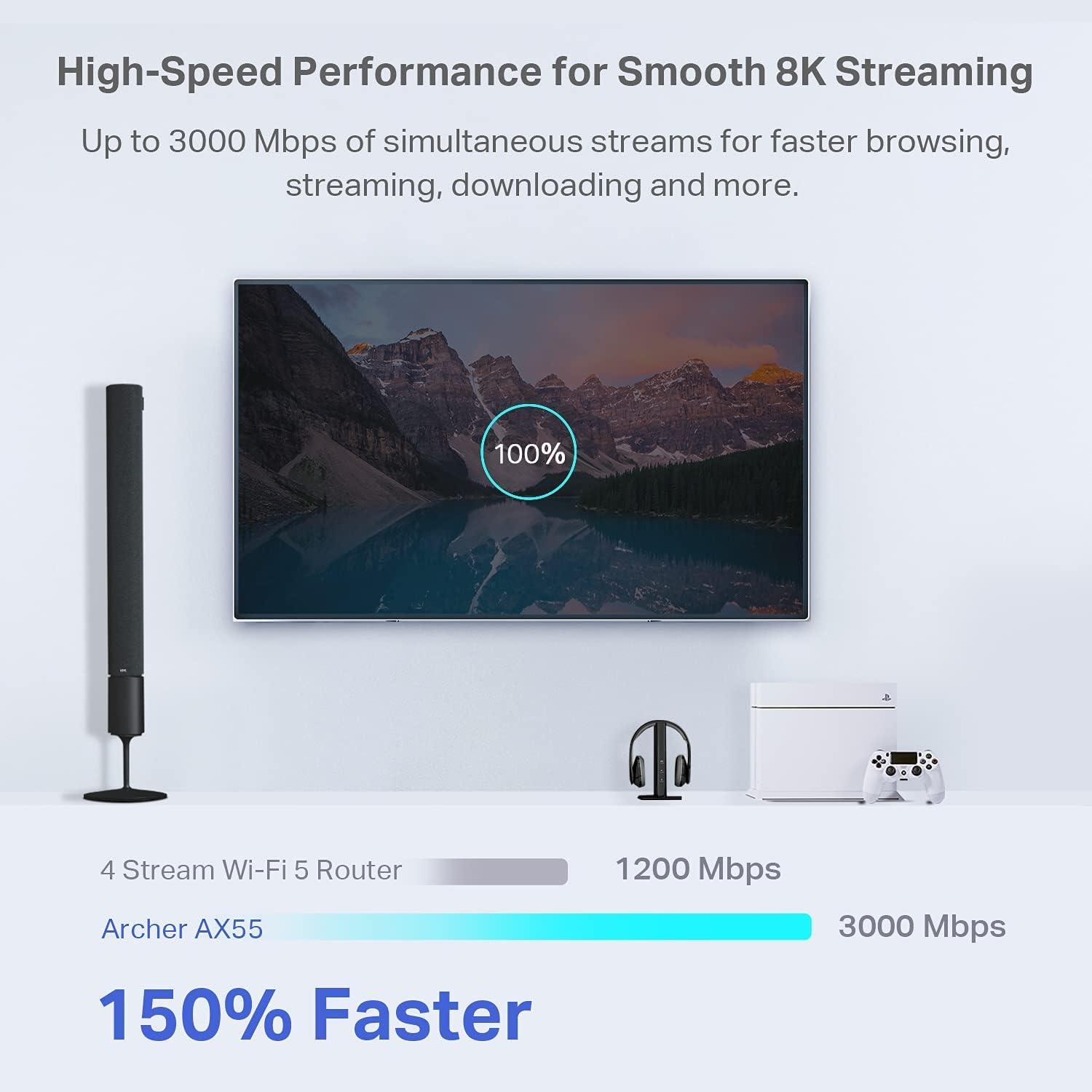
Next-Gen Gigabit Wi-Fi 6 Speeds: 2402 Mbps on 5 GHz and 574 Mbps on 2.4 GHz bands ensure smoother streaming and faster downloads; support VPN server and VPN client¹
A More Responsive Experience: Enjoy smooth gaming, video streaming, and live feeds simultaneously. OFDMA makes your Wi-Fi stronger by allowing multiple clients to share one band at the same time, cutting latency and jitter.²
Expanded Wi-Fi Coverage: 4 high-gain external antennas and Beamforming technology combine to extend strong, reliable, Wi-Fi throughout your home.
Improved Battery Life: Target Wake Time helps your devices to communicate efficiently while consuming less power.
Improved Cooling Design: No heat ups, no throttles. A larger heat sink and redefined case design cools the WiFi 6 system and enables your network to stay at top speeds in more versatile environments.
Compatible with Alexa: Control your router via voice commands and make your life smarter and easier with Amazon Alexa
TP-Link HomeShield – TP-Link’s premium security service keeps your home network safe with cutting-edge network and IoT protection. Free features: 1. Basic Network Security including Security Scan and IoT Device Identification 2. Basic Parental Controls 3. Quality of Service 4. Basic Weekly/Monthly Reports. Visit TP-Link website for more information.
Works with all internet service providers such as AT&T, Verizon, Xfinity, Spectrum, RCN, Cox, CenturyLink, Frontier, and more (A modem is required for most internet service providers).
Buy with confidence – Our highly trained support team is ready to help resolve any setup or WiFi issues at +1 866-225-8139 .

Seagate IronWolf 4TB NAS Internal Hard Drive CMR 3.5 Inch SATA 6Gb/s 5400 RPM 64MB Cache for RAID Network Attached Storage Rescue Services (ST4000VNZ06/006)
Original price was: $99.99.$12.99Current price is: $12.99.
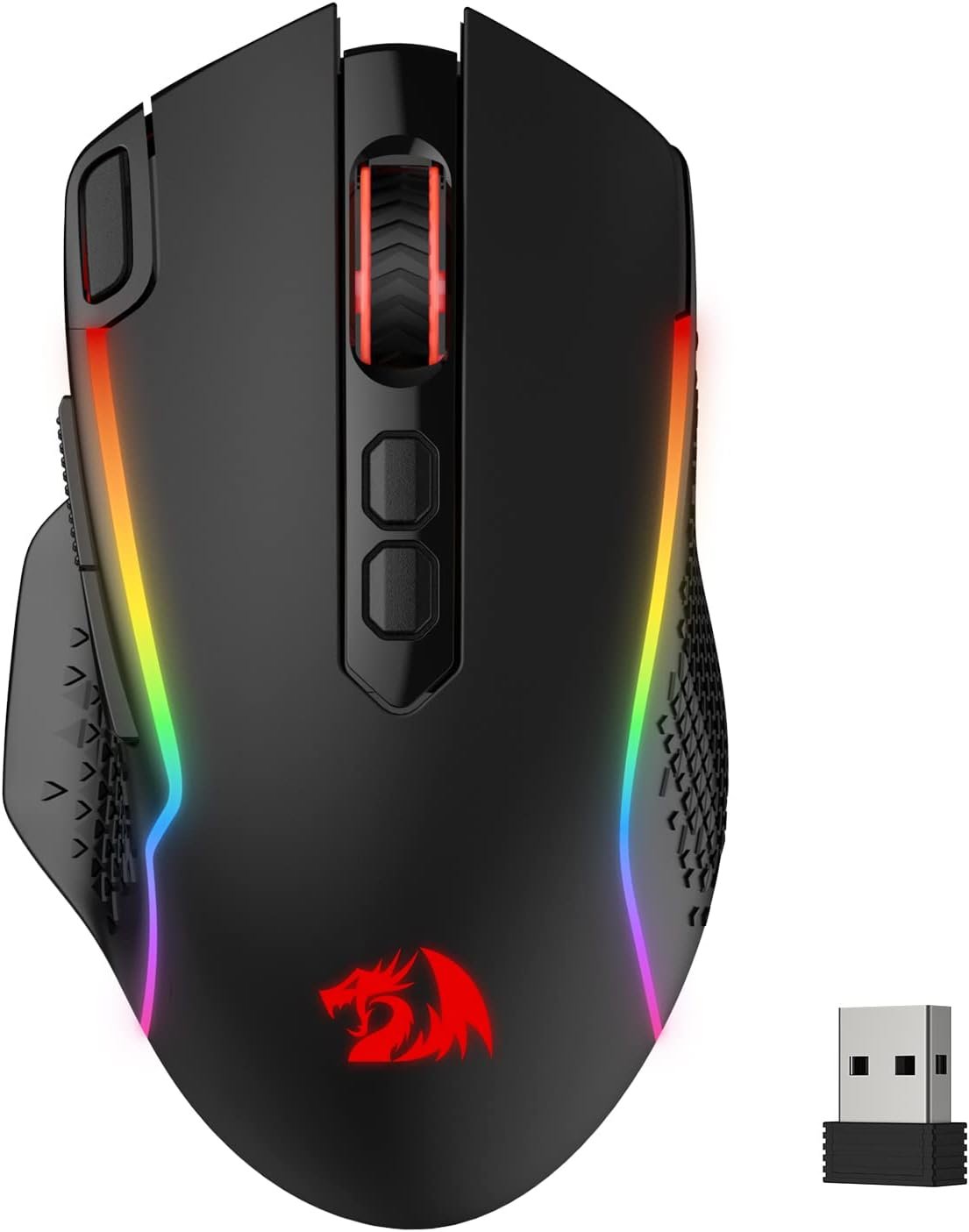
Redragon M810 Pro Wireless Gaming Mouse, 10000 DPI Wired/Wireless Gamer Mouse w/Rapid Fire Key, 8 Macro Buttons, 45-Hour Reliable Power Capacity and RGB Backlit for PC/Mac/Laptop
Original price was: $26.99.$5.99Current price is: $5.99.
-90%


Al A. –
Huge Improvement in wireless speeds and over-all wifi signal strength and coverage!
Update 5/21/24:We just dropped our ISP and went with a new Fiber Optic 1GB ISP just on our street. no matter if you have a cable modem or a Fiber Optical connection, they all terminate to a standard ethernet connection. Our old cat 5e/6 ethernet cable works fine with this and were are getting ~800mbps upload and 725 mbps download speeds on wifi. (wired ethernet will almost always be fastest, but, our speeds are excellent for our wifi setup with the AX3000). I swapped out the WAN cable from my old Motorola cable modem, plugged in the ethernet cable from our Fiber Optic box, rebooted the AX3000 and bingo, back in business. It was that easy. The tech doing the installation here said he wished others would choose the right Router for higher speed internet services and he said he knows about the TP-Link routers and that the AX3000 was a great choice for our new internet service.—————————————————————————————————————————-After about 10 years with an apple airport extreme that was working well, but, was outdated and no longer supported with firmware updates by Apple nor have adequate range in our house for Wi-Fi, I decided to look on Amazon for a newer and higher speed Wi-Fi six router.I tried a couple of other brands of wifi 6 routers, but, they just did not work out that well and lacked the desired GUI and setup screens I wanted. The TP Link AX 3000 router was my next choice to try and its GUI, setup and performance has been superb since set up.We use XfinityComcast Internet service and our plan has a maximum of 450 Mbps download/12 mbps upload and right after setup, this router is seeing about 150 Mbps more speed using wireless in the house then AirPort Extreme could do even standing next to it. The AX3000 gives us our plan speed!I tried many varied settings for the airport extreme to see if I could get more speed out of Wi-Fi including trying different channels for 2.4 and 5 GHz, as well as a few changes for ipv4 and ipv6 settings and nothing I’ve tried could raise the numbers at all and at best, speeds were best about 250 mbps for Wi-Fi when within a room away from or even standing next to the router. The attached pic for a speed test for the AX3000 was done a room away from the AX3000 which is mounted high in a closet situated in the middle of the house (in a hallway) for best signal everywhere inside. The wifi speeds I am seeing now are close to what my wired ethernet speeds are and at the speed our plan is. That’s impressive!What I’m seeing with the AX3000 for general Wi-Fi speeds are between 400-425 Mbps. I am also noticing a huge improvement in the Wi-Fi signal strength over-all. I can be at either end of my house or even out in the backyard now and still have plenty of signal and Internet speed to use.I could not do that with the airport extreme in which the wifi signal strength fell off much quicker by distance whether I was in the house, or in my backyard (where there was a weak signal to connect to, if I could connect at all from outdoors).We have a metal enclosed patio room and due to the metal walls, the Airport Extreme just could not reach there well out there from its closet/hallway location and internet speeds were reduced to around 200 or sometimes a lot lower mbps. I used a wifi extender out there as needed (with the Airport Extreme), but, as tested, the AX3000 has very adequate signal and speeds out there as well. Wifi speeds drop just a little out there using the AX3000 at around 375 mbps vs the 400+ mbps indoors and away from any metal. Impressive! No extender needed for my setup.A few reviewers noted, there’s some special settings required for the AX3000 and some cable company ISPs. We have Comcast/Xfinity and I ended up having to mimic the MAC address of our old router to be able to finally connect. Having the ability to use default, clone or a unique MAC address on the AX3000 made the setup so much easier. Comcast does have an app where you can switch over to the new router basically where you will update the MAC address (to the Comcast server for your internet connection) for the new router so it works with your cable modem. I chose to work around that so I wouldn’t have to use any app and that works better for me if I ever have to put the airport extreme temporarily back into use because I’ll be using the same MAC address as I am now.Some of the routers I tried previously had no way to just put in their IP address and do the setup using a browser. These routers required an app to setup the router. The AX3000 lets you set up either directly at it’s IP address using a browser or by using the free TP-Links “TETHER” app.One feature I really like in the advanced settings for the AX3000 is that you can choose either to have the IPV4 and IPV6 channels separate (using two separate WiFi network names for the 2.4 and 5 GhZ) or combine them into just one name and the router in that case will choose which one (2.4 or 5 GhZ) to connect to based on the signal quality, the device wifi capabilities and the location of your devices. My air airport extreme only allowed a separate 2.4 and 5 GHz Network to select from, but, with the AX3000 you can combine both into one (network name) and let the Router handle the best and fastest way to connect to each of your devices. That’s nice for me because one name to connect you for Wi-Fi and your Network is all you need. It just simplifies things a little bit. The setup for the Guest network is similar.The AX3000 does have a very significant amount of adjustment and settings in the advanced mode, and I did change a couple things there, including the DNS servers that we normally use. Are use open DNS servers, using a primary and a secondary DNS and I put those into the router settings so that’s where I’m connecting to (and then to Comcast). I have found better Internet speed overall when I’m using a public DNS rather than going directly to Comcast service. Your mileage may vary!I also use TunnelBear VPN here and the AX3000 has the option to basically always login and connect through the TunnelBear VPN servers which is really nice. Again because it’s a much outdated model, my Apple Airport Extreme did not allow that but with the AX3000 I have the option of having a VPN on 100% using the router to connect to the VPN servers and not having to deal with turning it on it on each device using an app…very nice!Be advised that typically using a VPN will slow down your Internet connection a little because then you have a third-party access point in the loop that you’re utilizing for your connection, but, for me, I have found that my VPN service does a superb job of keeping the Internet speed up substantially over a few others that I tried in the past which degraded speeds substantially. Given the large speed improvement using the AX3000, I’m fine with loosing some speed with a VPN. Also be aware the AX3000 has a full VPN setup that can b used to connect to your VPN through your router, rather then the need to install and use an app on each of your devices. VPNExress is supported in the AX3000 internally so if you have an active account with VPNExpress, you are good to go! My TunnelBear does not support router installation for it’s app so I’m still using their app on each device to turn it on or off.Moving to a new router is always a bit of trial and error and tweaks to get it right and become familiar with a new GUI and protocol on the new router. The AX3000 took some time to tweak, but, once that’s done, you going to be very happy with the maximum speed it will give you as well as the great signal coverage it has.Be sure to back up each time you change some settings. Its far easier to do that then try to remember all the changes you just made that did not work out. Backup and restore is the way to go.So far, so good and I’m very impressed with this new wifi 6 router. I’ll update this review as required while this model is still current and available to buyers.5 Stars all around!
JSL Salt Lake City –
It works very well. Performance is screaming at 450+ mbps to my beelink computer.
Update: This must have amazing tech because once the beamforming (that was new to me) settled I am getting this wireless speed test: Download Mbps 441.52 Upload Mbps 206.08 50′ from the beelink and the ax55! I was fighting 1mbps with Quantum Fiber’s “whole house wifi”. It is not. but the AX55 really made the top floor of our house act like every device was copper connected. Other than the challenging setup (use chatgpt or gemini) i would have happily paid double for this product!————I gave it 5 stars because it’s fast now but it was a chore to get working and I couldn’t have done it without chatgpt. OpenAI has an excellent tool because the instructions were pretty bad and getting past password issues were a challenge. Ultimately I had to direct connect it to my computer via ethernet cable to finish the configuration. But the biggest gotcha was that the performance was terrible until I changed the NIC in my beelink to have NO SLEEP set and then forced the 5ghz to be primary and lowered the 2.4ghz connection to “almost never”. Once I had that then the speedtest stats went from sometimes fast to mostly slow (1mbps) to solid: Download Mbps 254.14 – Upload Mbps 141.96. I would have been happy to get a solid 5mbps. Now I can run 1080p youtube without the cursor jerking around the screen. It’s wonderful! I also have 2 other computers, two smart tvs, two printers and two phones on the ax55 and they all act like they are alone on the link.
Robbyg –
Was going to buy the GL.inet and changed my Mind
Update: Oct 2025About 3 months after buying the travel router WR3002X it died.I called TP-Link and they were actually very responsive.They told me I would have to pay $14 to have a replacement shipped to my house. I would get an email with a shipping label to ship the dead one back for free and lastly the one thing that I did not like. They would Pre Charge my credit card $120 for the new router and cancel the charge if the dead one arrived back to them within 25 days. My first question was why $120? That is nearly double the cost of the router on Amazon. They said it was MSRP value and basically take it or leave it. Anyway I went through with it and within about 10 days I had a new replacement and they had gotten back the old one. I am only out $14 so I guess I cannot complain.Original Review:Wow, I am very happy with this router and it’s speed, I was not expecting anything near this speed at this price point.It’s darn fast, I was getting the full 150Mb when Wifi Hotspot connected to my Starlink router on 5G.I was going to buy the GL.inet and I am so happy that I did not. This router is much easier to configure and I suspect based on reviews that it is faster.I logged into Express VPN with it and changed my location. Then used the App to just assign the connected device to use VPN. The Speed going through an OpenVpn connection was 80Mb Down and 10 Mb Up which was excellent for such an encrypted connection. The CPU in this router is fast!About the only issue I had with the Router was getting the VPN connection to work the first time.I put in the user and password info for ExpressVPN and the .opvn file they created for the info and it says connecting and stays that way. I kept changing stuff trying to figure out what was wrong and then just by chance I left it uninterrupted for about 2 minutes and it connected. I wish I has known it took that long to establish an OpenVPN connection. Once it is done once the connection is made much faster after that.Please note you need to add client devices to the VPN connection or they will just be connected without VPN.When your on the main screen and press VPN it will take you to the settings to put in a VPN provider. Once that is done and connected you will see at the bottom “Client List”. Make sure the device is already connected to the routers WiFi and then hit + and select that device to be added to the client list. That device will now be added unless you remove it.
Amir Ansari –
Really fast and furious does wonders for so less price , im able to stream 4k , 8k videos without any lag and smooth gaming on ps5. Much recommended for streamers and gamers. Speedtest results is astonishingly remarkable
Glen from South Australia –
An exceptionally good and easy to use travel modem. However it does not have a kill switch which is the basic point of having it for its vpn capability. Disappointing as I said it’s very easy to set up and seems reliable otherwise.
Mudassar –
I’ve been using the TP-Link AX3000 WiFi 6 Router (Archer AX55) for a while now, and I’m really impressed with its performance. The WiFi coverage is strong and stable throughout my home — even in areas where my old router struggled.The WiFi 6 technology makes a big difference — faster speeds, smoother streaming, and no lag even when multiple devices are connected. The setup was super easy using the TP-Link Tether app, and it supports OneMesh, which means I can easily extend coverage in the future if needed.I also like the built-in VPN support and the robust security features, which give me peace of mind. The router looks sleek, runs cool, and has been very reliable with no drops or restarts needed.Overall, it’s a fantastic router for the price — perfect for gaming, streaming, and work-from-home use. Highly recommended!
ibrahim Fahad –
الراوتر ممتاز واداءه جدا مناسب للاجهزه متعدده وتقنياته ممتازه
Jeramie –
This router is the end of my long journey down a rabbit hole of trying to find a solution of “adding” more storage to an Android device that I felt does not have enough free space. My router before this in terms of wireless coverage wasn’t bad, and its internet speed tests were usually ‘fine’. However, the issue I realize it had was when I began to set up networked storage in my home and its local file transfer speeds over Wi-Fi were abysmal.After dealing with numerous settings on that router, going through two TP-Link extenders that ultimately did not resolve the issue, I ended up just getting this router instead. And I have to say, this fully solved my issue and easily surpassed all expectations that I had. For starters, my previous Wi-Fi 6 router only managed around 30Mbps when doing a wireless-to-wireless local file transfer between two devices. Whether doing a local speed test or deploying an SMB share. This router? Easily managed between 750-850Mbps, entirely over wireless. It was such an unbelievable increase in performance that that alone makes this worth it for me.Setup is as simple as any other router can be, possibly even easier with the ability to set it up with the mobile app that guides you through the entire process if you don’t want to set it up via a computer with a web browser. Giving it the same SSID and password as my prior network allowed all of my devices to reconnect to the network as if nothing happened.Wi-Fi 6, 160MHz channel support, QoS, built in SMB, VPN, Access Control, ability to set it up as an AP, IoT isolation, this router has SO many features for its price, it’s insane. The mobile app is great but you do need to go into the gateway on a browser to access its full host of features. There are new features being added to the router still in the form of firmware updates, that the router is still seemingly frequently receiving.This completely solved my goal of wanting to add networked storage in my home. It’s so nice to be able to transfer files between all of my devices without ever needing to physically connect them again. Transferring files completely saturates the 1GbE NIC whether wireless or wired on all of my devices, and still leaves plenty of bandwidth on the router itself to allow other devices to function normally.There’s not even much to say about its internet performance, it’s great, of course. If you have a gigabit internet plan, you will have nothing to complain about whether wired or wireless utilizing this router. There are no less than a combination of 15 wired/wireless devices connected to this router and none of them experiencing any issues. I am very happy with this router!