


From the brand
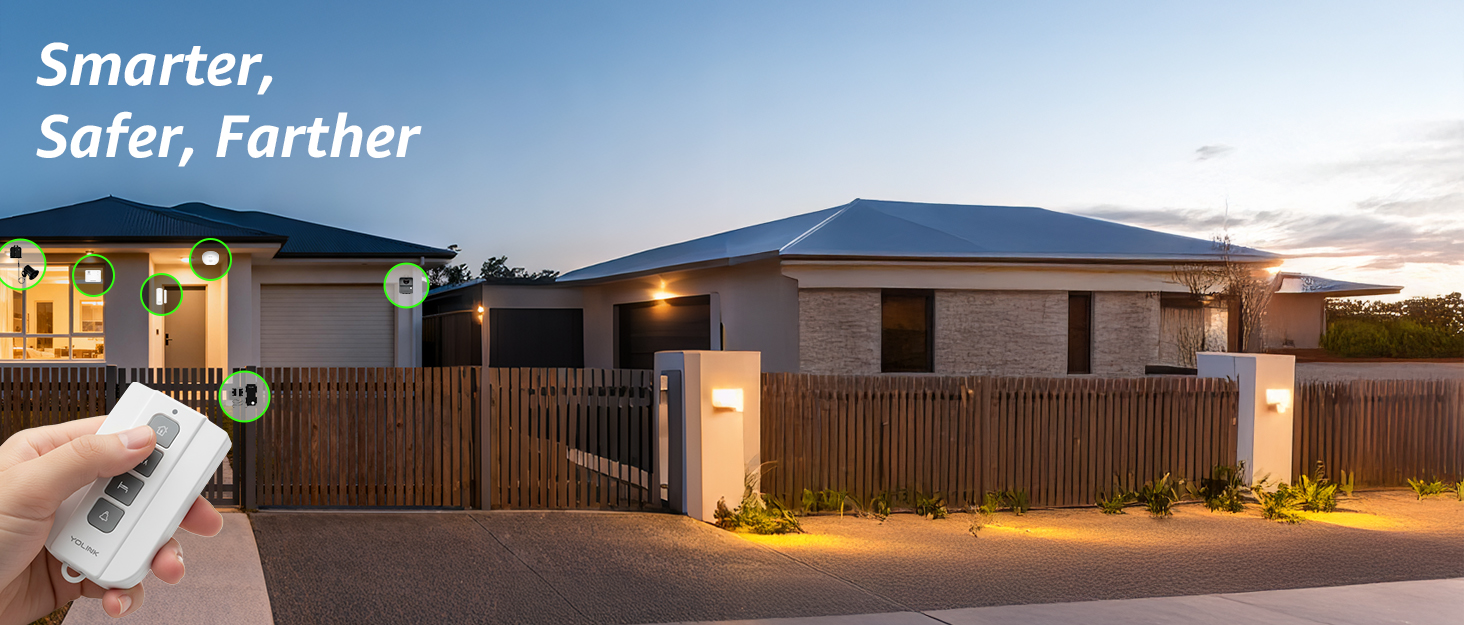
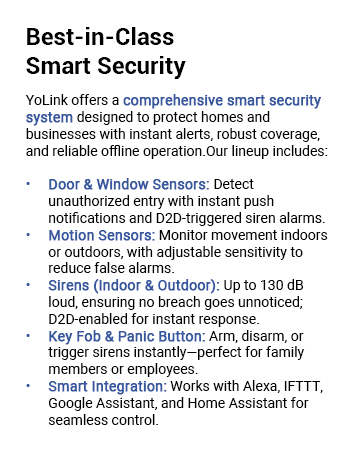
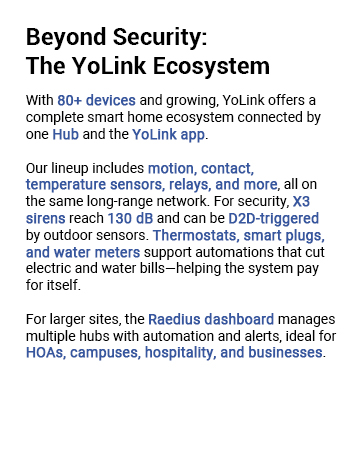
A SMART START! Everything you need to start your smart home security system: one YoLink Outdoor Contact Sensor (smart door, gate, lid, window monitor) with one YoLink Hub. Supports 300+ devices from our full product line. Add more hubs for large homes, high-rise condo buildings, etc. Two AA batteries, good for 5+ years standby, are included!
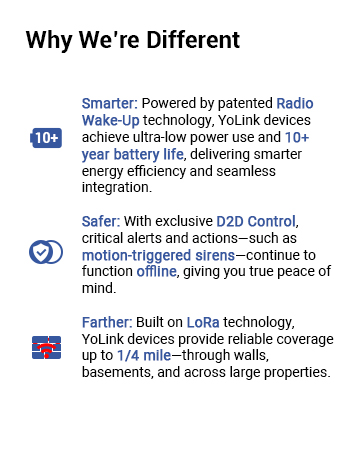
PROTECT YOUR PERIMETER and prevent crime at your property line! With our LoRa-based up to 1/4 mile wireless range, you can now put security devices where it was once very costly, or impossible. Vehicle and man gates, pool gates, remote buildings, shed and barn doors, etc.
WHY PAY A MONTHLY FEE, when you can protect it for free? Self-monitor and save when you take advantage of our many ways to be notified of alarms and off-normal events in and around your home or business. See the”Know Now!” section below for more info!
INTEGRATE & AUTOMATE: Snip off the reed switch sensor and connect the wires directly to relays, alarm panel outputs, switches, buttons, high security or specialized door, gate, roof hatch, garage door sensors. Trigger automations from the sensor, making the connected device or equipment smart.
WIRE LESS! Self-powered and wireless, just place the sensor where it is needed. No wires, no trenching, no conduit, no electrician needed!
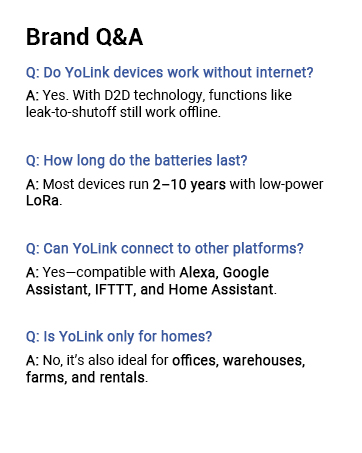
DEVICE-TO-DEVICE PAIRING allows for two or more devices, like your Contact Sensor and a Siren Alarm, to be paired together, so they will operate when needed, without WiFi, internet, even without AC power (battery-powered or backed-up devices)!
REQUIREMENTS: Android or Apple smartphone, wired ethernet port or stable WiFi connection (2.4 GHz band, only).
Looking for a fob to arm/disarm your Contact Sensor? Search B0978V4WQC for the FlexFob or B092M1QQ5M for the AlarmFob or B0BRCX6HVK for the SirenFob (siren products, required, not included)
Looking for indoor door sensors? Search B085HTMGYV. Looking for a garage door sensor? Search B07Z7QQV8K
Looking for a siren? Search B0887SMPKK for the indoor Siren Alarm, or search B092QR82P1, B09V2DXPPW, B0BWYLT3JB, B0BZHPQ1PK for outdoor models.


Dexter –
Yo-link – Features, Range, Extenders, and limitations
Yo-link – Features, Range, Extender, LimitationsPROFeaturesDiversity of product lineIntegration capabilities as a smart home deviceLow costBattery LifeCON1/4 Mile range advertised likely clear line of siteIn wooded area reliable range was more like 300 feetAntennas, range extenders not availableUnsupported range extender works but limits featuresSome limitationsFor house monitoring of crawl space temp/humidity, water leak detection, motion in attic etc., the product line works extremely well and has excellent smart home integration.The goal was to simplify install, minimize/eliminate wiring for sensors, and to gain smart device capabilities. When working for external device monitoring such as driveway gates, package delivery box notification at a range of 450 feet through wooded areas challenges were uncovered. For the package delivery box, the original concept was to mount a garage door sensor flush (horizontal) on the bottom of the lid that would toggle when the lid was opened. From what I could glean the device is designed to be installed on the inside of a garage door (vertical) with door closed. There was not a software option on this sensor to alert on normally open vs normally closed. Therefore a bracket needed to be assembled to mount the sensor in a vertical position for the device to operate. Would be nice if the device offered this option. During the process the range was learned to be a challenge. Moved hub outside, tried different orientations to try to optimize internal antenna (vertical / horizontal) different sides facing device and was not able to mitigate signal limitation. Yo-link does not offer an antenna, and/or range extender. Found a helpful “non-supported” solution to create a signal relay solution. This uses a yo-link Security Siren & Alarm controller and yo-link Outdoor contact sensor. Between these two devices a relay is required. I found and electronic relay with NO normally open and NC normally closed output contacts; “OONO DPST 1NO 1NC 8Amp Power Relay Module, AC/DC 12V Control Voltage” which worked perfectly. Configure the remote device to trigger the Alarm controller. Replace with siren with the input to the relay module. Attach the contact sensor to either the NO/NC contacts as appropriate for your project. This solved the range issue in this case. However, the ability to monitor if the device remains open and is not closed is lost. A goal was to add this solution to the driveway gate and obtain a notification if the gate was not closed. At this time I do not know a solution to the range challenge combined with some of the additional features yo-link offers.I am using these devices outside of their intended design, so I will still rate them highly. However, it would be nice for yo-link to have an extended range solution that supports all of the device capability as well as a tilt sensor (garage door sensor), that allowed the NO/NC configuration to be modified.Overall I have been impressed.
Sgt Hall –
Save time from walking to mailbox for nothing
My mailbox is about 154 feet away from my house. My mail delivery times vary, it can be anywhere from 3 pm -10 pm. I used to check it when I got home from work and found nothing, but I know I have mail due to the USPS Informed Delivery I signed up for. So I would need to keep checking the mailbox until either I got the mail or just went to bed and I would get the mail the following day.So I wanted something that would alert us when the mail was delivered. I did an internet search and I found this YoLink LoRa Smart Outdoor Contact Sensor. I read reviews and watched YouTube video reviews of it. As I was reading a review and saw that someone decided to go a slightly different route and went with the YoLink LoRa 1/4 Mile Wireless Range Smart Motion Detector. They placed the motion detector inside and on the back of the mailbox. I was going to follow because I liked the idea of the lack of any wires but then discovered the motion sensor does not work in cold weather (32 degrees is the lowest operating temperature and I live where it is colder during the winter months). So I went back to the idea of this, YoLink LoRa Smart Outdoor Contact Sensor.I bought the YoLink LoRa Smart Outdoor Contact Sensor with Hub. It was easy to set up. I downloaded the app first and created an account. Then I plugged in the hub and connected it to my router (via ethernet cable, it can be connected wirelessly but I like the wired connection, less chance of any issues), and then I added the contact sensor to the app. I tested the sensor first before installing it on the mailbox.When I was planning my installation on the mailbox, I saw that some installed the sensor inside the mailbox, but I did not want the sensor to get bumped by any mail or packages, so I decided to place the sensor on the outside. I also wanted to have easy access to the battery box. I wanted to easily remove the battery box from the mailbox, so I did not want to tape the box to the mailbox (underneath the mailbox). So I used the double-sided tape that came with the sensor and taped the battery box to an 11 lb round magnet (it takes 11 lbs of force to remove the magnet, the magnet does not weigh 11 lbs). With the magnet on the battery box, I can place the battery box anywhere on my metal mailbox and it is secure enough that it will not fall or detach itself. It is a solid connection. I placed the battery box underneath the mailbox where it is not too noticeable. I installed the sensors in the door area of the mailbox with double-sided tape after I wiped the area with rubbing alcohol for a clean surface.Once the sensor and box were installed, I then went into the app setting and set up the alerts. I wanted app alerts when the mailbox sensor was opened. At first, I did not get alerts, but then I realized I had to go into my phone app settings and give permission for the YoLink app to give me alerts. Once I did that, it was working great. I work in a different city and I will get notified via app alert that my mailbox has been opened.This system was easy to install and use. It is easy to add more sensors and devices. A hub can have more than 200+ devices connected to it, plenty if you want to add more devices for home security.The only critical thing I can say about this is this has an option to get text alerts if the the sensor is opened, but you only get so many texts a month and you will need to pay to subscribe to get more text alerts. But with the app alerts, it is limitless and it alerts me. What else can you ask for? You can get email alerts as well, but the app alerts work great for my needs.
Robert Burgess –
Awesome product
Great product line, with fantastic range, and flawless proformace. It’s an easy install and the app is intuitive and without glitches. I would recommend this line of products to anyone. As a lifelong electrical installer, I was impressed by the seamless installation ease and integration.
DGL –
Good simple tech and easy to setup. When the outdoor contact sensor contacts are broken the alert to the app is immediate. If buying the sensor for security reasons a limitation worth noting is if the sensor goes offline (e.g. batteries are removed or other tampering) it takes over 12 hours for the hub to notify you that the device is offline due to polling intervals). A model with tamper alerting has been suggested.
Rick W. –
I have been using YoLink products for 4 years now. This is another great product of theirs. Simple to install, great battery life and does a great job of what it’s supposed to do. Best thing is the long range. No more worrying about whether your Wi-Fi signal is going to be strong enough, YoLink products use LORA, which is a low frequency, long range radio wave system that gives up to 1/4 mile range. I have YoLink sensors as far as 800’ from my hub and no problem. With the 40 or so YoLink sensors I have, I’ve had to deal with YoLink tech support a few times and have always found them to be over-the-top excellent in their response, even going so far as to send me replacements as long as several years after my purchase. I’m an electrical engineer with a specialty in digital communication and I design radio frequency communication products among other things. I have nothing but good things to say about YoLink products and support. I have over 180 smart products of various brands in my homes and boat and YoLink products are among the easiest and best. Their app is also very comprehensive and feature rich. I use this contact sensor to interface some of my own circuit boards with my IoT devices.
Chad Rogers –
great security feature that doesn’t cost a fortune. Extremely easy to add via the QR code on the product. The signal is great given the hun is in the basement while the door sensor is on the shed 18 ft from the house. Works extremely well and is a great add on to the other sensors/monitors that I have operating. Definitely with its price. Highly recommended.
kcwcc –
All the YoLink stuff is good. I had to design and 3D print a bracket to mount this on my overhead door but that was no biggie. The app saw it immediately and it was working within a few minutes. I need to spend more time with the app as it would be great if I could set it to remind me the door was still open at night. Not the switch’s fault, it works sweet!
Sam –
Works great, but they expect you to use a sticky to attach this. That does not work on an outside gate. At the very least everything should have mounting holes for screws. Apart from the mounting kerfuffle, it works great.