


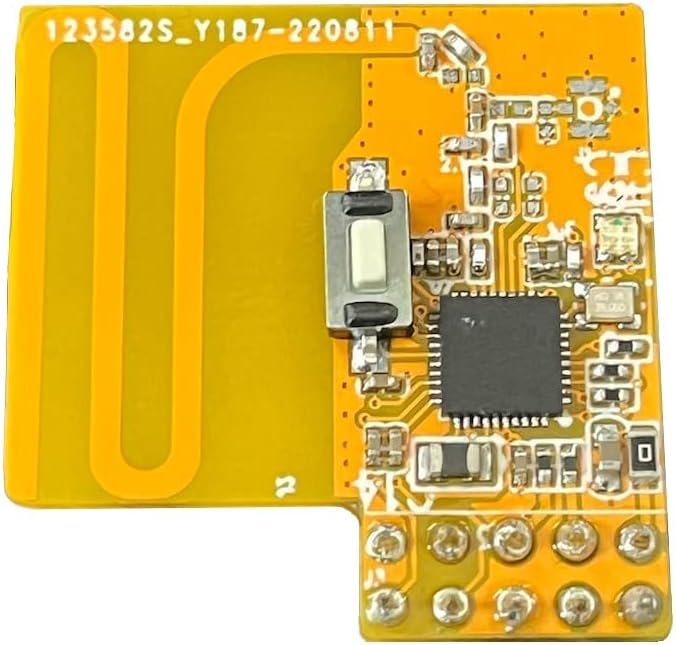

NOTE: Home Assistant Yellow or Raspberry Pi and home automation software required to build a Z-Wave gateway. Sold separately.
SPECIFICATIONS:
- Model Number: ZAC93 LR
- Z-Wave Signal Frequency: 908.42 MHz
- Power: 3.3 VDC
- Z-Wave Range: Up to 1 mile in open space with Z-Wave Long Range enabled
- Operating Temperature: 14-104° F
- Installation and Use: Indoor only
- Dimensions: 1.1″ x 1.1″
SDK: 7.18
READ BEFORE YOU BUY: The GPIO module is for advanced Home Assistant and home automation users only, NOT for beginners. You must be comfortable with programming and have expert computer and Z-Wave knowledge to use this device.
NEW 800 SERIES Z-WAVE LONG RANGE: Take advantage of the latest wireless innovation with Z-Wave Long Range that extends your network coverage up to a mile. NOTE: Your home automation software needs to support the Long Range implementation on the interface side as well as the end Z-Wave device you add to the network for the Long Range functionality to be fully unlocked.
WHAT YOU NEED: This 800 Series Long GPIO module adds Z-Wave Plus and Z-Wave Long Range capability to your DIY smart home set-up on a Raspberry Pi or Home Assistant Yellow hardware (sold separately). You’ll need a home automation software of your choice (not included) to complete the system.
Z-WAVE SET-UP: Follow the detailed instructions from the QR in the manual to install your module and refer to the Home Assistant / Z-Wave JS documentation to set up your Z-Wave integration according to the recommended method. Supports OTA firmware updates and and all of the latest Z-Wave library commands.


Curtis –
Use with TubesZB POE controller!
Fantastic when paired with the Tubeszb POE controller. Highly recommend over USB solutions due to USB juggling. Plug and play. Updates using homeassistant built in mechanism. zero issues with inclusion or range.
M. Potter –
Absolutely perfect, as long as you’re comfortable installing it.
Everything worked perfectly. To be clear, it’s not a simple solution when using it with home assistant yellow. It takes root access and config file changes. But if you’re comfortable making those changes, it is a beautiful fit and does a great job.By the way. Many say that you have to disable Bluetooth to use it. When using it with the yellow and pi 5, that is not the case. I have zwave, zigbee, and Bluetooth all active and encased within the yellow’s case.
Jeremy H. –
I Absolutely LOVE This Device! Perfect for PoE Controller on Home Assistant!
I wanted to add Z-Wave capabilities to a new Home Assistant home automation solution I was setting up. I had read some horror stories with the USB-based Z-Wave adapters (pro tip if you’re using one of those USB-based adapters: for best results, make sure to use at least a 1ft USB extension if you have USB3.0 ports as they have an EMF that can interfere w/the USB-based Z-Wave sticks sometimes) especially with running HA on a docker or VM which I was planning to do on my Synology DS920+ running DSM 7.2 w/Z-Wave JS UI.My perfect device would be PoE to take advantage of my Unifi PoE switch so I started searching. I was stoked to learn that such a device actually exists. There’s a device by TubesZB that serves as the interface between a GPIO device just like this and your PoE network switch. Perfect! I ordered one of these, one of those, connected them together and then to my network via the switch, installed Z-Wave JS UI on my HA instance and bam! Magic! It works rock solid and and I’ve never had a single issue running around 100 Z-Wave devices. Exactly what I was looking for and I’m glad such a thing exists.I’d love to see a single consumer-focused product so you don’t have to order from two separate sites and then install things yourself (maybe in the works?) but this really isn’t a big deal at all. You quite literally order this Z-Wave GPIO radio and plug it into the TubesZB PoE adapter kit, snap on the cover and plug it in. Mine worked right out of the gate w/o any fuss. Wonderful device(s) and wonderful solution for those who’d like to add Z-Wave to their smart home automation solution of choice. Hopefully this review helped others looking for a similar solution as it took some Google-fu to find that the exact solution I was looking for was available.
Carlos –
Perfect
Works Great! Maybe even better than the USB model! I bought this to work with the TubesZB POE so that my ProxMox cluster running Home Assistant in High Availability mode could switch between computers flawlessly if necessary as it won’t be tied directly to a USB and instead works over Ethernet, the cooordinator switch was easy with Z Wave UI addon by backing up the NVM file and Store file and restarting with the new Coordiator and restoring with old filesSo far so good! Couldn’t be happier with Zooz quality!
Jacob Roeland –
Does what it says on the tin
Easy to install in my Home Assistant Yellow. Been working well for several months. Antenna must be great as it was able to pick up my initial Zwave device a whole floor away. No complaints.
J. Consumer –
Great value and performance!
After Samsung broke the SmartThings integration for Home Assistant last month I started looking for a new hub for my Z-Wave devices and came across this little module. I agree that this product is not for beginners, but it sure ranks as one of the best values in home automation right now. Although the ZAC93 is designed for Home Assistant Yellow or a Raspberry Pi, all you really need to connect it to Home Assistant is an inexpensive USB TTL adapter. I just wired up the 3.3V, GND, RX and TX pins on the GPIO module to the corresponding pins on my CP2102 TTL USB adapter, plugged it in to my Home Assistant VM, and configured the Z-Wave JS add-on. From there, it was quick and easy to add my devices and now I have an up-to-date, high performance Z-wave setup!
Jared J. –
Not for the novice
I bought this module to add additional IoT functionality to my Home Assistant Yellow. Setup is not for the beginner. It requires a bit of knowledge of Home Assistant and identifying devices in Home Assistant OS. There are guides on YouTube to help you get this going. Once installed it works great. Unfortunately the only Z-wave device I currently have is my front door lock, which isn’t Long Range Z-wave. I had to get a Zooz repeater to relay.Installing this in Home Assistant Yellow is very simple. There’s no way to install this module incorrectly, if the cover fits back on, it’s installed correctly. Great use of the additional GPIO on the Yellow board.
MJL –
works perfectly in HA yellow
It plugged with into my HA Yellow and works with no problems. It was as easier than I thought it would be to get up and running. It was clearly built with HA Yellow in mind. It easily finds all the z-wave devices in my house. The only part they could improve is that the card is supported by the gpio pins, and to do that they cover up some pins that the device doesn’t use. It would be nice to be able to easily access those pins for future use (adding a fan for example)
Alain –
Super fonctionne parfaitement sur ma Box Yellow Home Assistant
T Abbot –
It works, and it’s cheaper than the USB stick. Slightly tricky to get it working but there’s plenty of help online.One thing I found is that the electronic noise from the Pi makes it quite deaf. So it works fine for a door lock 5 m away, but for one 10 m away downstairs, it’s very unreliable. I have no other always-on devices to make a mesh. I solved this by adding an external antenna, micro soldering not for the inexperienced. So if this is your only node, perhaps opt for a USB one that can be easily moved away from the Pi.
Pavel –
Installed to RPi5 for HA. Set up according manual, no complications.
Anamazonprimemember –
Very easy installation with Home Assistant. Plug into a USB port, add the integration, and start adding devices. I’ve been using it for over 6 months and no issues.
gilbert sauzy –
Tout est bien