






From the brand


More popular
Mechanical control
Improvement of air quality
Home security
Environmental regulation
Sensor
Smart switch
Robot Vacuum
Lighting
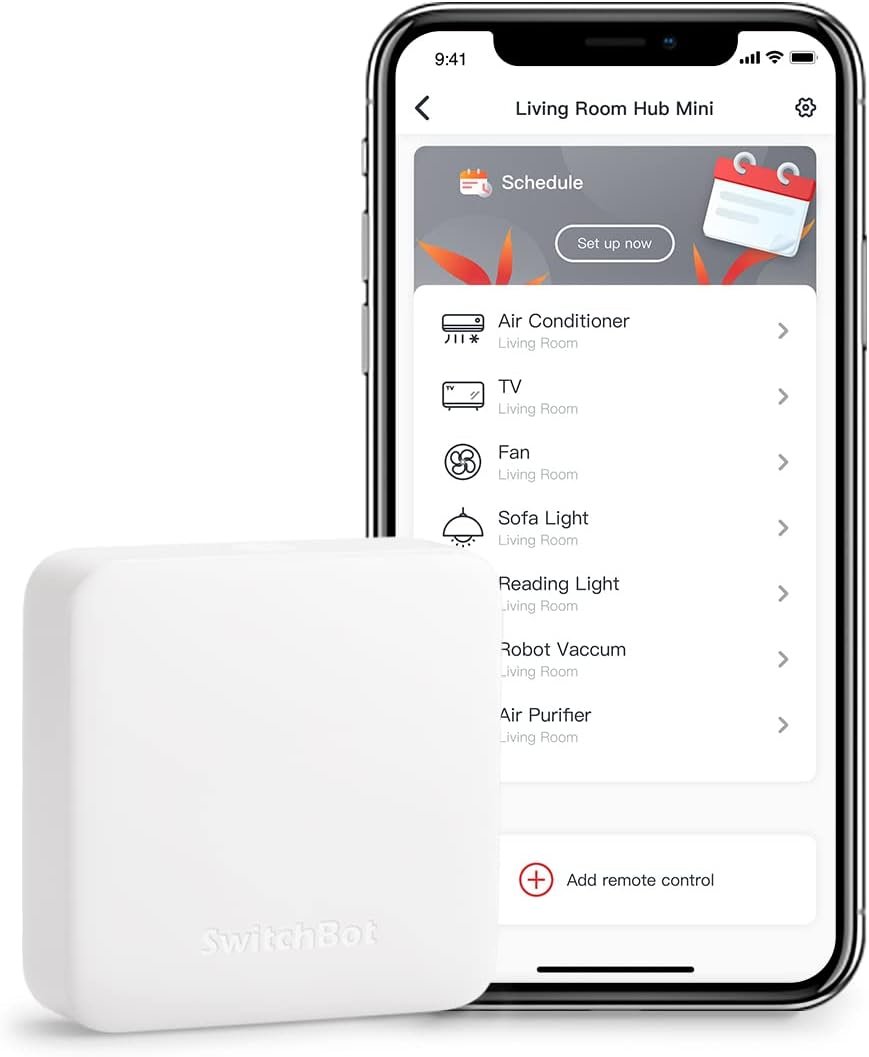
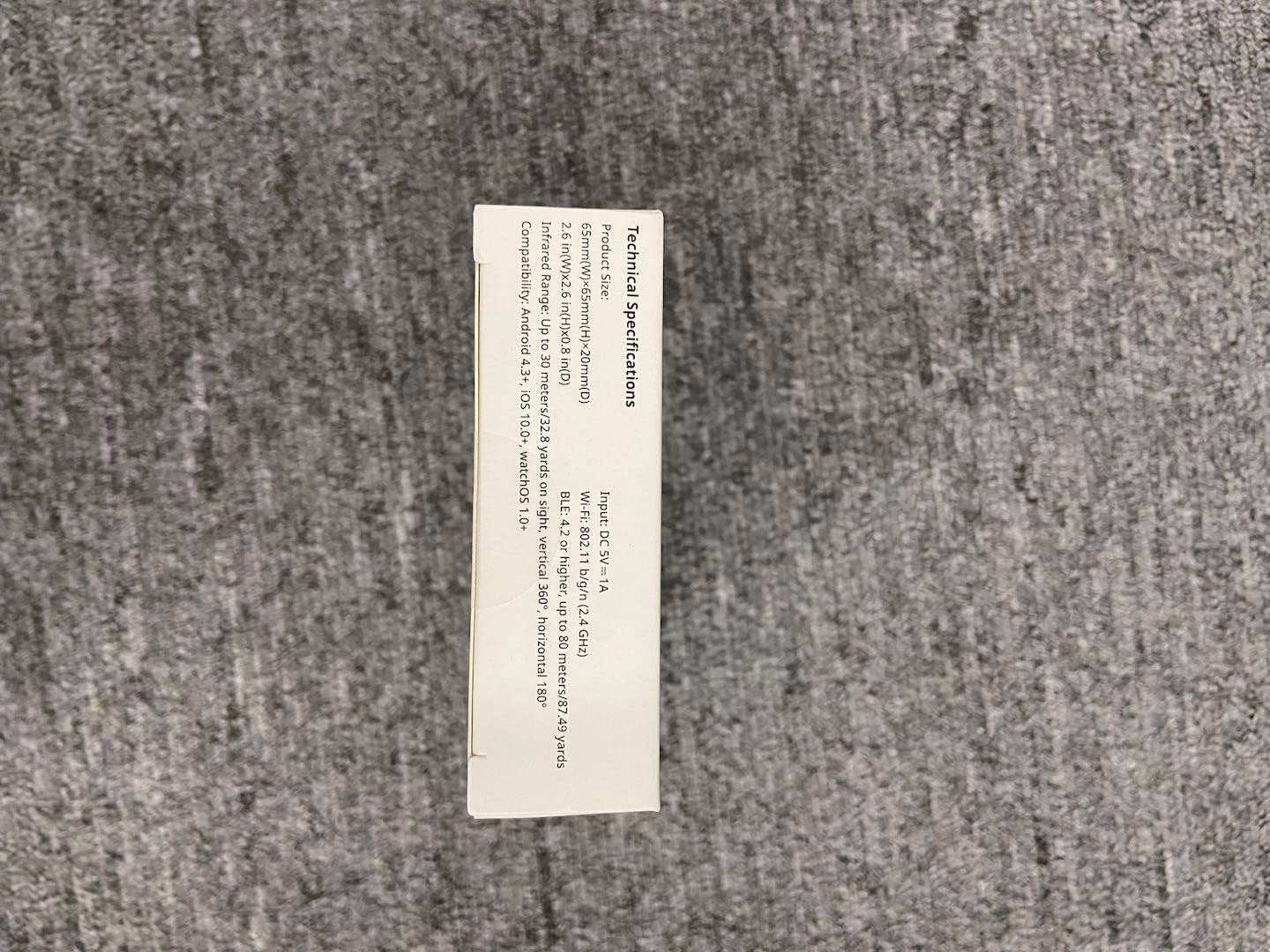
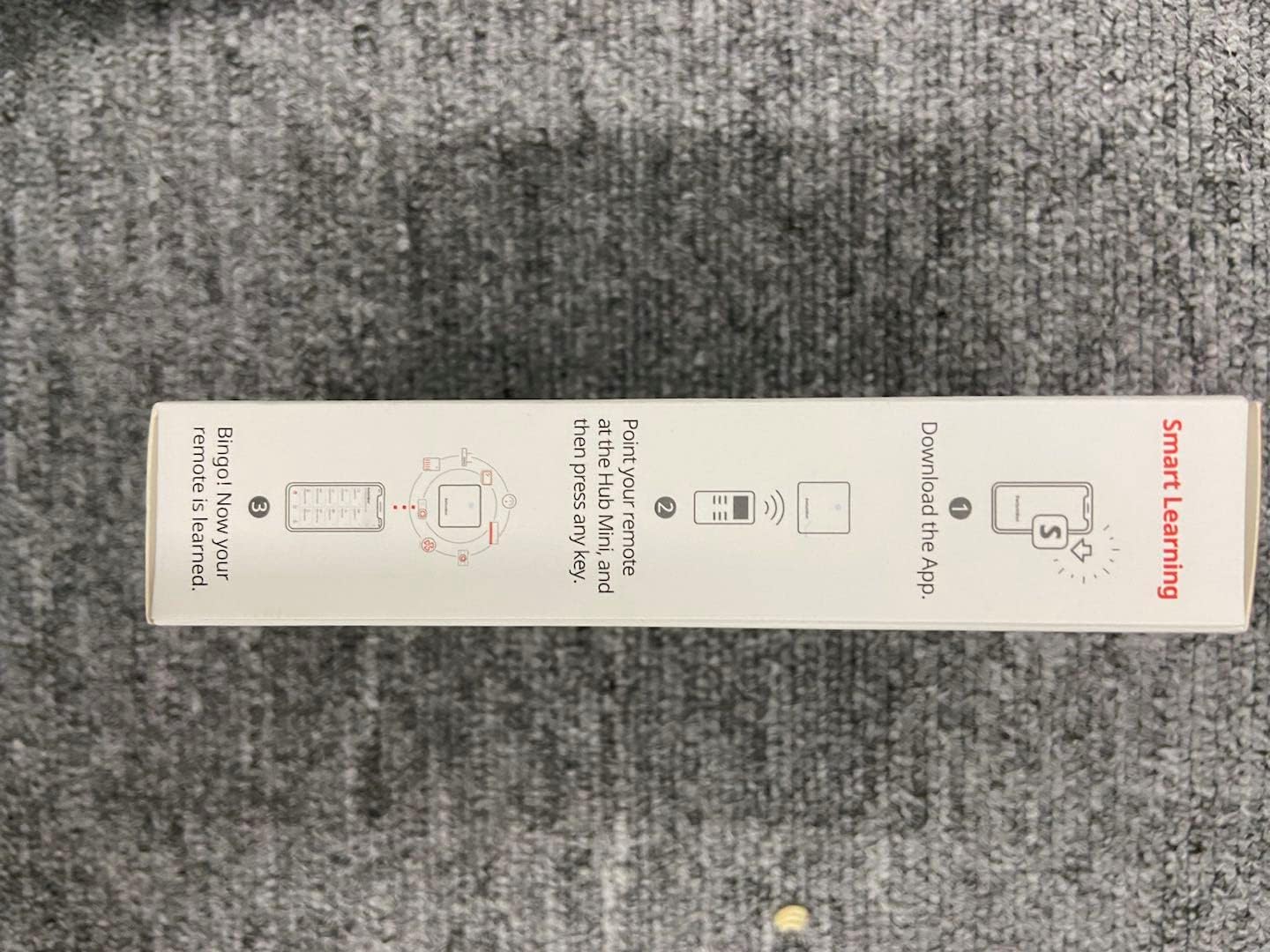
Easy to use – Easy to set up the Hub Mini in SwitchBot App. With “Smart learning” mode, it can mimic your existing remote control in 5s. 5V 1A/2A USB-powered and portable, you can take & place it everywhere. (*SwitchBot Hub Mini supports only 2.4GHz Wi-Fi, and cannot connect to networks with special characters (e.g., spaces) in WiFi names.)
One for all – Pair your air conditioner, TV, and other infrared appliances to the Hub Mini. All devices in ONE App. Enjoy the convenience at fingertips. To check compatible brands and models please see the Compatibility Guide (PDF) located under “Product Guides and Documents” at the bottom of this page. For troubleshooting steps on non-working issues, please refer to the ‘User Guide’ PDF at the bottom of the page.(*SwitchBot Hub Mini supports only infrared devices and is not compatible with RF device like ceiling fans and garage door opener.)
Your “Mini” step to a smart home – It’s the gateway of SwitchBot ecosystem. Connect all SwitchBot devices and IR home appliances to the Internet, enable the Cloud Service of your SwitchBot devices. Start building up your own smart home with SwitchBot!
Enjoy voice control – Works with Alexa, Google Assistant, Siri and IFTTT. Control your SwitchBot devices and home appliances with a simple voice command. (*SwitchBot Hub Mini do not support Matter.) (*Due to different usage methods, sometimes voice control does not respond or responds slowly. This does not mean that Hub mini does not work. If you need any support, please contact us.)
Save energy and save money – Wondering if you have turned off the bedroom AC or not? Just turn it off in SwitchBot App or set a helpful scene, you will NEVER forget to turn off the appliances.


Sub-zero –
Works Perfectly with My SwitchBot Setup
Works great with my SwitchBot Curtain and my IR remotes. Setup was easy, and everything connects smoothly over Wi-Fi. It makes controlling multiple devices super convenient.
Jamie –
Good
Good.
jit B –
It can do the job of multiple remotes
At first, it didn’t work and connect with my Switchbot Window tilt for whatever reason. The next morning it somehow connected on its own, so i don’t know maybe their servers were down? But even then I initially thought, no way I paid 40 bucks just to use my alexa with my new window tilt… right?Well it can connect to pretty much anything you use a remote for, and if you place it in an optimal angle in the middle of the room it can send signals to all of those configurations that it remembers. My Samsung TV, a Bose soundbar, and LED lights were all IR-remote operated devices that Alexa couldn’t control, and the most I could do before was use smart plugs to turn them on or off on command by shutting the power off. I bought this for the window tilt but it solved those problems too. I can turn the volume up on the soundbar by telling Alexa, when I needed a separate remote for the sound or tv. You can custom map any button and this generally works better than the preset profiles. It’s also a cool feature for unknown devices. Like my LED lights, instead of struggling to angle the remote the right way and press that one almost broken button to get the color you want, just make this hub remember it once, and this hub operates that product better than its own remote… In the picture that’s 3 remotes I don’t physically need to use anymore because I mapped their buttons on the app. They’ll also show up for alexa, but mostly basic command like turning them on or off. The trick here is to make a “scene” on the switchbot app, which basically just presses the specific button or sequence of buttons you want, then add that scene to alexa. On alexa, make a routine: “when I say ___” -> play scene. It’s a funky process but once you set it up it will work flawlessly, and alexa just sends the forwards to the switchbot app to get the exact button on the remote you want. For something’s alexa knows what to do already, so it’s even better.So far it’s a solid product. Only reason I don’t give it 5 stars is because it didn’t work out of the box, and that I feel like this could’ve been a little cheaper. Like if you just pick this thing up you’ll know it couldn’t have cost more than 7 bucks to make. Still serving its purpose way better than I expected, with no lags so can’t complain.
jwmclevain –
Good
Very easy to use
AzDayton –
WAS good. Now garbage.
05/19/2023: 1 starI haven’t needed to make any mods for a long while, so have had no reason to go into the app. Now I got a new fan I wan to add, and I find that there’s a new version of the app installed which is apparently VERY broken, and will not allow me to access any of the devices I’ve already got set up. Period. It keeps claiming a network error, but when I try to run existing routines, they work fine. So it’s the app. No question. At least the device still works, so it’s not completely useless. But it does mean I’ll have to research, find, and purchase replacement devices of some type. I’m sure these guys aren’t the only option – not if this is how they treat their customers! I’ll try to remember to come back and tell you what I went with, when I make that transition. It may be a while though.SEVERELY crippled – Dropping from 4 stars to 1—01/18/2021: 4 starsThe second Hub Mini is now working fine, after I changed to a different power supply. Support was slow to respond, figured it out on my own. Since that’s not mentioned in the troubleshooting instructions and Support was so slow to respond, I’m keeping it at 4 stars.—01/10/2021: 3 starsBought a second one of these to control devices in another room. The first one works great, but the second has been nothing but trouble. Have contacted support (today) using app feedback option. Will be returning, may or may not replace.—01/02/2021: 5 starsMake a few “scenes”, which are basically programs where you tell it to do something and it carries out a series of actions. These can be activated manually, by timer, or by Alexa. These scenes work well, but a great improvement would be to be able to set the time between commands. It’s about two seconds, so if I want to say, turn up the volume 5 clicks, it hits volume up, waits 2 sec, hits it again, waits again, etc. If they could make it a user-adjustable delay that would be awesome.The other thing about the scenes are that you get to name them, but they are activated in Alexa with “Turn On”. So if your scene is to do something else, like, for example, turn off the fan, you’d have to say “Alexa, Turn On Turn Off the Fan”. I’d rather the activation phrase be something like “Play Scene” or “Do Routine” or something generic like that.In the initial review, I mentioned that I added some additional buttons, but they didn’t take, and I couldn’t figure out how to go back to that screen and try again. I figured it out. And you CAN re-name your devices. However, when you make Scenes, they do not automatically rename, so get your names right before you make scenes.One nice perk. Working with another home automation thing, I accidentally deleted this app. I thought I’d have to re-do everything, but when I re-installed and logged back into my account, all my commands were right there once again. Whew!Raising from 4 to 5 stars.=====12/30/2020Wifi setup was about usual for IOT devices. Create an account, connect to your router, etc.Device setup was unclear. You have to manually choose the device type (TV, etc.) then the manufacturer (Sony, etc.) before you get to the “Learn” button. From there, you tap the learn button, then a button on your remote, and it guesses what it is. Then it will walk you through several screens, where you try the buttons to find out what version works with your device. Not onerous, but the instructions are unclear that you have to manually choose type and manufacturer first.Allows creating custom buttons, but I haven’t got those custom buttons to work with Alexa yet. It would help a lot if you could re-name them, but you cannot. You have to delete and re-add to change their name.Most of the buttons on my TV remote are not available. At one point, I did end up in a screen that had my TV remote and an ADD button, where I added a few missing ones, like Back, Input, and QMenu. But then when I went back in, those mods were gone, and I’ve been unable to find a way back into that edit mode to try again. That would be REALLY helpful if I could add those three buttons!The main screen buttons (choosing your device) seems a bit non-responsive, requiring me to press several times before it takes. Fortunately, after setup I shouldn’t have to use the phone app much.Alexa can now turn on/off/up/down both my TV and sound bar, and so on, so I’m mostly happy with it.Have not tried with Google yet, but expect similar results.With the aforementioned editing & button-adding capabilities, this would be a five-star device. Hopefully the app will be updated to include them later.
Destiny –
I use it to turn my computer on remotely
I bought the Switchbot Smart Hub and a Switchbot button pusher (purchased separately) to be able to turn my computer on remotely on those occasions when I was away from the office and the power went out which would shut down the computer once the UPS battery backup gave out. Once setup and connected, all you have to do is use the app to connect to the Smart Hub and tell it to push the button. A little lever comes out of the button box and pushes the power button on the computer. I’ve only had to use the setup once, but it was a lifesaver when I did.
M L –
Complex setup, no instructions, missing power block, does not work with Apple, Siri, or Matter.
Does not work with Homekit, Homebridge, Matter, or even Siri. Whatever, it obviously works with other devicesThe three stars is because it does not come with an instruction manual, instead sending you on QR code goose hunt chases. It also only comes with a USB-A power cord and no adapter, which required me to purchase a USB-c to USB-c cord for my power bricks which don’t have USB-A. So, not turnkey to use out of the box.I had to purchase a new cable to power it and I ultimately found some YouTube videos on how to set it up, then spent an hour doing so only to find out it won’t work for my needs. That’s frustrating, but not the fault of Switchbot and not reflected in my rating.They really need to tighten up the onboarding and setup process.
paulus –
Funciona excelente te con Alexa controlando el York, aún en los ajustes secundarios.
TechHead –
I recently purchased the Switchbot Curtain Rod 2 and installed this is my bedroom. They work fantastically, but it was a little frustrating having to open the app every time i wanted to open/close the curtains. The app is very well designed but it just felt like a faff to keep going into my phone every time. As a result i decided to order the swithbot button which works great. On further research i came across the hub mini which allows your switchbot devices to connect with Alexa/Google Home. Having a ton of alexas in our home i thought i would order and give it a try.The hub mini is a very small and compact device. Installation was super easy, connect to a USB power source (cable but no plug included – however i just plugged the included USB lead into a wall socket with USB power points). Connecting the hub to the app was again very simple – the app walks you through this. Within a couple of minutes i had linked the hub to the relevant switchbot Alexa skill and voila – my curtains were now Alexa controlled! Once connected to your wifi network you can also remotely control devices away from your home environment, such as opening your curtains from work or even abroad! Fantastic for security.What i was not aware of is that the hub mini also has an infrared sender, so you can set this little guy up to control your other smart devices – this includes your TV, Projectors, Sky etc. Programming the device to control my Optoma projector was a piece of cake – the app again walks you through this and inputing the manufacturer and model number of your smart device finds the relevant IR codes. You then walk through a test screen to ensure the buttons are all doing what they are suppost to do. If any of the buttons don’t work properly or your device is not known then the app allows you to send your own IR codes directly by pointing your remote at the hub and pressing the relevant button. It auto learns this code and programmes the remote in the switchbot app.Overall if you have switchbot devices then the hub mini is a must! It’s good value and has a ton of extra features that i didn’t even know it had.I hope that you found my review helpful.
Cliente Amazon –
Lo SwitchBot Hub Mini è un piccolo ma potente dispositivo che trasforma qualsiasi apparecchio a infrarossi — come TV, condizionatori e stereo — in un dispositivo smart, controllabile da remoto o con comandi vocali. Grazie alla compatibilità con Alexa, Google Home, Siri, HomePod e IFTTT, si integra perfettamente in qualsiasi ecosistema domotico. La configurazione è semplice e intuitiva tramite l’app SwitchBot (disponibile per Android e iOS). La funzione “Smart Learning” consente di clonare il telecomando originale in pochi secondi. Alimentato via USB, è compatto e discreto, ideale per ogni ambiente domestico.Funziona su rete Wi-Fi, ma una volta connesso, permette il controllo da qualsiasi luogo. È possibile impostare scene automatiche, come spegnere il condizionatore quando si esce di casa, o accendere la TV con un comando vocale.Prezzo competitivo. In conclusione è un’ottima soluzione per chi vuole iniziare a rendere la propria casa più intelligente senza modifiche invasive. È economico, versatile e sorprendentemente efficace per il suo formato compatto. Un vero “telecomando universale” per la domotica quotidiana.
Emre –
LG Klimamın kumandasını ve LG TV nin kumandasını hemen tanıdı. Artık telefondan her ikisini de kontrol edebiliyorum. Ve otomasyon kurabiliyorum. Klimamın derecesini ayarlayıp istediğim saatlerde açılıp kapanmasını sağlayabiliyorum . Akıllı ürün oldu siwtchbot sayesinde . Çok kompakt bir ürün, küçük ve şık tasarımı var . Odada duruyor ve mesafe problemi hiç olmadı hep düzgün sinyal gönderdi ve sorunsuz çalıştırıyor. Teşekkürler
あんもー –
SwitchBotのハブミニを導入して、家の赤外線家電をスマホや音声で操作できるようになりました。設定がとても簡単で、AlexaやGoogle Home、Siriとも連携できるので、手軽にスマートホーム化が実現します。学習リモコン機能が優秀で、古いエアコンやテレビのリモコンも問題なく登録できました。スケジュール設定で家に帰る時間に合わせてエアコンがONになったり、消し忘れ防止にも役立っています。外出先からの遠隔操作もできるので、帰宅前に暖房をつけたり節電対策が簡単に。IFTTTにも対応していて、他のスマート機器と連携する自由度も高いです。コンパクトで設置場所にも困らず、デザインもシンプルで良い感じ。スマートホームを始めたい方には、まずこれをおすすめしたいです!