




Product description
Why 1.8 Gbps WiFi 6 Beats Old Routers ?
The video showcases the product in use.The video guides you through product setup.The video compares multiple products.The video shows the product being unpacked. LNN 788 WIFI 6 Dual Brand Router Merchant Video
Speed Revolution: 1.8 Gbps = Download a 2-hour 4K movie in 23 seconds (vs 45s on WiFi 5)
Smart Home Ready: OFDMA tech handles 20+ devices like Nest cams, Echo & iPhones at once

Speed Redefined for Modern Homes 
Unlock 2402Mbps on 5GHz for 8K streaming, gaming, and smart home hubs, while 574Mbps on 2.4GHz blankets every corner with reliable IoT connectivity.
Speed Meets Reliability: Wired Connectivity Redefined 
Seamless Connectivity: 1 Gigabit WAN + 3 Gigabit LAN ports for ultra-stable wired networking
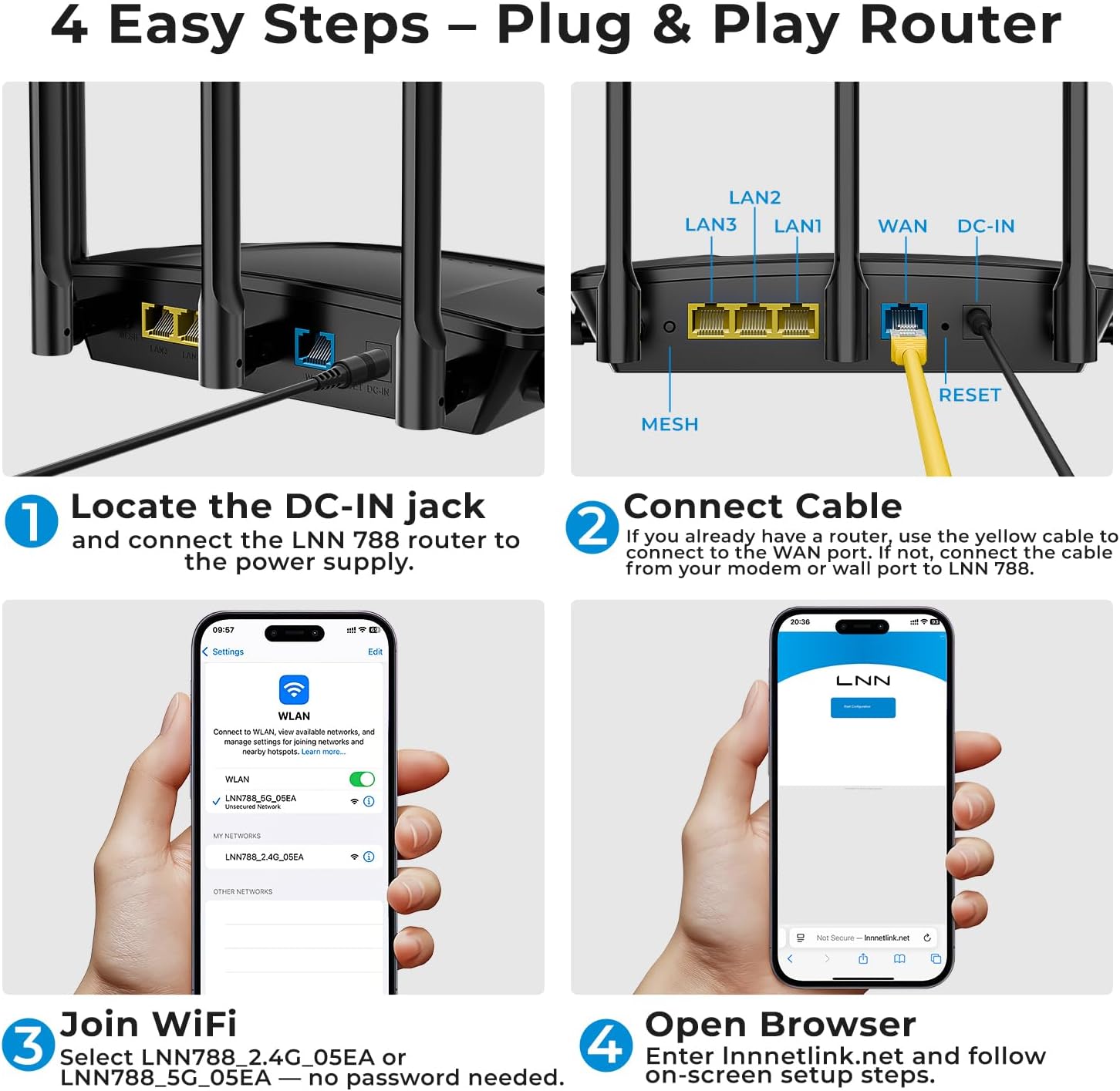
Plug & Play Simplicity: WPS one-touch setup for effortless installation
Built to Last: Industrial-grade ports with reset function for uninterrupted performance


1 5 Antennas x Beamforming
2 Why Choose LNN 788 WiFi 6


1 Parental Control 2 20+ Devices Support 3 Gigabit Router
Is this router really FCC certified? I couldn’t find it on the FCC website.
Yes, it’s FCC certified. Go to fcc.gov/oet/ea/fccid, enter Grantee Code: 2BN7W and Product Code: LNN788 to verify.
FCC ID: 2BN7W-LNN788 (search by ID, not brand name).
How many devices can connect without slowing down?
LNN 788 handles 20+ devices simultaneously via 4×4 MU-MIMO & OFDMA. Stream 4K on 5GHz while gaming on 2.4GHz. Prioritize critical devices (Zoom/PS5) in the LNN’s Traffic Manager. Less lag, even with 10+ smart home gadgets.
How to prioritize my work laptop over other devices?
Activate Work Mode in the LNN App to:
Reserve 50% bandwidth for designated devices
Block background updates during Zoom calls
Enable VPN bypass for corporate networks
Your MacBook/ThinkPad gets VIP treatment automatically.
What if my house has metal/concrete walls?
LNN routers use Beamforming+ technology to enhance signal through walls.
For better results: Place the router centrally, avoiding metal barriers
How can I ensure a safe network and device?
1.Run full system scan on flagged devices
2.Update all systems (Win/macOS/iOS/Android) & apps
3.Review & remove suspicious/unknown apps
4.Change default router password + use strong WPA3/WPA2 encryption
Unlock 1.8Gbps Wi-Fi 6 Speeds (1200Mbps@5GHz + 574Mbps@2.4GHz) – Delivers 3X faster downloads than Wi-Fi 5 routers, perfect for streaming video in 4K, playing lag-free games online, and running smooth video conferences
5 Antennas Blanket Your 2000 Sq.Ft Home – Beamforming technology penetrates thick walls and concrete floors, eliminating dead zones in basements, backyard offices, and upstairs bedrooms
Robust Network Security: WPA3 encryption stops hackers, built-in VPN protects your IP cameras, and parental controls block adult content + set bedtime schedules for kids’ devices
Dominate with 20+ Connected Devices – Revolutionary OFDMA technology lets you game, stream, and video call without buffering, while Smart QoS automatically prioritizes your PlayStation/PC traffic
3-Minute Setup & Universal Compatibility – Works seamlessly with Xfinity, Verizon Fios, and all major ISPs. Includes free iOS/Android app for network monitoring






Lisbet caballero Perez –
Great
This product offers downloads 3x faster than Wi-Fi 5 routers, perfect for streaming 4K video, lag-free online gaming, and smooth video conferencing.5 antennas cover your 2,000 square foot home: Beamforming technology penetrates thick walls and concrete floors, eliminating dead zones in basements, backyard offices, and upstairs bedrooms. WPA3 encryption stops hackers, a built-in VPN protects your IP cameras, and parental controls block adult content and set sleep schedules for kids’ devices.Dominate with over 20 connected devices: Revolutionary OFDMA technology lets you game, stream, and video call without buffering, while Smart QoS automatically prioritizes traffic from your PlayStation/PC. Works seamlessly with Xfinity, Verizon Fios, and all major ISPs. Includes a free iOS/Android app for network monitoring.
Rachel Lawson –
Nice product just didn’t work for me.
Can’t figure out how to lSet up. Everytime I try the set up link into my browser it says there is a typo or won’t go through. Saw all the good reviews, but if it was so easy I should be able to do it since I am electronically inclined and can figure out how to do most anything.
Gab –
Great distance!!
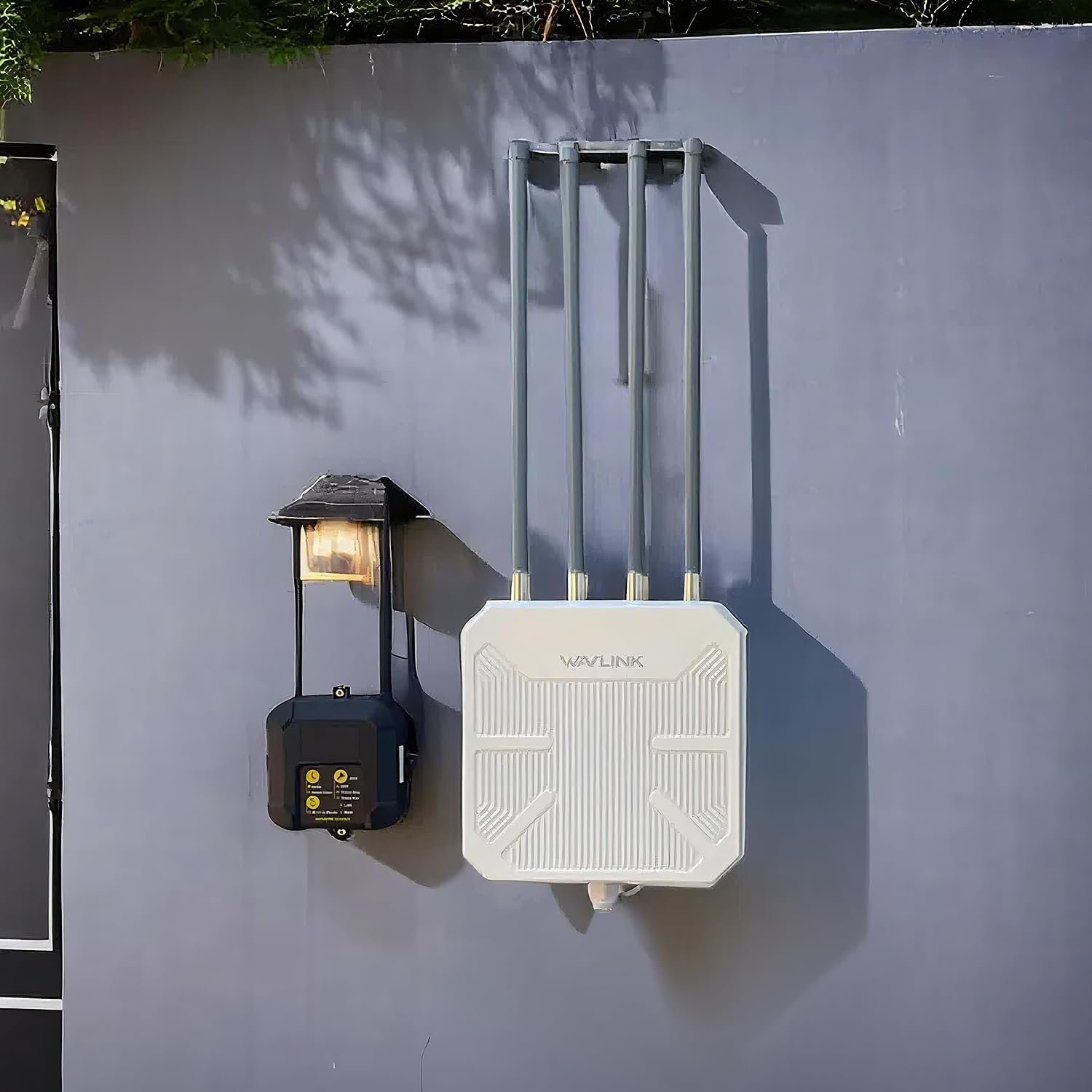
This is absolutely incredible! Works great, high speed internet. I put it out in my shed which is a great distance from the house and it reaches very well. 10/10 compatibility, would definitely recommend!!
DDDALA –
It works.
I was able to stop using the wi-fi extender. This is really working even in the basement.
Rosemary Mermea –
Smooth connection!!
I have been using this wifi router for a couple of months now and I must say the my internets performance has been great. With multiple devices in the home it offers the flexibility to use the wifi with no lagging. We get a smooth connection.
Christopher P. –
Decent device
Decent device. Connect to Wi-Fi, open router link in browser and create new password. Off you go.
Ginko –
Make sure you connect the cords right. It took me a few tries as there were vague instructions.
You need a computer to get it set up. But well worth it.
Patti LaPointe –
Terrible
It was terrible can not get it running not worth a penny