


Product description

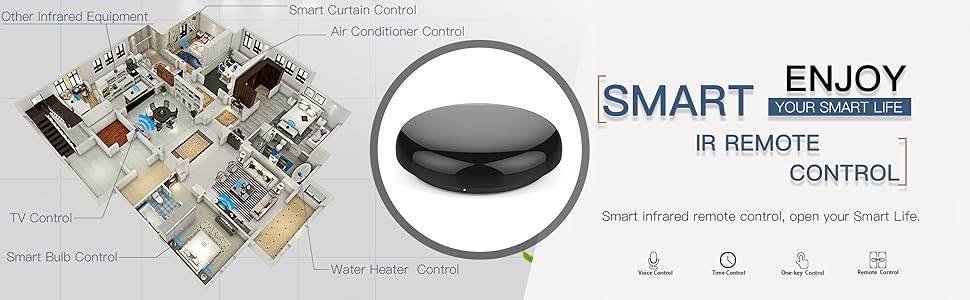
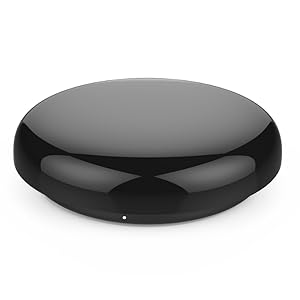
MoesGo Wi-Fi Smart IR Remote Controller
MoesGo all-in-one IR remote control activates air conditioners, TVs, fans, DVD players, set top boxes, and more, and is compatible with Amazon Echo and Google Home. It supports wireless remote control via the Smart Life app, and can be used to control almost any device in rooms less than 16m². It includes a special DIY function to control even more devices, and allows you to share control with multiple phones, so the whole family can get involved.
MoesGo Wi-Fi Smart IR Remote Controller (1 Pack)1*Adapter1*USB data cableQuick installation guide
Main Specifications: Power Input: DC 5V/1A(Micro Usb2.0/US Adapter) Stand-by Power: ≤0.4W IR control direction: Multiple Way Operating Temperature: -10℃~50℃ Operating humidity: ≤85%RH Connection type: 2.4GHz 802.11b/g/n Carrier: 38KHZ APP SUPPORT: Android 4.0/IOS 8.0 above
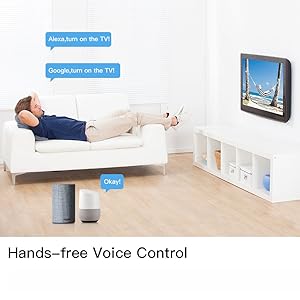
Hands-Free Voice Control Compatible with Amazon Echo and Google Home for voice control of devices. Change TV channel and volume, air conditioner temperature, and more hands-free.
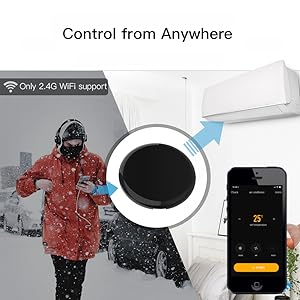
Control From Anywhere Turn infrared devices on and off anytime with your phone using the Smart Life app (compatible with iOS and android), even when you’re away from home.
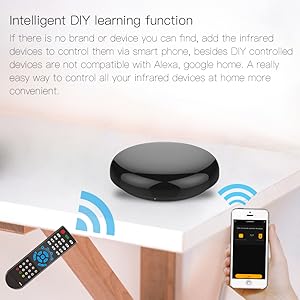
Intelligent DIY learning function Take control of even more devices, even if they’re not compatible with Alexa or Google Home, by using the DIY learning function and your smart phone.
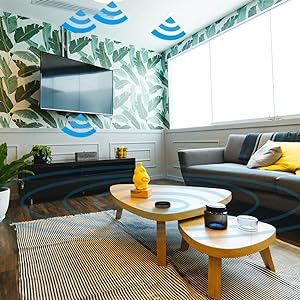
Wide IR Control Range Controls devices in rooms of up to 16m² with the power of infrared. Ideal for bedrooms and living rooms in most family homes.
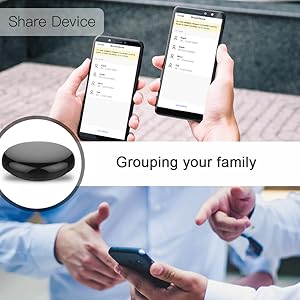
Grouping your family Multiple people can download the app or use voice control, allowing you to share the fun with your family.
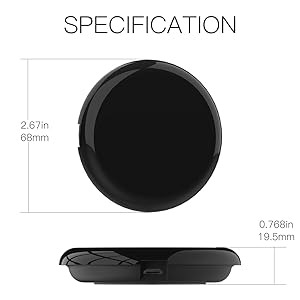
ATTENTION This device is only compatible with 38 kHz IR, so ensure compatibility before purchase. Best to use in just one room. Supports only 2.4G Wi-Fi connection, Android 4.4 and above or iOS 8.0 and above.Includes USB 2.0 cable for flexible use ( adapter included)
1.All-in-one infrared remote control hub activates air conditioners, TVs, fans, media players, and more; exclusively supports IR (38K kHz) and is not compatible with RF devices
2.With MoesGo smart IR hub, you can use Smart Life/Tuya app to control home devices from anywhere with your smart phone; device share with family members so everyone can join in
3.Use hands-free voice control with Amazon Echo or Google Home to change A/C temperature, turn on fans, change TV channel, play DVDs, turn on your set top box, etc; to see compatible brands and devices, check the Smart Life app
4.Customized DIY copy function allows you to control even more devices by “learning” them from the original remote; includes LED fireplaces, heaters, ceiling fans, etc.
5.Includes USB 2.0 cable and UL certified US adapter for flexible use; works best in a single room as infrared may be blocked by walls; only supports 2.4G Wi-Fi connection; includes full 2-year warranty and 60-day refund guarantee




Kevin Wilson –
Good product
works well to control my projector and surround speakers
Eddie V. –
Excellent Smart Home Addition
I’ve been using the MoesGo WiFi IR Control Hub for a few weeks now, and it’s been a game-changer for my smart home setup. The installation was quick and straightforward—just plugged it in, connected it to the Smart Life app, and within minutes I was controlling my TV, AC, and even my old sound system with my phone and voice commands.
Benign Tester –
Easy to Add DIY Remote
As advised, I tried setting up the remote hub near my AT&T router but was unable to set it up in the Smart Life app. After several failed tries, I moved as far away as possible from the router and then the setup was relatively easy. The Hub connects to the 2.4GHz and as you move away from the router the 5GHz band becomes weaker making It easier to connect to the 2.4GHz band.The remote for old Sony TV was easy to setup, but an even older JVC CD Audio system required a DIY remote which was easy to setup using the original remote, the MoesGO WI-Fi IR Remote Hub and the Simple Life app.I have been using the Logitech Harmony remote and hubs for several years, and despite my best efforts, I could not teach the remote or hubs to learn the codes for the JVC Audio system. I definitely recommend the MoesGo Wi-Fi IR Hub because of its superb DIY code learning.
Kindle Customer –
Works great, but setup could be easier
Setup with Alexa was not the easiest and the manual does not help, but once you wrap your head around things, it works great. I’m using a routine in Alexa to turn off my TV and all remote controlled lights when I leave the room. You can control lots of devices at the same time. Great range of signal. Works great, but setup and instructions could be easier.
Nathan Reed –
Plugged in and just worked
I got two of these to remote control my Mitsubishi heat pump/AC units. I just plugged them in and they were able to pair with my phone and wi-fi right away. They also worked very well to copy the IR commands from my remotes.The Tuya app is pretty janky, full of broken english and UI that doesn’t quite work right / isn’t very polished. The builtin device library sort of worked but didn’t give me the full set of controls for my AC’s. I ended up creating custom presets and learning the commands from the AC remote. Still, I was able to get it to work and program the app to turn my AC’s on and off at the desired times each day. Not using Alexa.
Lua Castillo Sarria –
Fácil conexión
Muy útil y se conecta fácilmente
GJR –
Not ceiling fans
Does not control ceiling fans. I have three brands and this could not connect to any of them. This may work on an IR remote TV, set top box, AC, heater, fan, DVD player, or camera. Very poor product description and reviews could not tell me this.
Lisander Bautista –
Funciona correctamente!
Bien de bien, puedo controlar mi aire acondicionado!
Cliente de Amazon –
No tiene ningún led o indicador que te diga que ya está encendido o que está listo para emparejarse, incluso pensé que no funcionaba pero me metí aquí a la sección de comentarios y fue hasta que encontré uno en inglés que supe que pasos a seguir; lo que deben hacer es presionar el botón lateral que tiene durante los segundos que sean necesarios para que lo reconozca la aplicación, puede ser 5 o 10 segundos, una vez en la aplicación ya solo es segur los pasos para agregarlo, lo detectó sin problema la aplicación del fabricante pero al querer integrar un aire acondicionado LG de más de 11 años no ejecutaba los comandos aunque el AC si emitía sonidos, tuve que utilizar la aplicación Smart Life y fue cuando entonces si al emparejar el control me funcionó a la perfección, luego agregué una televisión también LG de 42 pulgadas algo viejita y todo funcionó de maravilla, por favor solo tengan paciencia al configurar
Amazon Customer –
Now the instructions and the app that come with this are frankly abysmal and you need to disregard all of it (at least for Google Assistant) and just follow this guide for how to ACTUALLY get it to work, like I did.So I got this to voice command my 16-port IR remote controlled video switch, and taught it the 16 buttons on my remote with the DIY function, but frustratingly, the device does not integrate cleanly from Smart Life to Google Home, and to get it to work, here’s what you need to do:-Use Smart Life and not the fork of it that comes with this-Connect this device to Smart Life (it doesn’t have LED’s on it so just be patient and hold the button on the side for 5 seconds while saying it’s blinking quickly)-Teach your weird remotes to it as DIY so you have complete control over whatever buttons-Set up a Tap-To-Run routine that pushes the remote button on the device within Smart Life with a name you’ll remember-Link Smart Life and Google Home-Go into Google Home and create a Routine with the voice command of your choice-In that Routine, put in the custom command Activate [the name of the Tap-To-Run routine you made in Smart Life without the brackets, yes this is case sensitive] and any other Google Home devices you want to toggle on and off.With this I was able to get my video switch to switch to the correct video input and turn on a console using a single voice command.It DOES work, but the process of getting it TO work is a bit too convoluted for someone not savvy with home automation.
Kouame okou gartien –
Je suis très satisfait du produit. J’ai pu ajouter l’ensemble de mes télécommande infrarouge. Maintenant je peux commander tous avec mon assistant vocal Alexa
Edwing Ledinich –
Buen producto facil y rapido de instalar
Bill Sutherland –
I spent several frustrating hours trying to get this to work with a Telus 4k set top box.Adding the buttons manually just would not work either.Other than that I’m sure it’s fine but that’s what I bought it for. So sent it back.