


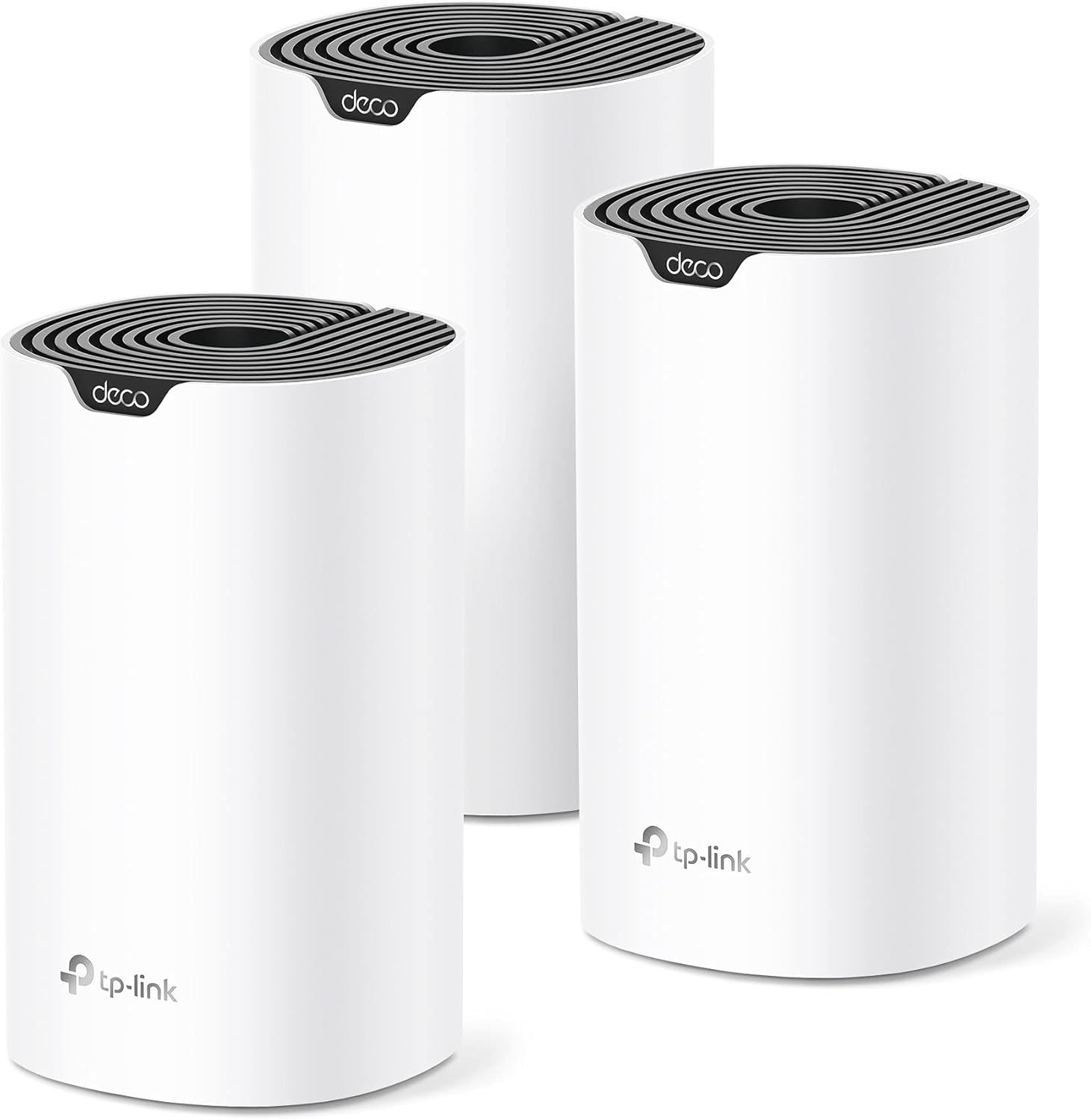
Fast, Reliable WiFi 7—Everywhere You Need It.
Future-proof your home with the Deco BE25, a 3-pack Wi-Fi 7 BE5000 mesh system that delivers fast, reliable coverage throughout your entire home—up to 6,600 sq. ft. With cutting-edge Wi-Fi 7 Multi-Link Operation (MLO) technology, 240 MHz channels, 4K-QAM, and support for over 150 connected devices, the Deco BE25 provides exceptional dual-band Wi-Fi speeds of up to 5Gbps.†△
This means you can enjoy seamless streaming, lag-free gaming, and smooth connections for all your smart home devices. Experience warp-speed connectivity with two ultra-fast 2.5 Gbps WAN/LAN ports in each Deco unit. AI-Roaming adapts to your needs using advanced algorithms, ensuring seamless connections even in hard-to-reach corners of your home. Upgrade to the Deco BE25 and embrace the future of Wi-Fi!
𝐒𝐮𝐩𝐞𝐫𝐜𝐡𝐚𝐫𝐠𝐞𝐝 𝐰𝐢𝐭𝐡 𝟒-𝐒𝐭𝐫𝐞𝐚𝐦 𝐃𝐮𝐚𝐥-𝐁𝐚𝐧𝐝 𝐖𝐢𝐅𝐢 𝟕 𝐮𝐩 𝐭𝐨 𝟓 𝐆𝐛𝐩𝐬 – Achieve full speeds of up to 4324 Mbps on the 5GHz band and 688 Mbps on the 2.4GHz band with 4 streams. Experience incredible performance⌂△ with Multi-Link Operation (MLO), 4K-QAM and Multi-RUs. Ideal for maximizing the capabilities of your latest WiFi 7 devices, including the 𝙣𝙚𝙬𝙚𝙨𝙩 𝙞𝙋𝙝𝙤𝙣𝙚 and gaming consoles.
𝐒𝐭𝐫𝐨𝐧𝐠 𝐌𝐞𝐬𝐡 𝐂𝐨𝐯𝐞𝐫𝐚𝐠𝐞 𝐃𝐞𝐯𝐢𝐜𝐞 𝐂𝐚𝐩𝐚𝐜𝐢𝐭𝐲 – Cover seamless WiFi coverage up to 6,600 sq. ft. With 4 high-gain antennas and 4 high-power FEMs as well as support over 150 devices without compromising performance, the Deco BE25 provides far-reaching, reliable signals for stronger connections.
𝟐 𝐱 𝟐.𝟓𝐆 𝐖𝐀𝐍/𝐋𝐀𝐍 𝐏𝐨𝐫𝐭𝐬 𝐰/ 𝐖𝐢𝐫𝐞𝐝 𝐁𝐚𝐜𝐤𝐡𝐚𝐮𝐥 – Each Deco unit is equipped with two 2.5 Gbps WAN/LAN ports, offering warp-speed connectivity for high-performance wired devices and multi-gig internet services.§ Through TP-Link’s self-developed technology, the Deco BE25 supports simultaneous wireless and wired backhaul, combined with Wi-Fi 7 MLO resulting in broader, more stable connections.
𝐎𝐮𝐫 𝐂𝐲𝐛𝐞𝐫𝐬𝐞𝐜𝐮𝐫𝐢𝐭𝐲 𝐂𝐨𝐦𝐦𝐢𝐭𝐦𝐞𝐧𝐭 – TP-Link is a signatory of the U.S. Cybersecurity and Infrastructure Security Agency’s (CISA) Secure-by-Design pledge. This device is designed, built, and maintained, with advanced security as a core requirement.
𝐀𝐈-𝐃𝐫𝐢𝐯𝐞𝐧 𝐒𝐞𝐚𝐦𝐥𝐞𝐬𝐬 𝐑𝐨𝐚𝐦𝐢𝐧𝐠 – The Deco Mesh creates a unified network with a single network name. Uses AI-Roaming technology for seamless streaming and optimal speeds, adapting through advanced algorithms and self-learning as you move throughout your home.
𝐓𝐏-𝐋𝐢𝐧𝐤 𝐇𝐨𝐦𝐞𝐒𝐡𝐢𝐞𝐥𝐝 – TP-Link’s premium security service keeps your home network safe with cutting-edge network and IoT protection. Free features: 1. Basic Network Security including Security Scan and IoT Device Identification 2. Basic Parental Controls 3. Quality of Service 4. Basic Weekly/Monthly Reports. Visit TP-Link website for more information.
𝐕𝐏𝐍 𝐂𝐥𝐢𝐞𝐧𝐭𝐬 𝐚𝐧𝐝 𝐒𝐞𝐫𝐯𝐞𝐫 𝐒𝐮𝐩𝐩𝐨𝐫𝐭𝐞𝐝 – Enables home devices to access remote VPN servers without installing VPN software on each device. Supports simultaneous VPN and regular internet connections for enhanced security and flexibility.
𝐄𝐱𝐭𝐞𝐧𝐬𝐢𝐯𝐞 𝐂𝐨𝐦𝐩𝐚𝐭𝐢𝐛𝐢𝐥𝐢𝐭𝐲 – TP-Link Deco products are extensively compatible and can work together to form a Mesh Wi-Fi network. It is also backward compatible with all WiFi generations and works with any internet service provider (a modem is required for most internet service providers).
𝐕𝐨𝐢𝐜𝐞 𝐂𝐨𝐧𝐭𝐫𝐨𝐥 – Control Deco BE25 using voice commands with Amazon Alexa or Google Assistant-enabled devices.
Back to products

Razer Huntsman V3 Pro TKL Esports Gaming Keyboard: Analog Optical Switches - Razer Snap Tap - Rapid Trigger - Adjustable Actuation - Media Keys & Dial - Doubleshot PBT Keycaps - Wrist Rest - Black
Original price was: $219.99.$23.99Current price is: $23.99.
-89%



Sara Pacheco R –
⭐️ Excellent coverage and consistently strong performance
I live in a two-story home and always struggled with dead zones, especially in the rooms farthest from the router and in the backyard. Since installing this device, the WiFi now reaches the entire 2,500 sq. ft. area without any issues — and even a bit beyond that.Overall, this TP-Link is absolutely worth the investment. If you’re looking to extend your coverage, improve stability, and eliminate dead zones, this model is a great choice. I would definitely buy it again.Setup was incredibly easy. The TP-Link app walks you through every step, and I had everything up and running in under 10 minutes. I really like that the system automatically manages the best band for each device, switching between 2.4 GHz and 5 GHz seamlessly. You never notice it happen, but the network stays stable at all times.The speed improvement has been significant. Before, I dealt with buffering while streaming movies or constant cutouts during video calls. Now I can have multiple devices connected — TVs, laptops, phones, and smart home gadgets — and the network doesn’t slow down. Even during peak usage hours, everything runs smoothly.Overall, this TP-Link is absolutely worth the investment. If you’re looking to extend your coverage, improve stability, and eliminate dead zones, this model is a great choice. I would definitely buy it again.
Geoff Lanning –
Solved Our WiFi Dead Zones and Covered the Whole Yard!
If you’re tired of spotty coverage, buy the TP-Link Deco X55 system. This was the easiest, most rewarding tech purchase I’ve made in years.Setup in Minutes, Not Hours: Forget complicated router menus. The Deco app makes the setup process absolutely foolproof—I had all three units powered up and fully meshed in less than 15 minutes by simply following the on-screen steps. Managing the network is just as easy right from your phone.Unbelievable Coverage (House & Yard): This is where the X55 truly shines. It provides seamless, blazing-fast Wi-Fi 6 everywhere. The signal is rock-solid across our entire home (multiple floors), and most impressively, it blankets our full half-acre property. I can stream 4K video or take a video call while walking to the back fence with zero lag or drops. It’s truly whole-home and whole-yard coverage.If you have a large area to cover, the Deco X55 is an essential upgrade that delivers on all its promises. Highly recommended!
GA –
Outstanding WiFi Coverage and Speed!
The TP-Link Deco X55 is exactly what I needed to eliminate dead zones in my home. Setup was quick and easy with the Deco app, and within minutes I had strong, reliable WiFi covering every corner—even outside on the patio. The speeds are fast and consistent, and I can easily stream, work, and game without interruptions.I love that each unit has 3 gigabit ports, so I can hardwire devices where needed, and the Ethernet backhaul keeps everything running smoothly. At 6,500 sq. ft. coverage, this system is a huge upgrade from my old router and range extender. Highly recommend for anyone who wants whole-home WiFi 6 performance at a great price!
Nikesh Koirala –
Good router
Had to deal with a faulty unit. Assuming that is a one off issue, here is my review:It is easy to connect and range is good. The setup is straight forward and once the main unit is setup, the rest of them are super easy. The speed is also good. My internet connection is 100 mbps up and 20 mbps down and I am getting over that on wifi. So, that is awesome. The only downside is I have a Tplink router with easymesh and I found out even though it has easymesh on it, this deco is not compatible with archer series tplink router. So, that is something people should check. Just because the device has easymesh may not be compatible. Other than that, good powerful router
E. Butcher –
Wow. Super easy and effective upgrade for all skill levels.
Highly recommended upgrade for those looking to increase their wireless speeds with several connected devices. I thought it wouldn’t be much of an improvement over my DOCSIS 3.0 cable modem/router + Wifi extender, which appeared to be significantly throttling my bandwidth, but mesh Wifi is in fact different and more effective at extending range and providing speed consistency throughout the home.Why I purchased:I decided to try a mesh network as we were having some issues with streaming video quality, such as blurry/pixilated picture on our streaming TV, or buffering/loading on tablets or other devices playing video. A couple suspected reasons for these bandwidth issues were ethernet connected computer(s), use of a Wifi extender, and/or a Wifi security camera at the extent of the Wifi signal range that were reducing the connection quality of the other devices mentioned.Improvements after installing:One main issue I was seeing was an outdoor security camera that had a weak signal was having trouble staying connected. On my smartphone, I also had trouble staying connected to my Wifi when standing next to the camera outside. After installing this system, I have a strong signal throughout the house and near this camera, and speed tests indicate a much faster connection speed than before. There was a +50 Mbps jump in the upstairs far corner of the house. The security camera also remained connected much more reliably. I thought that it wouldn’t be possible to still get a great signal across the house, figuring there was no way connecting through a satellite would provide any kind of decent speed, but it does! My understanding is that the software for this system is able to appropriately manage consistency of connections (through all connection points), so there is in fact an advanced capability over older routers to keep speeds high regardless of distance from the main router.Setup:Installing this system took less than 10 minutes to be fully up and running – very easy plug-and-play. May take 20 or 30 minutes for someone not as savvy.. but between the app and the automatic connections between the routers, it couldn’t have been easier, and very difficult to mess up. Simply connect an ethernet cable from your modem to the main router (each of the 3 units is the same), connect the power cable, then download the app on your smartphone. In the app, after some brief setup steps (includes creating an account), the main step is to connect to the router through the on-screen prompts. From there, you can name your wireless network and password.Connecting the other 2 satellite routers:Place them within a reasonable distance from the main router (~20-30 feet/1-2 rooms away), then plug in to power. Wait ~2 minutes and done! The whole system was live and wirelessly connected through the main router. I couldn’t believe it. In my relatively square-shaped house with the main router on one far side, I was able to place the 3 routers in a triangular pattern, where both satellites are about equal distance from the main router in the middle of the house (about 20 feet each). If your router is in the middle of your home, you may want to place the satellites at either end. I believe a daisy chain (main router at one end like I have, then 2 satellites in a line across the house) is also an option for larger, more expansive homes to maximize the range. I didn’t test the daisy chain, but I’d expect diminishing speed at the far end (although one may be surprised based on my observations so far with the management of the traffic at farther distances). While at the far end of my house and running a speed test, I can’t tell that I’m not connected to my main router as the speed is still very good. The daisy chain may slightly differ, but can’t say for sure.2.4 GHz vs. 5 GHz networks:Wait, you don’t need to set up 2 different networks?? The app basically eliminates all complexity over traditional router setup apps, making the setup choices totally accessible for anyone of any networking skill level. In the app, there is an option to broadcast 2.4 GHz + 5 GHz, 2.4 GHz only, or 5 GHz only. I remained on the first option as I needed support for 2.4 GHz-only devices. Otherwise, 5 GHz would be fine and preferred for everything (supports faster speeds). Apparently, the single network name/password automatically creates a dual band setup, if choosing both. Devices that connect apparently are favored to the optimal band – frankly, I don’t know the details there, but would assume 5 GHz connects first over 2.4, unless only compatible with 2.4.Refurbished vs. New:No difference here. If you want to save a little money, refurbished is a good option for you. The box came with everything in it including an ethernet cable as if it were new. As far as condition, there were a few scuffs on the units, but nothing terrible. I could almost rub off any blemishes. I’m not looking at them anyway.Overall, highly recommended for those looking to make the leap to a mesh network, or debating whether mesh is just all hype (it’s not with this system).
abdulkareem alsaeefan –
Keeps disconnecting from the . unstable operation. I returned 2 of them, got stuck with one because I lost the box.
Andy –
Much better than my BT extenders!! Was easy to set up and install and the network is much more stable now. Was recommended by a friend and can’t fault the mesh network!!
Mohamed –
كنت بعاني من ضعف اشارة الوايفاي بالمنزل لما اكون بعيد من الراوتر، ومنتج الـDeco X55 حل هذه المشكلة بكل جدارة. المنزل بالكامل الان اصبحت اشارة الوايفاي 2.4G/5G تغطيه وبسرعات ممتازة بل حتى خارج المنزل صارت توصل اشارة الوايفاي! يستحق كل ريال.
Alejandro –
Estaba dudando si usar o no una red mesh, pero realmente fue una gran decisión, el x55 me sirvió perfecto compré el nodo en buena oferta y me solucionó mis problemas de conexión, automáticamente se habilitó el protocolo wifi 6 y ahora lo puedo usar tanto para mi computadora de trabajo como para la de jugar, celulares, Alexa, cualquier cosaEs una maravilla la app, lo recomiendo para México, si tienen Telmex con fibra óptica, les va a cambiar mucho la conexión
Harry –
Great product, i have used Linksys for the last 5 years and switched to TP Link for my new place. Love the size and style, very discreet. Most important of all, the app works fast, easy to setup and configure and the signal strength seems decent. I have 3 in a 3 bed apartment and it does the job.