


From the brand

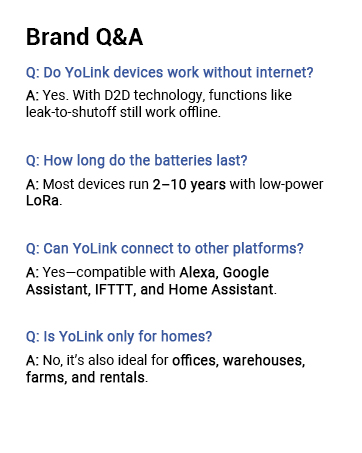
Product Dimensions : 1.81 x 1.73 x 4.23 inches; 5.11 ounces
Item model number : YS5708
Date First Available : August 15, 2023
Manufacturer : YoSmart
ASIN : B0CF1Q27B5
Best Sellers Rank: #39,162 in Tools & Home Improvement (See Top 100 in Tools & Home Improvement) #159 in Electrical Light Switches
Customer Reviews: 4.5 4.5 out of 5 stars 260 ratings var dpAcrHasRegisteredArcLinkClickAction; P.when(‘A’, ‘ready’).execute(function(A) { if (dpAcrHasRegisteredArcLinkClickAction !== true) { dpAcrHasRegisteredArcLinkClickAction = true; A.declarative( ‘acrLink-click-metrics’, ‘click’, { “allowLinkDefault”: true }, function (event) { if (window.ue) { ue.count(“acrLinkClickCount”, (ue.count(“acrLinkClickCount”) || 0) + 1); } } ); } }); P.when(‘A’, ‘cf’).execute(function(A) { A.declarative(‘acrStarsLink-click-metrics’, ‘click’, { “allowLinkDefault” : true }, function(event){ if(window.ue) { ue.count(“acrStarsLinkWithPopoverClickCount”, (ue.count(“acrStarsLinkWithPopoverClickCount”) || 0) + 1); } }); });
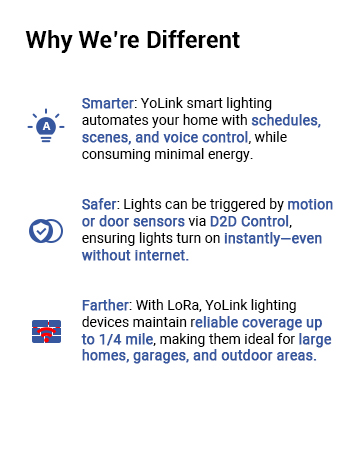
Unmatched Long-Range Connectivity: Experience the industry-leading 1/4 mile wireless range, powered by cutting-edge LoRa technology. Perfect for challenging areas like basements, patios, detached garages, sheds, and even remote outbuildings where traditional Wi-Fi systems fall short.
Built for Safety & Durability: Engineered with fire-resistant materials and designed for reliability, this ETL-listed and FCC-compliant switch supports up to 10A loads, making it ideal for controlling lights or integrating with advanced smart home scenes.
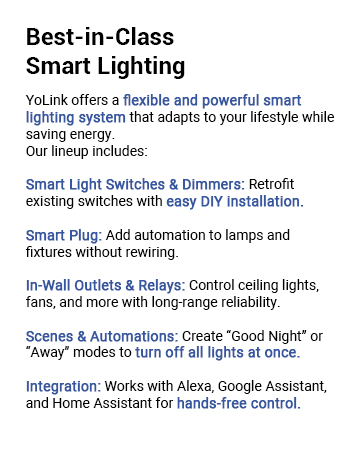
Control Anytime, Anywhere: Stay connected via the YoLink app, available for iOS and Android. Remotely turn lights on/off, set timers, create schedules, and automate interactions with other YoLink devices. Share access with family members for a truly connected smart home experience.
Versatile Dual-Function Buttons: Benefit from buttons 1 and 2 that double as remote fobs. Use them as wireless switches to control other YoLink devices, adding flexibility and convenience to your smart home setup.
Reliable Offline Operation: Features direct device-to-device communication for offline control. Pair with YoLink door sensors, motion detectors, or other devices for reliable operation, even when your internet connection is down.
Enhanced Safety with Temperature Protection: Equipped with over-temperature protection, the switch automatically disables operation if temperatures exceed 158°F (70°C). Enjoy peace of mind with this extra layer of safety for your home.
Seamless Voice Control: Integrates effortlessly with Alexa and Google Assistant for hands-free control. Activate scenes, routines, or automations with simple voice commands (“Alexa, turn on the porch light”) or control other third-party smart devices connected to Alexa or Google.
Hub Required for Smart Features: A YoLink Hub (sold separately) is essential to unlock full functionality, including app control and integration with Alexa, Google Home, or IFTTT. Without the hub, the switch cannot connect to the internet or function with third-party systems.


Placeholder –
Great
As always great product love YoLink products
Michael Alford –
Good
It works
Bobby –
3 way light switch and automated exhaust fan with yolink
Over the last few months finding out and learning about yolink products I ordered several wall Switch’s and installed one in the bath room and two in the garage. They work perfect! In the garage removed my existing switch and installed a yolink one. I was able to set the switch to auto turn off after 5 hours of it being on (seeing that i am very seldom in the garage longer then that in one setting and at least if the lights are left on over the weekend it will get turned off automatically). Then I installed a second yolink by the other door into the garage. The second switch is just power to the yolink switch only it does not control any device. I then did Direct 2 Device pairing of both switches. I had to do this trice. One Pairing one direction and then paired the switches in reverse. By doing this both switches stay in sync so when I turn one on the other also goes on. And the same in reverse when one goes off the other goes off. All of this was done without the need of internet or even a yolink hub. Now I also have the garage door sensor for both of my garage doors. I then configured some automations and settings to track the garage doors open. If one door opens then the lights come on automatically. And if both doors close (and both have to be closed not just one) the lights will then go out! Then the I installed another switch in by bathroom to replace the exhaust fan switch. I also place a temp / humidity yolink sensor in the bathroom. Now when someone takes a shower and the humidity gets’ above say 90 the fan kicks on automatically! And turns off once it drops down again. It’s magic! But if someone just needs to use the restroom and they want the fan on they can manually turn it on and off like normal.
Bennett Smith –
Good value but could use improvements
YoLink system as a whole: Presently I have 27 installed YoLink devices, including 6 of these switches.Positives: After several weeks, so far everything is working well. The range of the LoRa based devices in a large multi-level home is much better than with WiFi based devices. Setup is alright, but not flawless.Negatives: The software is not bad, but could be much better. The system is not directly integrated with Apple Home. Setup of my two hubs required multiple tries. Setup of the non-hub devices is not as easy as the user guides suggest — almost always requiring additional fiddling (additional pushes of the setup button or exercising of the switches). There is a lack of good explanation/examples for overall integration philosophy or more advanced features. There are YouTube videos but their scope doesn’t add much over the user guides. There is no forum for casual users. There is a developer forum that requires sending a request for access.YoLink wall switches in particular: I like the functionality these switches and the YoLink software provide. I’ve set up outside motion detectors and automations to turn on and off lights in multiple zones as appropriate. Timers are also set to make sure the lights are turned off near sunrise — should someone have manually turned them on during the night.During installation these do seem a tad light-weight — I didn’t have confidence that they would survive a drop onto a hard surface. They seem adequately robust once installed, and with the app and automation they may not be mechanically exercised as much as a conventional switch. Only time will tell how well they hold up with use. The color scheme for the off and on states would not be my first choice, but I can live with it.The provided install guide is only for the most basic / simple installation. These are large devices that can be non-trivial to mount into an existing electrical box — hopefully you have a deep box — and they are particularly non-trivial to mount in boxes already packed with wire and wire nuts for multiple switches. Such an upgrade is not for the uninitiated. If you aren’t experienced and comfortable with electrical wiring hire a professional. I’m not an electrician and the following is not intended as professional advice but merely a report of my DIY’er experience over 6 YoLink switch installations.The installation is made far easier by using stranded copper wire — so you can more easily push the wires into the crowded box. To do this right requires having stranded copper wire in respective colors for each of line (hot), neutral, load, and ground connections. Generally you will want to have various wire nuts — such as a variety of WAGO 2 Port, 3 Port, and 5 Port connectors. It would have been nice if 14 AWG stranded wire in black/white/green/other colors (and perhaps the wire nuts) were supplied, or available as optional installation kits. It would have been nicer still if the wires came pre-installed on the switch.(After turning off the circuit breaker …) You will want to first decipher the topology of the existing wiring. Complications may include: Due to paint overspray, many of the wires — regardless of their function — may appear the same as the wall color; In a bank of multiple switches often the line and ground wires are daisy-chained — which may be electrically confusing at first and mechanically will require additional effort to extract the old switches.Once the old topology is understood, a wiring diagram and step by step plan and parts list can be developed for the upgrade. I chose to prepare (cut and strip) and connect all of the color coded wires to the switch first. Next came the connections in the box. Making the load connections generally is the easiest, followed by the line connections. Accessing the neutral (and often the ground connection) is generally more difficult — these were almost always found in tight / burly bundles (twists) of many conductors held by a very large wire nut and pushed to very back of the box. Whenever practical I connected to a wire heading into these bundles rather than undo the bundle — either using a smaller wire nut or a T-tap.The 2 flat-head screws provided are inadequate for use in a crowded multiple switch electrical box — round heads are needed. The flat head means that the shaft tapers at the head, instead of an abrupt transition from the shaft to the head with round heads. In a crowded box, even when you have pushed all the wires into the back of the box, you often need to use tightening the screw to press the switch body into final position in the box. The supplied flat-heads — with the tapering shaft — too readily push through / enlarge the plastic mounting hole on the YoLink switch. In some boxes, where paneling was installed over sheetrock, the screws were also too short. 2″ 8-32 round heads worked well.In two 4-switch boxes I used 2 YoLink switches and 2 conventional toggle switches, with a corresponding wallplate. Conventional wallplate screws do not work with the YoLink switches. Generic M3 screws happened to work well to hold the wallplate to the YoLink switches. I then painted the heads to match the wallplate. Again it would have been nice if these M3 screws with pre-painted heads had been supplied, or available as an optional installation kit.
Brendan –
Great ecosystem!
I’ve probably got $1,000 worth of this stuff in my home. This was just one more fix for what I needed to accomplish. It all started with the water leak detectors, then the whole house valve, then monitoring my refrigerator and freezer temps, and on, and on… Great products
TX –
Needs constant power
Say you have an empty rent house and you want to turn on the front porch light each evening but don’t want to have to drive over there twice a day, evenings to turn it on and mornings to turn it off. If the light switch box is wired so that there is constant power this device will work. Otherwise, you’ll need the Single Pole version.It’s been working flawlessly. You will need internet service and a YoLink hub for this to work.
Aleck Johnson –
YoLink customer service fixed my original problems
Wired product correctly per instructions and the relay would get hot and then shut off for thermal protection after 10 minutes. Unit would never connect to the hub and status light was flaky. Also support was not quick to help when contacted. Determined unit was fault, returned and just went with a smart switch instead.Edit: YoLink customer service took care of this and went above and beyond. Please work directly with them if you run into the issues I’ve noted above and they will take care of you.
Mark Dunn –
Works well
Works well, just as described
Perry Smith –
Like YolinkOwn several products so connecting more is easyWorks as described
Vegetarian Aardvark –
Exactly what I needed to turn on a hall light. This switch does not require a neutral wire to operate but uses a battery driven relay switch. Reliable and integrates well into the Yolink environment. Works well within Home Assistant to create more robust home automation.
Phil C. –
Yolink dimmer performed very good. For me, the hardest part was tucking all the wires into the box and still having room for the switch itself as all dimmers have a deeper dimension to them. The switch is easily controlled by the app. I use routines to turn on and off this switch depending on time and whether a certain door is open or not. All good!