




Packed with power to handle the small- to medium-sized business NAS environments and increased workloads for SOHO customers, WD Red Plus is ideal for archiving and sharing, as well as RAID array rebuilding on systems using ZFS and other file systems. Built and tested for up to 8-bay NAS systems, these drives give you the flexibility, versatility, and confidence in storing and sharing your precious home and work files.
Available in capacities ranging from 1-14TB with support for up to 8 bays
5400RPM performance class
Supports up to 180 TB/yr workload rate*| * Workload Rate is defined as the amount of user data transferred to or from the hard drive. Workload Rate is annualized (TB transferred ✕ (8760 / recorded power-on hours))
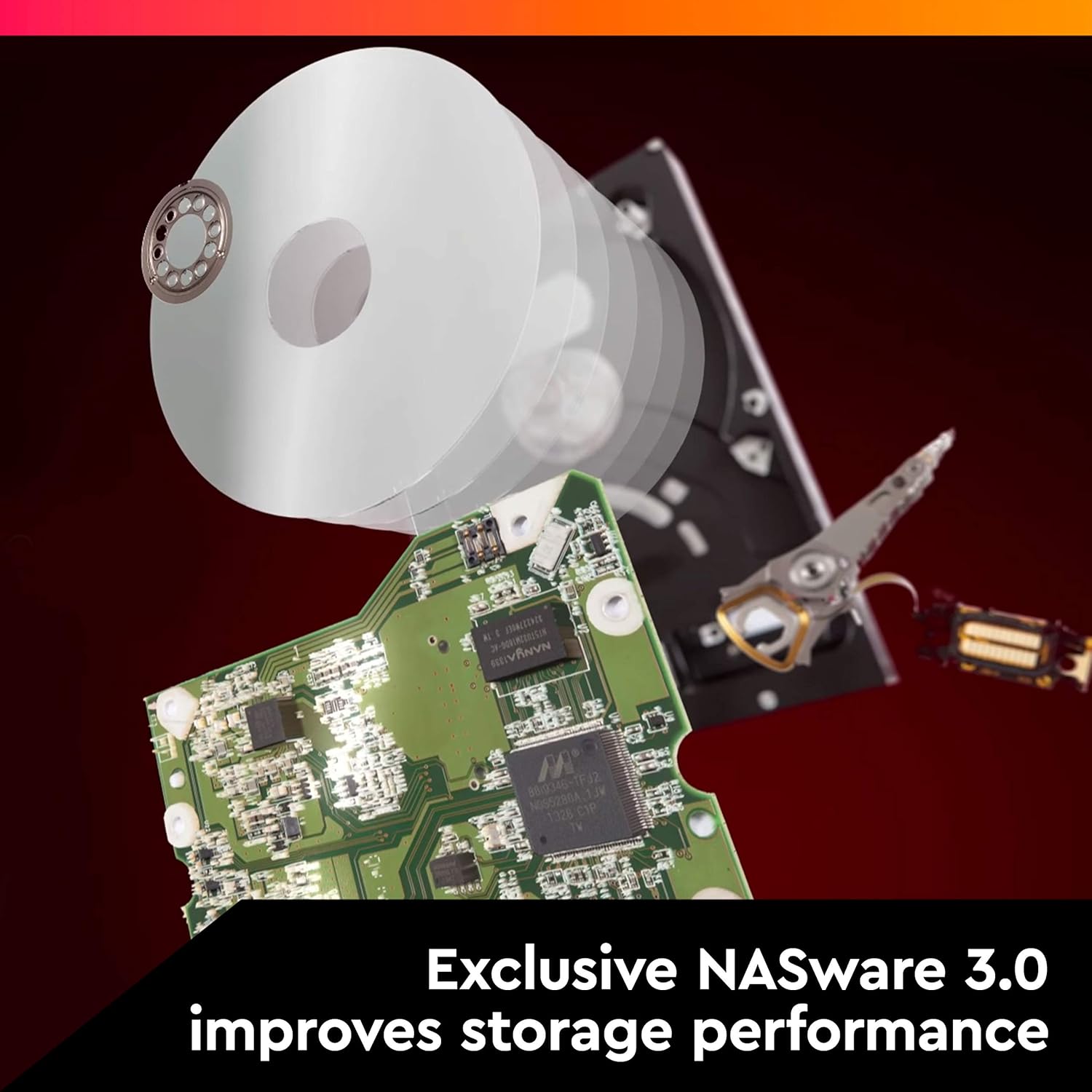
NASware firmware for compatibility
Small or medium business NAS systems in a 24×7 environment
3-year limited warranty
This model uses CMR technology and is being renamed “WD Red Plus” to distinguish it from the current “WD Red” product, which uses SMR technology
During this transition period, WD Red Plus devices may be delivered with a ”WD Red” label, but rest assured the device you are receiving will be the CMR-version of WD Red and can be confirmed by the model number

ARRIS Surfboard SB6190 32x8 DOCSIS 3.0 Cable Modem with 1.4 Gbps Download and 262 Upload Speeds, White (Non-Retail Packaging) (Renewed)
Original price was: $26.79.$23.75Current price is: $23.75.

TP-Link Tri-Band AXE5400 Wi-Fi 6E Gaming Router Archer GXE75 | 6-Stream 5.4 Gbps | 1×2.5G + 4×1G Ports, USB 3.0 | Exclusive Acceleration, Gaming Port & Panel, RGB Lighting | EasyMesh, HomeShield
Original price was: $199.99.$23.99Current price is: $23.99.
-88%


B.E.N.T. –
Parking was factory set to 300 seconds on my drives and they are working well.
I purchased two of the 3TB drives and one of the 2TB drives. When I went into WDIDLE3 the setting for all three drives were set to 300 seconds (5 minutes). Since I was in there I simply disabled it. These drives are working flawlessly thus far as I have the two 3TB drives in a media center running Media Browser 3, PlayOn, and a few other apps. The 2TB drive is hooked up to a Dish Network Hopper as a secondary storage. I have not experienced any issues so far with these drive. I will update as time goes on with more info.*Update 3/27/15: Some drive information obtained from HD Guardian:Drive 01Serial Number: WD-WCC4N7E*****Firmware: 82.00A82User Capacity: 3,000,592,982,016 bytesProduct Name Status Exp Date (MM/DD/YYYY)3 TB WD Red Hard Drive In Limited Warranty 1/6/2018Overall Health:Temperature: 34*CHigh: 36*CLow: 34*CLast Test: Completed without error.No bad sector detected.No ATA error detected.SMART Attributes Data Structure revision number: 16Vendor Specific SMART Attributes with Thresholds:ID# ATTRIBUTE_NAME FLAG VALUE WORST THRESH TYPE UPDATED WHEN_FAILED RAW_VALUE1 Raw_Read_Error_Rate 0x002f 200 200 051 Pre-fail Always – 03 Spin_Up_Time 0x0027 185 182 021 Pre-fail Always – 57334 Start_Stop_Count 0x0032 100 100 000 Old_age Always – 425 Reallocated_Sector_Ct 0x0033 200 200 140 Pre-fail Always – 07 Seek_Error_Rate 0x002e 100 253 000 Old_age Always – 09 Power_On_Hours 0x0032 100 100 000 Old_age Always – 67310 Spin_Retry_Count 0x0032 100 253 000 Old_age Always – 011 Calibration_Retry_Count 0x0032 100 253 000 Old_age Always – 012 Power_Cycle_Count 0x0032 100 100 000 Old_age Always – 5192 Power-Off_Retract_Count 0x0032 200 200 000 Old_age Always – 1193 Load_Cycle_Count 0x0032 200 200 000 Old_age Always – 40194 Temperature_Celsius 0x0022 116 110 000 Old_age Always – 34196 Reallocated_Event_Count 0x0032 200 200 000 Old_age Always – 0197 Current_Pending_Sector 0x0032 200 200 000 Old_age Always – 0198 Offline_Uncorrectable 0x0030 100 253 000 Old_age Offline – 0199 UDMA_CRC_Error_Count 0x0032 200 200 000 Old_age Always – 0200 Multi_Zone_Error_Rate 0x0008 100 253 000 Old_age Offline – 0Working Time: 673 hours (28 days, 1 hours)Last Update Fri Mar 27 01:53:28 2015 CDTDrive 02Serial Number: WD-WMC4N0F*****Firmware: 82.00A82User Capacity: 3,000,592,982,016 bytesProduct Name Status Exp Date (MM/DD/YYYY)3 TB WD Red Hard Drive In Limited Warranty 12/11/2017Overall Health:Temperature: 37*CHigh: 41*CLow: 35*CLast Test: N/ANo bad sector detected.No ATA error detected.SMART Attributes Data Structure revision number: 16Vendor Specific SMART Attributes with Thresholds:ID# ATTRIBUTE_NAME FLAG VALUE WORST THRESH TYPE UPDATED WHEN_FAILED RAW_VALUE1 Raw_Read_Error_Rate 0x002f 200 200 051 Pre-fail Always – 03 Spin_Up_Time 0x0027 181 179 021 Pre-fail Always – 59504 Start_Stop_Count 0x0032 100 100 000 Old_age Always – 505 Reallocated_Sector_Ct 0x0033 200 200 140 Pre-fail Always – 07 Seek_Error_Rate 0x002e 200 200 000 Old_age Always – 09 Power_On_Hours 0x0032 100 100 000 Old_age Always – 67210 Spin_Retry_Count 0x0032 100 253 000 Old_age Always – 011 Calibration_Retry_Count 0x0032 100 253 000 Old_age Always – 012 Power_Cycle_Count 0x0032 100 100 000 Old_age Always – 4192 Power-Off_Retract_Count 0x0032 200 200 000 Old_age Always – 1193 Load_Cycle_Count 0x0032 200 200 000 Old_age Always – 48194 Temperature_Celsius 0x0022 113 109 000 Old_age Always – 37196 Reallocated_Event_Count 0x0032 200 200 000 Old_age Always – 0197 Current_Pending_Sector 0x0032 200 200 000 Old_age Always – 0198 Offline_Uncorrectable 0x0030 100 253 000 Old_age Offline – 0199 UDMA_CRC_Error_Count 0x0032 200 200 000 Old_age Always – 0200 Multi_Zone_Error_Rate 0x0008 100 253 000 Old_age Offline – 0Working Time: 672 hours (28 days)Last Update Fri Mar 27 01:53:28 2015 CDT——————————————-Update 5/14/2015 Some drive information obtained from HD Guardian:Drive 01Serial Number: WD-WCC4N7E*****Firmware: 82.00A82User Capacity: 3,000,592,982,016 bytesProduct Name Status Exp Date (MM/DD/YYYY)3 TB WD Red Hard Drive In Limited Warranty 1/6/2018Overall Health:Temperature: 37*CHigh: 37*CLow: 34*CLast Test: Completed without error.No bad sector detected.No ATA error detected.SMART Attributes Data Structure revision number: 16Vendor Specific SMART Attributes with Thresholds:ID# ATTRIBUTE_NAME FLAG VALUE WORST THRESH TYPE UPDATED WHEN_FAILED RAW_VALUE1 Raw_Read_Error_Rate 0x002f 200 200 051 Pre-fail Always – 03 Spin_Up_Time 0x0027 186 182 021 Pre-fail Always – 57004 Start_Stop_Count 0x0032 100 100 000 Old_age Always – 1935 Reallocated_Sector_Ct 0x0033 200 200 140 Pre-fail Always – 07 Seek_Error_Rate 0x002e 200 200 000 Old_age Always – 09 Power_On_Hours 0x0032 98 98 000 Old_age Always – 184410 Spin_Retry_Count 0x0032 100 253 000 Old_age Always – 011 Calibration_Retry_Count 0x0032 100 253 000 Old_age Always – 012 Power_Cycle_Count 0x0032 100 100 000 Old_age Always – 5192 Power-Off_Retract_Count 0x0032 200 200 000 Old_age Always – 1193 Load_Cycle_Count 0x0032 200 200 000 Old_age Always – 190194 Temperature_Celsius 0x0022 113 108 000 Old_age Always – 37196 Reallocated_Event_Count 0x0032 200 200 000 Old_age Always – 0197 Current_Pending_Sector 0x0032 200 200 000 Old_age Always – 0198 Offline_Uncorrectable 0x0030 100 253 000 Old_age Offline – 0199 UDMA_CRC_Error_Count 0x0032 200 200 000 Old_age Always – 0200 Multi_Zone_Error_Rate 0x0008 100 253 000 Old_age Offline – 0Working Time: 1844 hours (2 months 16 days, 20 hours)Last Update Fri May 14 22:31:35 2015 CDTDrive 02Serial Number: WD-WMC4N0F*****Firmware: 82.00A82User Capacity: 3,000,592,982,016 bytesProduct Name Status Exp Date (MM/DD/YYYY)3 TB WD Red Hard Drive In Limited Warranty 12/11/2017Overall Health:Temperature: 37*CHigh: 41*CLow: 35*CLast Test: N/ANo bad sector detected.No ATA error detected.SMART Attributes Data Structure revision number: 16Vendor Specific SMART Attributes with Thresholds:ID# ATTRIBUTE_NAME FLAG VALUE WORST THRESH TYPE UPDATED WHEN_FAILED RAW_VALUE1 Raw_Read_Error_Rate 0x002f 200 200 051 Pre-fail Always – 03 Spin_Up_Time 0x0027 181 179 021 Pre-fail Always – 59084 Start_Stop_Count 0x0032 100 100 000 Old_age Always – 2425 Reallocated_Sector_Ct 0x0033 200 200 140 Pre-fail Always – 07 Seek_Error_Rate 0x002e 200 200 000 Old_age Always – 09 Power_On_Hours 0x0032 98 98 000 Old_age Always – 183610 Spin_Retry_Count 0x0032 100 253 000 Old_age Always – 011 Calibration_Retry_Count 0x0032 100 253 000 Old_age Always – 012 Power_Cycle_Count 0x0032 100 100 000 Old_age Always – 5192 Power-Off_Retract_Count 0x0032 200 200 000 Old_age Always – 1193 Load_Cycle_Count 0x0032 200 200 000 Old_age Always – 240194 Temperature_Celsius 0x0022 110 106 000 Old_age Always – 40196 Reallocated_Event_Count 0x0032 200 200 000 Old_age Always – 0197 Current_Pending_Sector 0x0032 200 200 000 Old_age Always – 0198 Offline_Uncorrectable 0x0030 100 253 000 Old_age Offline – 0199 UDMA_CRC_Error_Count 0x0032 200 200 000 Old_age Always – 0200 Multi_Zone_Error_Rate 0x0008 100 253 000 Old_age Offline – 0Working Time: 1836 hours (2 months, 16 days, 12 hours)Last Update Fri May 14 22:31:35 2015 CDT
Gary E. Peterson –
Regular consumer drives in RAID are accident waiting to happen
Here is a quote from a review at pcper.comI’m going to let the cat out of the bag right here and now. Everyone’s home RAID is likely an accident waiting to happen. If you’re using regular consumer drives in a large array, there are some very simple (and likely) scenarios that can cause it to completely fail. I’m guilty of operating under this same false hope – I have an 8-drive array of 3TB WD Caviar Greens in a RAID-5. For those uninitiated, RAID-5 is where one drive worth of capacity is volunteered for use as parity data, which is distributed amongst all drives in the array. This trick allows for no data loss in the case where a single drive fails. The RAID controller can simply figure out the missing data by running the extra parity through the same formula that created it. This is called redundancy, but I propose that it’s not.Since I’m also guilty here with my huge array of Caviar Greens, let me also say that every few weeks I have a batch job that reads *all* data from that array. Why on earth would I need to occasionally and repeatedly read 21TB of data from something that should already be super reliable? Here’s the failure scenario for what might happen to me if I didn’t:* Array starts off operating as normal, but drive 3 has a bad sector that cropped up a few months back. This has gone unnoticed because the bad sector was part of a rarely accessed file.* During operation, drive 1 encounters a new bad sector.* Since drive 1 is a consumer drive it goes into a retry loop, repeatedly attempting to read and correct the bad sector.* The RAID controller exceeds its timeout threshold waiting on drive 1 and marks it offline.* Array is now in degraded status with drive 1 marked as failed.* User replaces drive 1. RAID controller initiates rebuild using parity data from the other drives.* During rebuild, RAID controller encounters the bad sector on drive 3.* Since drive 3 is a consumer drive it goes into a retry loop, repeatedly attempting to read and correct the bad sector.* The RAID controller exceeds its timeout threshold waiting on drive 3 and marks it offline.* Rebuild fails.At this point the way forward varies from controller to controller, but the long and short of it is that the data is at extreme risk of loss. There are ways to get it all back (most likely without that one bad sector on drive 3), but none of them are particularly easy. Now you may be asking yourself how enterprises run huge RAIDs and don’t see this sort of problem? The answer is Time Limited Error Recovery – where the hard drive assumes it is part of an array, assumes there is redundancy, and is not afraid to quickly tell the host controller that it just can’t complete the current I/O request.Here’s how that scenario would have played out if the drives implemented some form of TLER:* Array starts off operating as normal, but drive 3 has developed a bad sector several weeks ago. This went unnoticed because the bad sector was part of a rarely accessed file.* During operation, drive 1 encounters a new bad sector.* Drive 1 makes a few read attempts and then reports a CRC error to the RAID controller.* The RAID controller maps out the bad sector, locating it elsewhere on the drive. The missing sector is rebuilt using parity data from the other drives in the array.*Array continues normal operation, with the error added to its event log.The above scenario is what would play out with an Areca RAID controller (I’ve verified this personally). Other controllers may behave differently. A controller unable to do a bad sector remap might have just marked drive 1 as bad, but the key is that the rebuild would be much less likely to fail as drive 3 would not drop completely offline once the controller ran into the additional bad sector. The moral of this story is that typical consumer grade drives have data error timeouts that are far longer than the drive offline timeout of typical RAID controllers, and without some form of TLER, two bad sectors (totaling 1024 bytes) is all that’s required to put multiple terabytes of data in grave danger.The Solution:The solution should be simple – just get some drives with TLER. The problem is that until now those were prohibitively expensive. Enterprise drives have all sorts of added features like accelerometers and pressure sensors to compensate for sliding in and out of a server rack while operating, as well as dealing with rapid pressure changes that take place when the server room door opens and the forced air circulation takes a quick detour. Those features just aren’t needed in that home NAS sitting on your bookshelf. What *is* needed is a WD Caviar Green that has TLER, and Western Digital delivers that in their new Red drives.End quote and back to reviewer.I’ve got 5 of these in a Synology DiskStation 5-Bay (Diskless) Network Attached Storage (DS1512+). It is really a sweet setup.The Synology software has a S.M.A.R.T. test that can do surface scans to detect bad sectors. I have their Quick Test check every disk daily and the Extended Test set to automatically run on each of the 5 disks every weekend. (The Extended Test takes about 5 hours per disk so I separate the tests by 12 hours.)
AMZ Customer CA –
It’s a solid unit, but it needs some extra air flow to keep it cool.
michel ribeiro –
HD funcionando bem, baixo ruído durante sua operação.
Jose –
Lo he utilizado para ampliar un NAS Synology 1813+ y el resultado es excelente. Anteriormente usaba discos de la serie Green, los cuales son algo ruidosos, pero la serie red no solo hace menos ruido, sino que se mantiene entre 2 y 4 grados menos que los Green, lo que se traduce en una vida mas larga.Ademas de eso el tiempo de spin up es muy pequeño, por lo que pueden pasar de stand by a on casi de inmediato.Teniendo en cuenta que la diferencia de precio con la serie Green no llega a los 20€ creo que merece mucho la pena.Con el formateo se queda en 3726 GB.
Claude AULAGNE –
Cool perfect
copechan –
8TB購入.4TBと比較すると、発熱が大きい.ファン冷却が必須と思われる.