




From the brand



WP3
WP3-A
WP2
P2
WP9
WP12
WP7
WP5
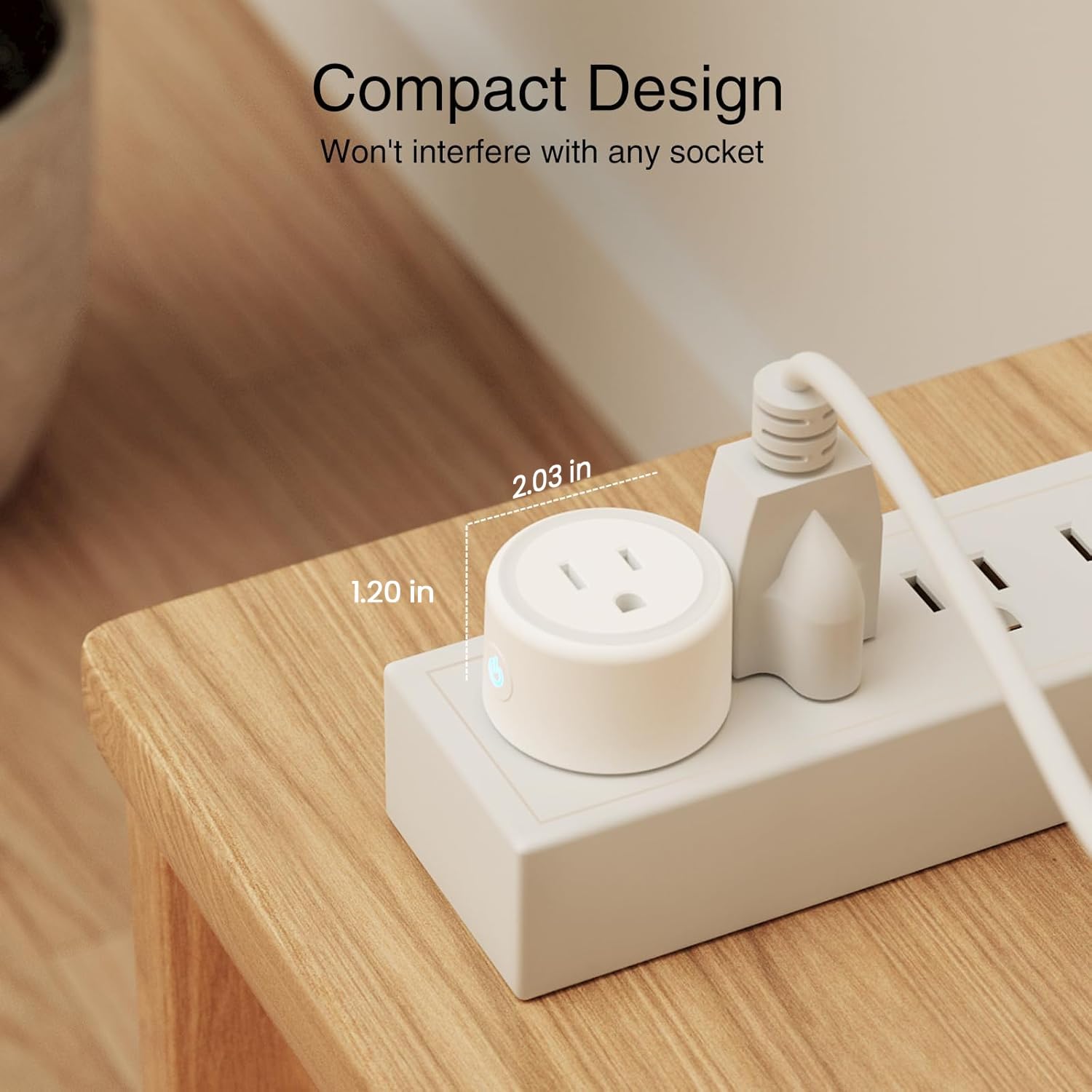
Product Dimensions : 2.1 x 2.1 x 1.1 inches; 9.91 ounces
Item model number : WP3-4
Date First Available : June 25, 2024
Manufacturer : GHome Smart
ASIN : B0D7ZWGXGP
Best Sellers Rank: #89 in Tools & Home Improvement (See Top 100 in Tools & Home Improvement) #4 in Electrical Outlet Switches
Customer Reviews: 4.4 4.4 out of 5 stars 2,321 ratings var dpAcrHasRegisteredArcLinkClickAction; P.when(‘A’, ‘ready’).execute(function(A) { if (dpAcrHasRegisteredArcLinkClickAction !== true) { dpAcrHasRegisteredArcLinkClickAction = true; A.declarative( ‘acrLink-click-metrics’, ‘click’, { “allowLinkDefault”: true }, function (event) { if (window.ue) { ue.count(“acrLinkClickCount”, (ue.count(“acrLinkClickCount”) || 0) + 1); } } ); } }); P.when(‘A’, ‘cf’).execute(function(A) { A.declarative(‘acrStarsLink-click-metrics’, ‘click’, { “allowLinkDefault” : true }, function(event){ if(window.ue) { ue.count(“acrStarsLinkWithPopoverClickCount”, (ue.count(“acrStarsLinkWithPopoverClickCount”) || 0) + 1); } }); });
Stability Upgrade Quick Connection:Supports Bluetooth or WiFi connection.The improved WiFi technology let you quick connection and stay stable,no disconnection worries. Please keep the smart plug connected to your stable 2.4GHz network.(Note: Only 2.4Ghz WiFi)
Hand-Free Voice Control:Smart plugs that work with Alexa and Googel Assistant. Just give a simple voice command to Alexa or Google Assistant to control your connected home devices. Enjoy the joy of smart home devices.
APP Remote Control From Anywhere:You also can control your outlet timers anywhere anytime via the APP directly when you are away. Monitor and control connected electrical equipment in your home.The smart outlet plug compatible with GHome APP, Smart Life App and Tuya App.
Schedules and Timer Function:Easy to set timers and add schedules to connected smart home devices circularly or randomly, making them work as scheduled like auto-off and auto-on to save energy and money. Such as lamps, fan, humidifier, Christmas light timers etc.
Group Control and Sharing:You can set a group for some wifi smart plugs and control connected appliances with one tap. Also you can share your wifi outlet plug by App with your families and enjoy the smart life together.
Note: To use Alexa and Google Home, please note that this product cannot be connected directly. You need to connect the product to the network and the GHome App first.


Tyska Fitness Techniques –
Simple Setup, Reliable Control, Everyday Handy
I’m really happy with the GHome WiFi Smart Plugs. Setup is quick, the app is straightforward, and they respond fast to on/off commands. Scheduling is easy—timers, routines, and sunrise/sunset rules work smoothly—so lamps, fans, and chargers run themselves. Voice control with Alexa/Google Assistant is rock-solid, and the compact design doesn’t block the second outlet. I like being able to group plugs by room, check status at a glance, and toggle an “away” schedule for lights when I’m out. Affordable, reliable, and super convenient—exactly what I want from smart plugs.
Amazon Customer –
⭐️⭐️⭐️⭐️⭐️ Game-Changer for My Home – Easy Setup, Reliable, and Super Convenient!
These Govee smart plugs have completely transformed the way I manage devices in my home. I honestly didn’t realize how much easier life could be until I started using them. From setup to everyday use, they’ve been smooth, reliable, and incredibly convenient.Getting started was quick and simple — I had them connected to Wi-Fi and the Govee app in just a few minutes. The app is very intuitive, making it easy to control the plugs individually or group them together. I can turn appliances on and off remotely with just a tap on my phone, and they also integrate seamlessly with Alexa and Google Assistant for hands-free voice control. Saying “Alexa, turn off the lamp” and watching it happen instantly never gets old!The build quality is excellent. The plugs feel sturdy but compact enough that they don’t block the other outlet, which is something I’ve had issues with in the past from other brands. They handle everything I’ve plugged into them — lamps, fans, coffee makers, chargers — without any hiccups. The connection is stable too; I haven’t experienced random disconnects, which gives me confidence in their reliability.Scheduling and timers are another feature I really love. I can set lights to turn on automatically in the evening, coffee to start brewing in the morning, or even have devices shut off when I’m not home to save energy. It’s a great balance of convenience and efficiency, and I’ve already noticed how much it simplifies my daily routine.Another nice bonus is being able to control them while away from home. If I forget to turn something off, I can just open the app and switch it off remotely. It gives me peace of mind and adds an extra layer of security when I’m traveling.Overall, these smart plugs are affordable, easy to use, and incredibly practical. They make my home feel smarter, more efficient, and much more convenient to manage. If you’re looking to start building a smart home setup — or just want an easy way to add some automation to your life — I can’t recommend Govee smart plugs enough. They’re worth every penny!
felipefranco –
Seamless Smart Home Upgrade – Works Perfectly!
I’ve been using the GHome Smart Plug for a few weeks now, and it’s been a total game-changer for my smart home setup. Setup was incredibly easy — just plug it in, connect via the app, and link it to Alexa (or Google Home). Took me under 5 minutes from box to working!The plug responds instantly to voice commands and schedules. I use it for lamps, a coffee maker, and even a fan — and it works flawlessly every time. The app interface is user-friendly and lets me set timers, schedules, and control devices remotely. Perfect when I forget to turn something off before leaving the house.It’s compact enough that it doesn’t block the second outlet, which is a big plus. Also, connection has been rock-solid — no random disconnects or delays like I’ve had with other budget smart plugs.For the price, these are fantastic little devices. If you’re looking to make your home smarter without spending a fortune, GHome plugs are an easy, reliable choice. Highly recommended!
F. C. Watson –
They work as described. GHome for Android users.
Android users ignore the instructions. Way too confusing.Download GHome app. Easy Peasy. Click the plus sign to add. Plug in the module, module automatically defaults to scanning. Let the software find the module. You can change the module name at first point of recognition, or later in the software.You will need two schedules, one for on and one for off.Plug slightly larger than the standard plug width. Need a gap between the outlets to fit the smart plugin in. May need to create a quick account, but no subscriptions are needed.
Alexis Robinson –
Perfect Smart Plugs for My Plant Lights!
I use these smart plugs for my plant lights and they are amazing. They work perfectly with my Amazon devices and were super easy to set up. The app is simple to use, and the scheduling feature makes my plant care effortless. Highly recommend!
Ms. Beans –
Setup was fast and easy!
I have installed several of these timers for holiday lights over the years. These were the easiest I have ever installed. I like that I can adjust the schedule on my phone and turn the lights on from anywhere. I bought the 4 pack which was a great value and I can have all my holiday lights one one app. I would definitely buy more of these.
CQ –
Excellent wireless timers
Exactly what I was looking for. Easy set up and works great.
Zeemookee –
reset after it quit working
These little plugs work great for indoor lights, and also for our low voltage driveway lights (transformer is inside). There are two features I really like: The “Random” setting, and the “Astronomical” setting. The astronomical setting is handy for the driveway lights, since I can set it to turn on 1/2 hour before local sunset time. I don’t have to keep adjusting the dial as with traditional timers.I’ve seen complaints from other buyers that stated that these quit working after a few months. I had that same problem, but here’s what I did to solve that problem.1) unplug and replug the device2) clear the cache – now this part is a little obscure.on the main screen (shows all your connected devices)click on “Me” icon at bottom of screenin the new screen, in the top right corner, you’ll see a nut iconclick on the nut iconscroll to the bottom of that screen where it says “Clear Cache”, hit that buttonAt this point, everything should be back to normal.I didn’t see this guidance anywhere on the vendors documentation…Hope this helps other buyers.If it wasn’t for this idiosyncrasy, I’d give it 5 starts.
Jose C. –
Fácil de configurar.Lo uso en una estufa de inducción y la verdad es una maravilla.Y también en una cafetera que no tiene programación, pero la dejo preparada y en la mañana solo le pido a alexa que prenda el café y soy un tipo feliz cuando me llega el aroma