




Wi-Fi Enabled Smart Dimmer Switch with brightness control. Note1: Requires neutral wiring. If no neutral wire is present, installation cannot be completed. Note2: Works in single pole wiring only. Note3: Requires a secured 2.4 GHz wireless home connection. Please consult a professional electrician if you are unfamiliar with basic electrical wiring.
Is Discontinued By Manufacturer : No
Product Dimensions : 1.77 x 3.35 x 5.04 inches; 3.84 ounces
Item model number : HS220
Date First Available : March 10, 2018
Manufacturer : TP-Link
ASIN : B079775ZZQ
Best Sellers Rank: #516 in Tools & Home Improvement (See Top 100 in Tools & Home Improvement) #1 in Dimmer Switches #3 in Home Automation Devices
Customer Reviews: 4.5 4.5 out of 5 stars 34,899 ratings var dpAcrHasRegisteredArcLinkClickAction; P.when(‘A’, ‘ready’).execute(function(A) { if (dpAcrHasRegisteredArcLinkClickAction !== true) { dpAcrHasRegisteredArcLinkClickAction = true; A.declarative( ‘acrLink-click-metrics’, ‘click’, { “allowLinkDefault”: true }, function (event) { if (window.ue) { ue.count(“acrLinkClickCount”, (ue.count(“acrLinkClickCount”) || 0) + 1); } } ); } }); P.when(‘A’, ‘cf’).execute(function(A) { A.declarative(‘acrStarsLink-click-metrics’, ‘click’, { “allowLinkDefault” : true }, function(event){ if(window.ue) { ue.count(“acrStarsLinkWithPopoverClickCount”, (ue.count(“acrStarsLinkWithPopoverClickCount”) || 0) + 1); } }); });
App-Guided Install: The Kasa or Tapo app guides you through step-by-step setup. Requires neutral wiring and 2.4 GHz Wi-Fi. Consulting an electrician is recommended if you’re unfamiliar with electrical wiring.
Control From Anywhere Turn electronics on or off from anywhere with your smartphone using the Kasa App (Compatible with Android and iOS)
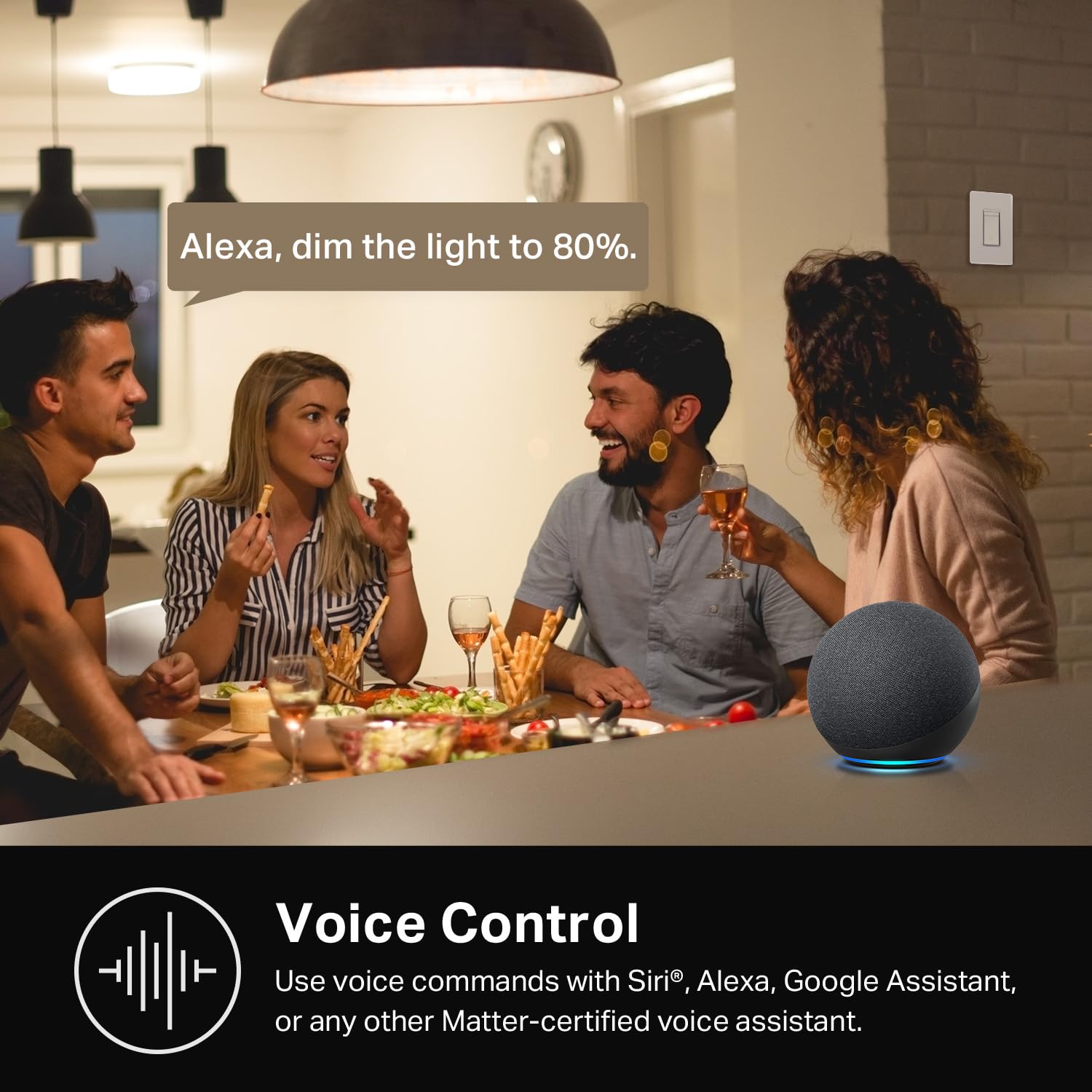
Voice Control: Enjoy the hands-free convenience of controlling the lights in your home with your voice via Amazon Alexa, or Google Assistant. Perfect for times when your hands are full or entering a dark room.
Gentle Off: Tailor your lighting to fade on with a click of the switch or a double-click to gently fade off the lights while your child drifts off to sleep.
Advanced Scheduling and Timer: Use timer or countdown schedules to set your smart switch to automatically turn on and off while you’re home or away. Enable Away Mode to randomly switch on and off to trick potential intruders. Dimensions without panel 4.13×1.71×1.74 in. (105×43.5×44.21mm)

Google Nest Thermostat - Smart Thermostat for Home - Programmable WiFi Thermostat - Sand (Renewed)
Original price was: $89.00.$8.99Current price is: $8.99.

2K Cameras for Home Security-2.4G WiFi Outdoor Camera Wireless Solar/Battery Powered with solar panel, 360° Viewing, AI Human Detection, Color Night Vision, with SD Storage, Works with Alexa(2 Pack)
Original price was: $99.99.$8.99Current price is: $8.99.
-30%


My Opinion –
Inexpensive, easy to set up and use and tons of functions. Buying more!
I’m a long time user of the Kasa smart plugs, which have been operating flawlessly for me at several locations for years and all are on schedules. I had no idea Kasa made dimmer switches as I’ve always just stuck to Lutron dimmers. I saw these on a suggested product on Amazon and decided to give them a try. I’ve been using the dimmer switch for a about a week now. These ARE EXACTLY WHAT I WAS LOOKING FOR AND EXCEEDED MY EXPECTATIONS. I mean holy crap I’m impressed with the quality, ease of install, set up and functions. I’ll be looking for other switches to replace with these. And for the incredibly cheap price (compared to lutron) I really couldn’t be happier. I really like that I can use the switch with all functions at the wall as well as on my cell phone.
CW –
This product just works
I messed around with a Feit smart switch I purchased at Costco for what seemed forever. It just would not connect with my Wi-Fi network. If I had much hair I might have been tempted to pull some out. I had the correct wiring at the box, I read the provided directions, my network was up and running on the 2.4 ghz band, and I searched for help online. What a waste of time over two days.I ordered this unit based on reviews and the features it offered. This product just works. I had the wires ready to connect when it was delivered (in two days) and I had it wired, back in the wall, and configured in about 15 minutes. The switch works at the box and using Alexa.
Vernon C Seward –
No accounts needed. They just work!
Making your house smart shouldn’t be hard, and it shouldn’t involve creating accounts for the different devices you want to use. And it definitely shouldn’t involve giving up your privacy just so you can talk to your dining room lights.Until recently that’s what you had to do regardless of which smart system (Alexa, Google Home, Apple HomeKit, or Samsung Smartthings) you used. No system included everything you might want to use, your doorbell camera might be from Ring and your smart lock might be from Schlage. You’d have to create accounts in each then integrate them into your smart system.The new Smart home standard, called MATTER, attempts to change all of that by establishing compatibility standards for smart systems and devices without the need to create accounts or give up any privacy. If the device is MATTER compatible and your smart system works with MATTER, you just scan a QR code and the device is integrated. Simple, easy, done.If you’re a HomeKit user, this was a godsend. More smart device makers are adhering to the MATTER standards and these Kasa single pole smart dimmers shows just it should be done!Installation is marginally more complicated than installing a regular single pole switch. Once installed and powered, the dimmer works like any normal manual dimmer. The magic happens when you add the device to HomeKit.In HomeKit->add device, you scan the QR code. After about a minute HomeKit asks you a few more questions about how you want to integrate the switch. Answer those and you’re done! No new accounts or passwords you have to remember. The dimmers just work!Of course, Kasa would love for you to open an account so they can bombard you with info about other products they offer, but you don’t have to do it. The only reason you may decide to get an account is for firmware updates, but those are relatively rare.They look great too. I highly recommend these dimmers.
Ricks –
Great switch, needs more smart actions
I installed 25 tp-link switches (combination of dimmer, switch, and 3 way switch) in my home, and one wemo dimmer.Installation: The tp-link dimmers and switches have different attachment hardware (where you screw the switch to attach it to the electric box in the wall). This is annoying because the switches have a thick plastic, while the dimmers are metal but have a piece of plastic that screws onto the top of the front which has to be removed. I personally prefer the dimmer metal hardware. When you install a dimmer next to a switch you have to really fiddle with them to make the two different sizes look the same after the cover is on.What I like:I really like the fact that I can control these from the switch, my phone, or the from google assistant.I also have a in wall wemo dimmer. When I tell google to turn off or on the lights the wemo is significantly slower to respond then the tp-link. For tp-link the lights start to turn on//off in probably .5 sec while the wemo dimmer may take 2-8 seconds to start to respond.Look – the switches and the covers have a bright shiny finish. In most cases I was not able to use the included cover as they are installed in double or triple switch settings, but I like them where I was able to use them.Light compatibility – I’ve installed these with multiple kinds of dimmable LED lights and they have all functioned well.Light range – I replaced my living room light which originally had the wemo dimmer switch and I noticed that the tp-link uses a greater range of the light bulb – i.e. it dims more and 100% brightness is brigher which I like.These also pretty quickly reconnect to wifi after I flip the breaker off or power outage (unlike some of my other smart devices that I have to setup over an over again with every power blip)Enhancements I would really like:Enabling third party triggers. I use IFTTT to integrate multiple smart things together. While these dimmers are compatible with IFTTT – they are only able to be used as THAT devices (in the “if this than that”(ifttt) recipes). So for example, with my wemo switch, if I wanted to turn on/off some other smart device when I clicked the wemo dimmer switch, I could use the wemo click as a THIS action or trigger. But these switches I can only use to respond to other actions, for example, when my door sensor senses that the door opened I can turn on the entry way light.True Instant on/off: The dimmer switches have a setting where you can change how fast they dim on and off when you click the switch. One option is “Instant”. When I have it set to instant, it really just dims on/off fast. I have a non dimmer switch right next to a dimmer switch and when I click both at the same time the dimmer light takes longer, probably a second to turn on, while the non-dimmable switch is instant. This would also probably help with non-dimmable lights. I had non-dimmable lights attached to some of my dimmers and these acted very poorly even when set to instant on. They really buzzed and some even continued to buzz loudly while on.Always on circle light in switch – In places where I have three dimmers together, when I turn one light on, that switches circle on the switch turns off. When I go to turn the light off I instantly think that the switches with the light on are the ones that are on, so I click those two only to find that neither of those lights were on and end up cycling through all three switches.In the kasa app when you select a dimmer or a switch the UI is completely different, it would be nice for them to be more similar.What I don’t like -The click. About 1 out of every 4 times that I click the switch it doesn’t turn on/off. Probably similar to learning to double click on a computer mouse for the first time (for those that can remember that). This could also probably be resolved with the instant on/off I mentioned before. Because it takes about a second even on instant on for the light to come to full power, when you click on and didn’t click hard enough you end up walking past the switch thinking it is just takings its second to dim on, but then you have to walk back to the switch once it actually doesn’t work. Some of my switches also have a bit of a squeaky click, which is also annoying.Note about 3-way switches – Even though my house was built fairly recently, for every set of three way switches, only one of the two wall wirings has the white wire. Luckily these can be paired with an old dumb three way switch and work quite well (i.e. you can use a single 2 pack of 3-way switches for two separate sets of 3-way sockets)Note about wifi – I have mesh wifi in a smallish house so my wifi coverage is good throughout and wifi connectivity has not been an issue for switches.Update Feb 2020:Smart actions – Auto off action. I really like this feature. I have my bathroom vent fans set to auto off after 15 minutes, and I think it has always worked except for one time my WiFi was down. The problem, your only allowed 3 smart actions. I’d love to be able to set more. My son uses the bathroom at the far end of my house and leaves the light on every time. A 15 minute auto off would be perfect. It would also work for closet and hallway lights. TP-link please add more smart actions.
Brandon –
Easy to use work great
These switches are truly the best upgrade you can put in your house. We have bought several different ones from 3 ways to dimmers and they are all great. Easy to set up and the app is easy to wire. It’s very diy friendly. Works well with Alexa and we have the outdoor lights on a schedule. I also bought some smart plugs from them for Christmas stuff and it’s nice you can do it all in one app
Alfredo Hernandez –
Buenas noches, quiero comentarles que el día de hoy revisé mi correo y dice que el producto se entrego, en el cual quiero comentarles que no tengo el producto, hasta horita no he recibido el producto todavía, tuve comunicación con la paquetería en la cual se le indico que no podía recibir el producto ya que no me encontraba en Pachuca que regresaba hasta el lunes, por lo cual les pido de la manera más atenta rastreen al operador de la paquetería ya que no tengo ningún producto, gracias.Buenos días quiero ratificar que después de unos días de la fecha que se registró como entregado el paquete ¡llegó finalmente el producto! , lo revisé y venía cerrado y en buenas condiciones, lo conecte y probé y funciona de maravilla, la aplicación es muy sencilla y practica, lo recomiendo bastante, la relación precio producto es muy buena, gracias.
Dave in Toronto –
I have had a smart home with 50+ devices for about a decade, since Apple first brought out its HomeKit smart home system. I have a lot of experience with the benefits and also the many hassles of smart home devices.Firstly let me comment on the physical product itself, and the company behind it. Great design. Great quality. Committed brand, with a good track record I think you can trust. Easy to physically install if you are comfortable with connecting wires, and can turn off a circuit breaker. You MUST have white “neutral” wires, which typically any electrical system done since the 1980’s will have. Instructions are straight forward. You might discover some of your existing switches are not wired in typical ways. If this is the case and you don’t fully understand it, get an electrician. I think most people will be okay.BUT … from an all around software setup perspective, this is by far the most aggravating installation experience I ever had – until it wasn’t. This is the FIRST Matter protocol device I have installed in my Apple Home. I DO have the required Matter/Thread routers that are needed. In this case of an Apple Home, several Apple TVs and HomePods. If you use Google Home, or Alexa, or other you MUST also have in your home a “Matter Hub” capable product from Google or Alexa respectively.I spent almost a full time week, googling, trying various things, getting frustrated, and I would rate myself a 9/10 on expertise in this area. Until I learned the best trick. You HAVE to FULLY commit if you want to move to the Matter, protocol and I think you SHOULD. Even if you do at first get it working without this drastic step, I think you are just pushing hidden problems into the future. Start FRESH.All those smart home rules, profiles, pairings, etc you have built over the years – you should DELETE THEM ALL, and FACTORY RESET ALL your smart home devices. Delete your ENTIRE home profile. Start over completely. Drastic yes. But just like it is much easier to build a quality new home from scratch, rather than patchy renovations to an existing home, the same applies to a smart home when moving to a very different technology, in this case “Matter”.If you want to get into the Matter ecosystem, and I think any serious smart home enthusiast SHOULD, you have to understand that you are much more on your own right now than by sticking with a current proprietary ecosystem. The attempt to make Matter work with many different platforms, means the ability for product manufacturers, and Ecosystems – like Apple, Google, or Alexa support, to assist you is very limited, even when they want to.One MORE step. Do the same with your router. FACTORY RESET. It also plays a core essential role in the reliability of your smart home. If you have a cheap router you should really consider something higher end.When I took the deep dive, and started from scratch, I was able to set up all my Matter devices with ease. Another suggestion – just because matter claims to be able to support multiple home ecosystems out of the box, DON’T do that. You are asking for trouble, Pick 1 like HomeKit as I did, or Google Home, or Alexa, or SmartThings, or other platforms, and do EVERYTHING on that ONE platform. Also install the manufacturer specific apps for direct control of your devices, outside of any ecosystem. Reduce complexity, don’t embrace it. Yes, Matter is still quite frustrating, but most of the issues should be solvable through updated ecosystem software and product firmware. I still believe it will become THE standard, likely the ONLY standard in the future. So unless you need features not yet supported by Matter, I think Matter devices are worth the initial pain, to future proof your investment.Hope that helps !
KP –
It’s designed for American homes which have a 110V supply. UK homes have a 230/240 V supply so it can’t be used in UK homes
Miguel A. Ortiz –
Funciona de maravilla, compre un par para probar y después de un mes comencé a automatizar por completo la casa, en precio conviene mejor que comprar lámparas inteligentes. El único problema que veo es que no están diseñados para las cajas de conexión estándar en México, si caben pero es muy complicado acomodar los cables, por lo que deben considerar este factor antes de comprar, sobre todo si sus cajas de conexión son demasiado antiguas; resolví este problema perforando a un lado de las cajas existentes e instalando una caja mas grande que ya puedes encontar en el mercado.
Michael K. –
I recently incorporated the Kasa Smart Single Pole Dimmer Switch by TP-Link (HS220) into my outdoor decking area, and it’s been nothing short of transformative. This smart dimmer switch has elevated not just the aesthetics of my outdoor space but also its functionality and security. Here’s why I’m all in on this device:Smart and Stylish: Integrating seamlessly with both Alexa and Google Home, this switch lets me adjust the lighting from anywhere, ensuring my deck always looks its best. Whether I’m setting the mood for an evening gathering or just enjoying a quiet night, I have complete control.Enhanced Security: The ability to adjust lighting levels remotely or set schedules adds an extra layer of security to my home. It’s comforting to know that I can make my home appear occupied even when I’m away, deterring potential intruders.Energy Efficiency: Customizable dimming options not only create the perfect ambiance but also help in reducing energy consumption. It’s great knowing that enhancing my outdoor space’s beauty also means being kinder to the planet.Easy to Install and Use: Setting up the Kasa Smart Dimmer Switch was straightforward, and its user-friendly app made integrating it into my smart home ecosystem a breeze.Verdict: The Kasa Smart Single Pole Dimmer Switch (HS220) is an essential upgrade for anyone looking to enhance their outdoor lighting. It combines smart functionality with energy efficiency and added security, all while ensuring your outdoor space looks absolutely stunning. Sharing this gem with friends and family has been a pleasure, as it’s truly a game-changer for outdoor living.In a world where smart home features increasingly become a standard, this smart dimmer switch stands out as a must-have for elevating your home’s exterior lighting game.