


Leverage the power of WiFi 7 for speeds up to 9.3 Gbps at 1.2X faster than WiFi 6 and 320 MHz high-capacity channels for up to 100 devices. The Nighthawk BE9300 WiFi 7 Tri-band Router offers 3 bands of WiFi, including the ultra-fast 6 GHz band for peak performance with less interference from neighboring networks. The high-performance antenna design provides up to 2,500 sq. ft. WiFi coverage, and you can connect your high-demand devices to the two 2.5 Gig and two 1 Gig LAN ports for ultra-fast wired speed. Enjoy the very best of next-gen 4K/8K video streaming, gaming, video conferencing, security system, and smart home devices. Product dimensions: 9.8 x 5.9 x 4 in.
Blazing-fast WiFi 7 speeds up to 9.3Gbps for gaming, smooth streaming, video conferencing and entertainment
WiFi 7 delivers 2.4x faster speeds than WiFi 6 to maximize performance across all devices. This is a Router, not a Modem.
This router does not include a built-in cable modem. A separate cable modem (with coax inputs) is required for internet service.
Sleek new body with smaller footprint and high-performance antennas for up to 2,500 sq. ft. of WiFi coverage
2.5 Gig internet port enables multi-gig speeds with the latest cable or fiber internet service plans, a separate modem may be needed for you cable or fiber internet service
NETGEAR devices come with security measures built in as well as enhanced safety features and updates designed to help protect you and your family
NETGEAR Armor provides a powerful suite of tools to help keep you safe online, including enhanced protection against hackers, malware and identity theft, at home or on the go. Includes 30-day trial
Easily set up and manage your WiFi with the Nighthawk app
Made for use in the U.S. only

BUFFALO LinkStation 210 6TB 1-Bay NAS Network Attached Storage with HDD Hard Drives Included NAS Storage That Works as Home Cloud or Network Storage Device for Home
Original price was: $232.99.$33.99Current price is: $33.99.
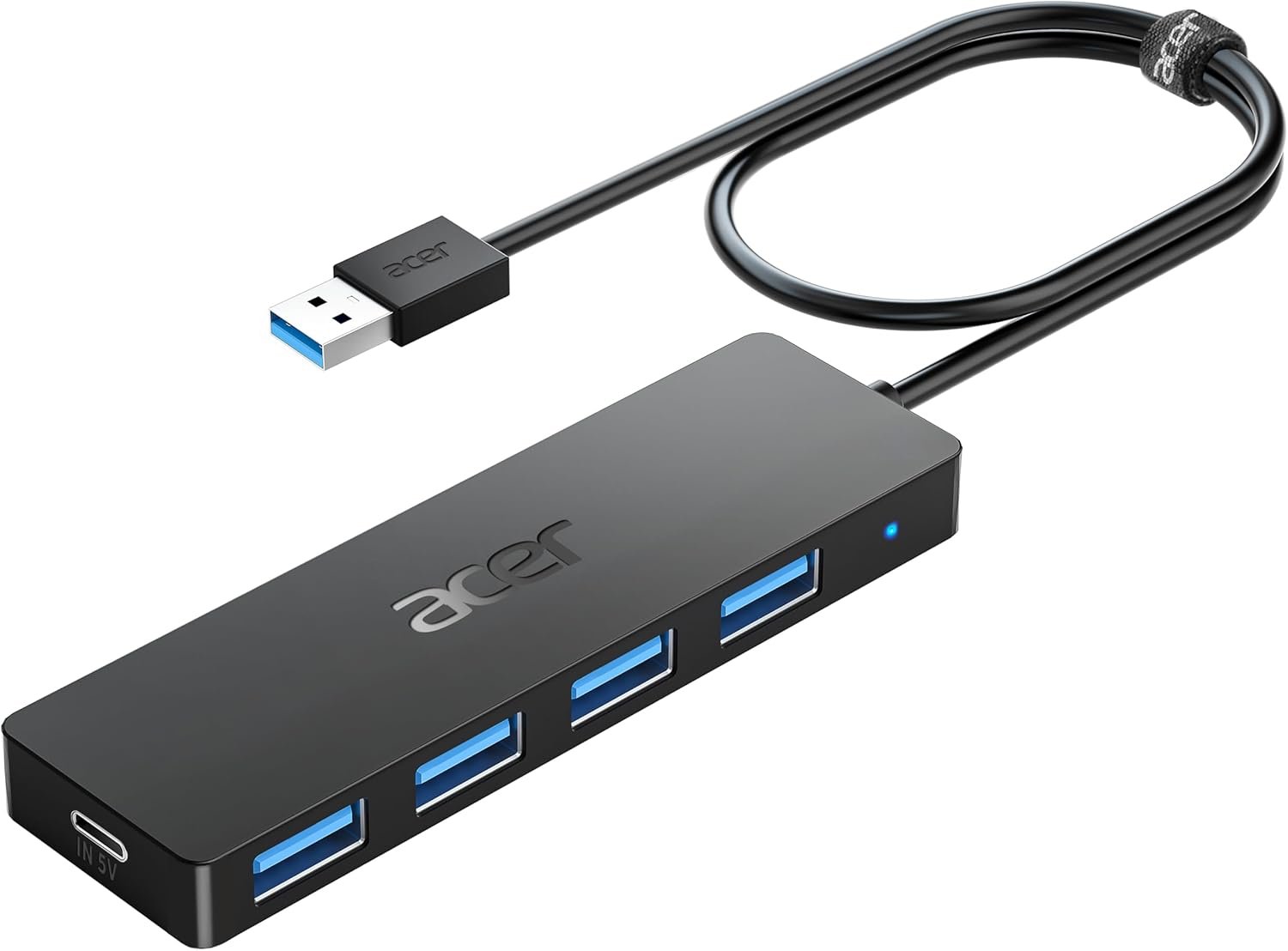
Acer USB Hub 4 Ports, Multiple USB 3.0 Hub, USBA Splitter for Laptop with Type C Power Port, Extender for A Port Laptop, PC, Desktop and More (2ft)
Original price was: $14.99.$9.87Current price is: $9.87.
-90%


Joshua –
Works out of the box and setup is simple.
This replaced two bad Asus routers I received. It’s the closes thing to an American made product and it’s fantastic. Worked as expected with setup taking about three minutes. It’s a bit expensive, but worth it for the simplicity. It reached through brick so my vehicles could get updates as the 2.4ghz is strong. 5ghz is as expected and it will work with the 1ghz google fiber. Great product.
T. Owens –
Great router for a high demand home network
Easy setup, and very fast speeds. From a 1Gig cable modem ISP, I was able to pull full 1Gig speeds over Wifi on the 6Ghz band on my phone. 600-700 Gig over WiFi on all my devices connected to the 5Ghz band.One thing to note. We have Windows, Android, and IOS devices in my home. I had to turn off “Smart Connect” to get my Apple devices to connect. Smart Connect attempts to connect a device to either 2.4Ghz, 5Ghz, or 6Ghz bands depending on the type of device, and it’s distance from the router. Apple TV, and Ipads don’t like it. Simply turn it off in the Netgear app, and your good to go.Other than that, the router appears to be well built. The connections on the back and interface on the front are easy to access and understand. The app user interface is very easy to use. Although, I think it might be a tiny bit buggy, but it does the job.Our entire home is very internet dependent. We have over 25 devices connected, which includes 6 TV’s, an 8 camera NVR, multiple: phones, laptops, tablets and bunch of other devices. The connectivity to all devices has been strong, and stable. Simultaneous streaming doesn’t seem to slow this thing down at all. If you have a high demand home network, and want peak performance, this is your answer.Our home is 1,650sqft. The signal from this router goes way past the street in front of our house, and past the back fence of our back yard. I would say this router would work just fine for 2500sqft home. If your home is 3000+ sqft, I would probably go with the Netgear Orbi 970 Mesh system. I put one in my mothers home (two separate buildings on one property), and they rock. They are just much more expensive than this router.
RO –
Its Reliable, Easy to install, and lighting fast – read my review
Title: Nighthawk RS300Description: I have a Nighthawk XR1000, runs great and effective, However Ive recently upgraded with Astound 1.5 gig speed, and need to upgrade my router to run equal speed or better in case future upgrade. My home is a smart home, 70 devices across each and every ft of my house, and some hardwired devices at home, has the ability to run 2.5 gig connection. That being said, received the router, installation easy, connection with ISP (through Cable Modem) flawless, and my average speed test down1.475 incredible, with 15 sec lat. Side note, Ive has the router now for 6 days No Issues, on speed, latency, or hiccups. Plus no software update constant patches, which is a plus.
CCGirl –
So worth it.
This was such a good purchase. I’ve had this router over a year now. Everything connects to it seamlessly with the exception of one device. That one device was a WiFi enable birdhouse which I wouldn’t recommend to anyone. But this router keeps all our devices safe. It blocks links that are spam or suspicious. We have had zero account compromised while running this. And it’s super simple to setup.We have all the typical devices in our house, gaming devices, computer, smart TVs, phones, ipad, Kindles and have zero issues. It’s fast and devices connect on all 3 floors as well as the garage and outside. I have zero complaints. The NetGear Armor is great and I will pay to renew it. Not like the old days of Norton. You don’t even know it’s running.I purchased it when it was well over $700 and I still feel that was a value.
Ann –
Great for my use but not perfect
Title: Great for my use but not perfectDescription: Up-front, it beats the pants off the Eero Max 7 from Frontier that it replaces. It’s just way faster. It also is a good size and fits in the same space as the Eero did, and is smaller than some routers (looking at you, Asus).I did buy mine refurbished by Netgear, so half price, and that definitely affects my experience in a positive way. (Having installed and tested it, I might not recommend paying full price.)Ethernet is solid and gives me within a whisker of 1 Gbps, which is my service max. WiFi 5 and 6, too, on my modern Windows 11 PCs is 900+ Mbps through the floor into the basement. Good speed. 2.4 is not great. And, my old school 2013 MBP that did actually get 600 Mbps with the evil Eero, only gets 500 wired and 200 WiFi on WiFi 5 with this router. 🙁 Also, on 2.4, the MacBook gets less than 100 Mbps. Now, none of my laptops, even the new ones, have a WiFi card that accepts speeds faster than 1 Gbps. My desktop will do 5 Gbps (wired and wireless) but 1 is fine.The Nighthawk RS700’s interface on their mobile app is decontented and I guess good for a quick setup and reviewing status (maybe?). The Web interface seems clean but is a pain to navigate. For example, I have not yet found how to set a static IP for an attached device. The interface definitely seems 2 generations below the competition (like Asus not Eero).I think I suffer four actual annoyances. One is the parental protections; I am tired of the Nighthawk enquiring if I want to pay for this; I don’t; my kids are adults. Second is the protection you have to pay a subscription for. This seems an awkward attempt to get some SaaS revenue, and I immediately reject such things. Stop bugging me, please.Now, I do like to set my own administrator name (for security, I think), but the Nighthawk RS700 does not permit that for “security” reasons. Really, whose “security.” If I mess that up, there’s a reset button, so …. I don’t suppose it’s because Netgear might have a backdoor password or some such? Then, how in blazes do I get this ReadySHARE thing to work?None of these things are deal killers. For the money and compared to the WiFi 7 router I had, this is a great router. I would suggest Netgear replace the 1 GBPs Ethernet ports with 2.5 ones at no extra cost to the consumer, and make the router Web interface more usable, but …Yes, recommended. Great signal strength, enough ports, not too big, and the right price. 4 stars! Recommended.
Arturo Mosqueira –
Rendimiento:Tenía un AP Unifi AP AC Pro y todo mejoró estrepitosamente, rango en la misma planta, velocidad de respuesta de conexión de todos los dispositivos. La cámara que tengo en la entrada emite de inmediato la imagen, antes demoraba unos segundos, pese a que es de 2.4ghzEstabilidad:No es necesario reiniciar el router, trabaja sin problemas todo el tiempo. Sólo recomiendo que en los celulares se deshabilite la opción de MAC address aleatoria, tal como lo indica Netgear.Estética:Es un poco grande, pero es muy bonito, combina con cualquier decoración, eso en comparación con las arañas gamer que tienen las antenas externas.Precio:Si vale la pena si quieres lo mejor del momento, por lo menos debería ser útil la tecnología hasta dentro de 5 años, sin embargo, creo que hay opciones nuevas con rendimiento aceptable a menos por menos de la mitad de precio.Conclusión: Actualizando firmware y configurando todo debidamente es un excelente router.
JAVO RDZ –
funciono solamente por cerca de dos horas y su cobertura y velociddad, sobresaliente. Después, simplemente se apago para no volver a encender. Iniciamos la devolución por tal motivo.