


Every Room Reached. Every Device Powered.
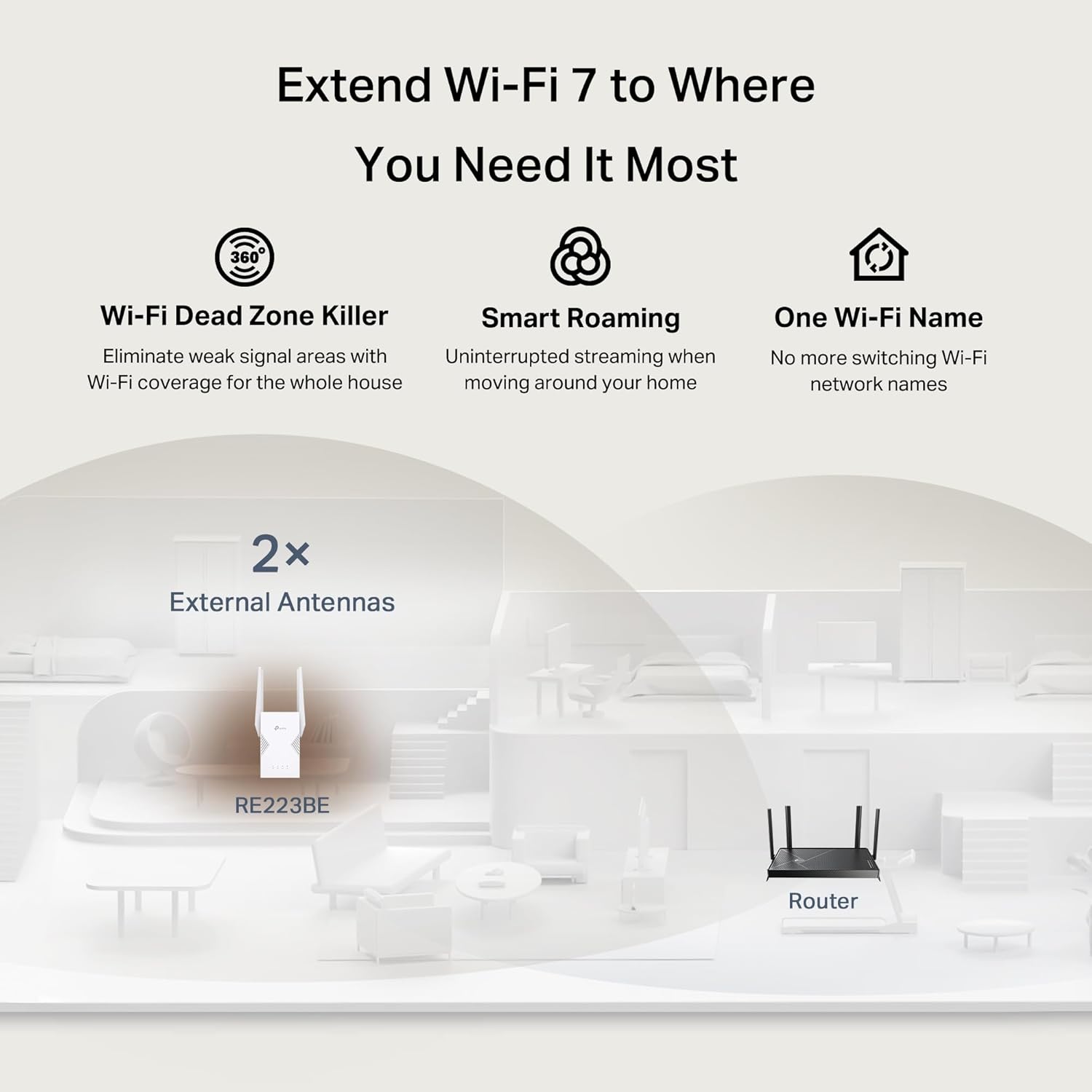
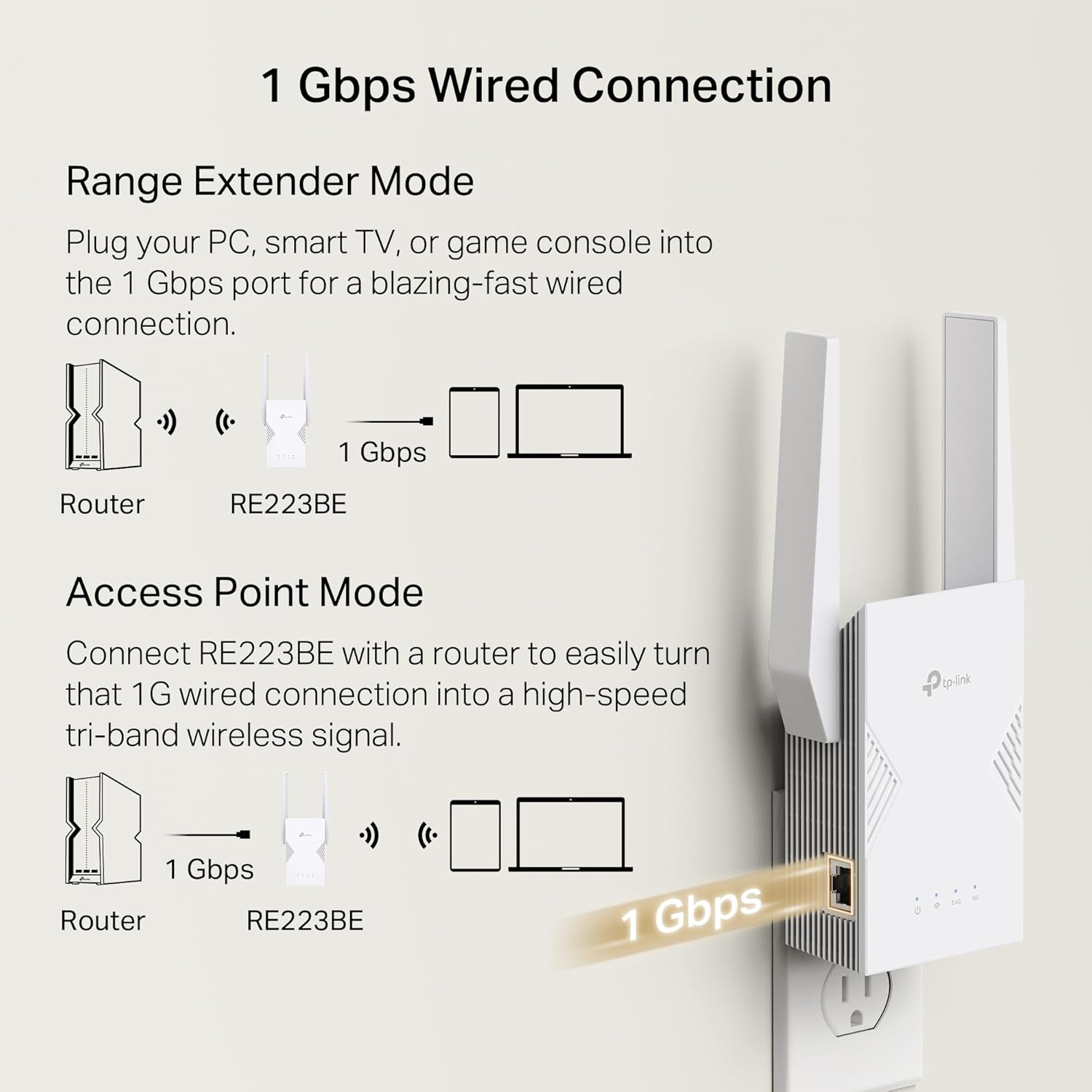
Extend your Wi-Fi performance like never before with the TP-Link BE3200 Dual-Band Wi-Fi 7 Range Extender RE223BE. When paired with a WiFi 7 router, achieve the benefits of Wi-Fi 7’s Multi-Link Operation, Multi-RUs, and 4K-QAM. Compatible with dual-band Wi-Fi total bandwidth of 3.2 Gbps. Say goodbye to Wi-Fi dead zones and enjoy seamless streaming on Netflix, Prime Video, Disney+, and more – while browsing at ultra-fast speeds on your WiFi 7 devices, like the iPhone 16 Pro, the Google Pixel 9, or PS5 Pro. RE223BE supports EasyMesh, the easiest way to create a whole-home mesh Wi-Fi network with your existing router, eliminating dead zones for seamless coverage. The 1 Gbps Ethernet port provides lightning-fast stability for direct connections to smart TVs, computers, and gaming consoles. Great for gamers, streamers, parents, professionals, or anyone managing a busy household.
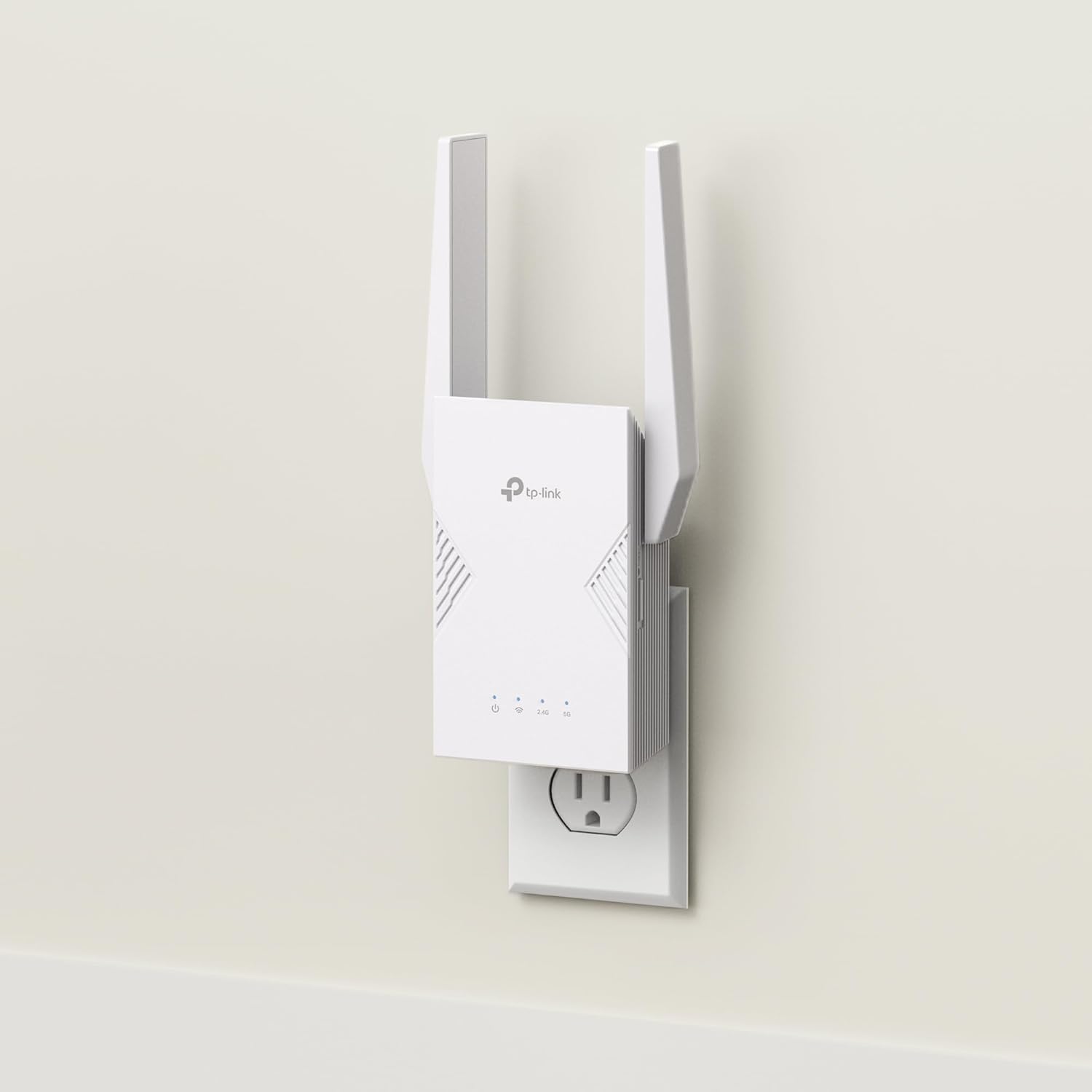
This WiFi booster has dimensions of 3.8 x 1.82 x 4.9 inches. It supports advanced features such as Beamforming, MU-MIMO, OFDMA, TWT (Target Wake Time), BSS Coloring, Airtime Fairness, DFS, and HT160. Connected router must be Wi-Fi 6 and above to enable OFDMA, TWT, and BSS color features. TWT schedules the connection time of battery-powered devices to reduce their power consumption.◇ Additional functionalities include access control, IPv6, LED control, cloud management, and Smart Signal Indicator. Smart Signal Indicator discovers the ideal spot for extending your WiFi coverage.
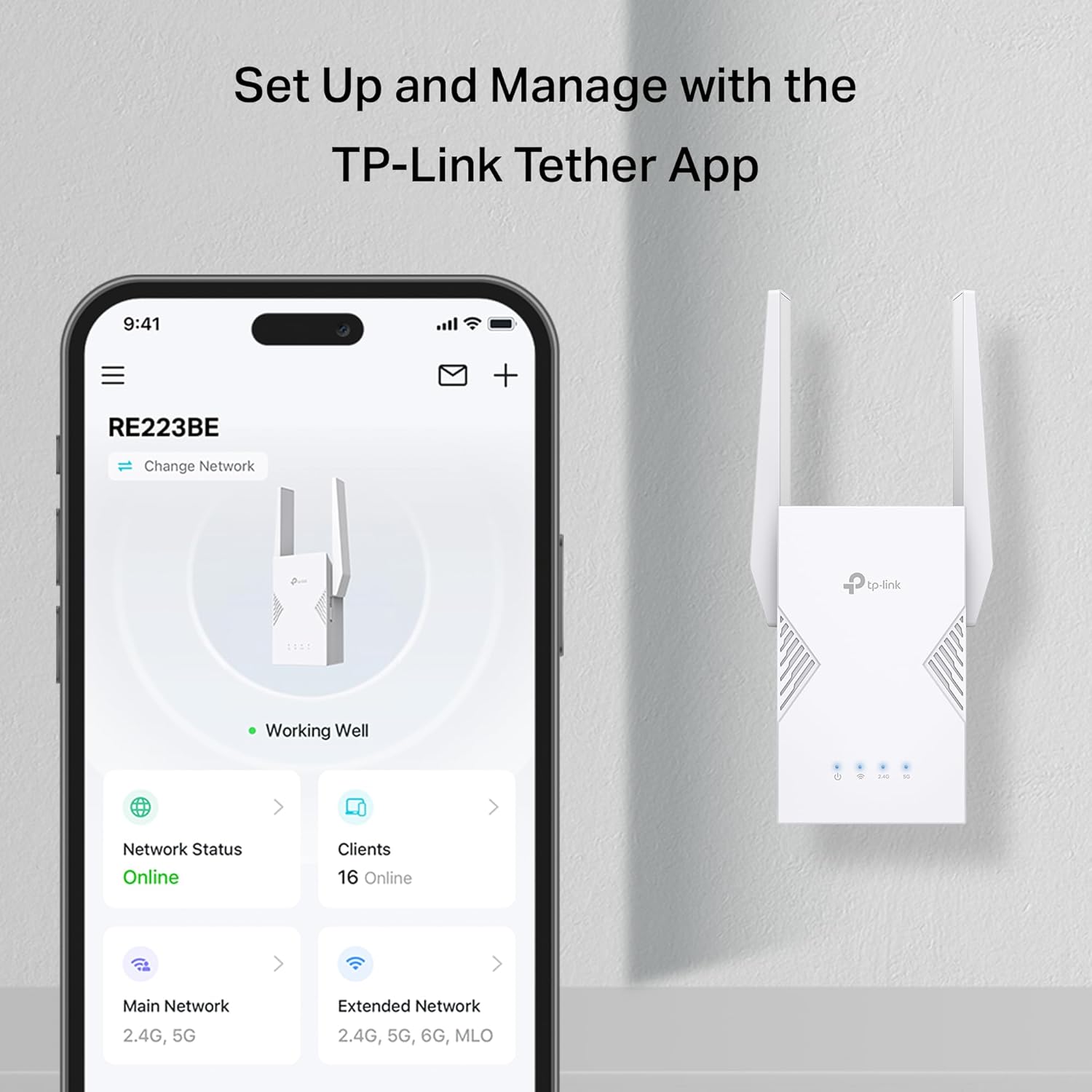
Security features for this WiFi repeater include WPA3, two-factor authentication (2FA), and IP address and MAC address filtering. The Tether app features includes the following features: Network status, Firmware Updates, Parental Controls, and Block Users. This product operates in temperatures ranging from 32°F to 104°F and humidity levels of 10%-90% non-condensing. The package / purchase includes the RE223BE and a quick installation guide. It has regulatory certifications from FCC and IC.
𝐍𝐞𝐱𝐭-𝐆𝐞𝐧 𝐖𝐢-𝐅𝐢 𝟕 𝐏𝐞𝐫𝐟𝐨𝐫𝐦𝐚𝐧𝐜𝐞 – Pair with a Wifi 7 router and achieve the benefits of Multi-Link Operation (MLO), Multi-RUs, 160 MHz and 4K-QAM. Achieve optimized signal distribution throughout your entire home, and enjoy high performance on latest WiFi 7 devices.△
𝟒-𝐒𝐭𝐫𝐞𝐚𝐦, 𝐃𝐮𝐚𝐥-𝐁𝐚𝐧𝐝 𝐖𝐢𝐅𝐢 𝐰𝐢𝐭𝐡 𝟑.𝟐 𝐆𝐛𝐩𝐬 𝐓𝐨𝐭𝐚𝐥 𝐁𝐚𝐧𝐝𝐰𝐢𝐝𝐭𝐡 – Extend your router’s performance with speeds up to 2594 Mbps (5 GHz band) and up to 688 Mbps (2.4 GHz band). Enjoy seamless 4K/8K streaming, AR/VR gaming, and fast downloads/uploads.⌂
𝐌𝐚𝐱𝐢𝐦𝐢𝐳𝐞𝐝 𝐂𝐨𝐯𝐞𝐫𝐚𝐠𝐞 𝐮𝐩 𝐭𝐨 𝟐𝟒𝟎𝟎 𝐒𝐪. 𝐅𝐭. – Four optimally positioned antennas with Beamforming technology boosts signal strength, reliability, and range, providing seamless whole-home Wi-Fi coverage and eliminating dead zones for up to 64 devices.
𝐎𝐮𝐫 𝐂𝐲𝐛𝐞𝐫𝐬𝐞𝐜𝐮𝐫𝐢𝐭𝐲 𝐂𝐨𝐦𝐦𝐢𝐭𝐦𝐞𝐧𝐭 – TP-Link is a signatory of the U.S. Cybersecurity and Infrastructure Security Agency’s (CISA) Secure-by-Design pledge. This device is designed, built, and maintained, with advanced security as a core requirement.
𝐄𝐚𝐬𝐲𝐌𝐞𝐬𝐡-𝐂𝐨𝐦𝐩𝐚𝐭𝐢𝐛𝐥𝐞 – Easily expand your network for seamless, whole-home coverage by connecting the RE223BE to any EasyMesh-compatible router. *
𝐃𝐨𝐞𝐬 𝐍𝐨𝐭 𝐒𝐮𝐩𝐩𝐨𝐫𝐭 𝟔 𝐆𝐇𝐳 𝐁𝐚𝐧𝐝– Please note This dual-band WiFi 7 range extender does not support the 6 GHz band. It operates on the 2.4 GHz and 5 GHz bands only.
𝐍𝐨𝐭 𝐓𝐨 𝐢𝐧𝐜𝐫𝐞𝐚𝐬𝐞 𝐒𝐩𝐞𝐞𝐝 – Please note that all Wireless Extenders are designed to increase or improve WiFi coverage and not to directly increase speed. In some cases improving signal reliability can affect overall throughput
𝐌𝐮𝐥𝐭𝐢-𝐋𝐢𝐧𝐤 𝐎𝐩𝐞𝐫𝐚𝐭𝐢𝐨𝐧 (𝐌𝐋𝐎) 𝐓𝐞𝐜𝐡𝐧𝐨𝐥𝐨𝐠𝐲 – When paired with a WiFi 7 router, frequency bands are combined to deliver enhanced throughput, lower latency, and improved reliability. Enjoy faster, more stable connections across applications. △
𝐒𝐦𝐚𝐫𝐭 𝐀𝐝𝐚𝐩𝐭𝐢𝐯𝐞 𝐑𝐨𝐚𝐦𝐢𝐧𝐠 – Seamlessly move throughout your home with automatic connections to the strongest signal, ensuring uninterrupted coverage and optimal performance.
𝐄𝐚𝐬𝐲 𝐒𝐞𝐭𝐮𝐩, 𝐆𝐫𝐞𝐚𝐭 𝐂𝐨𝐦𝐩𝐚𝐭𝐢𝐛𝐢𝐥𝐢𝐭𝐲 – Set up, secure, and optimize your network in minutes with the Tether app. Find the optimal location for the best WiFi connection with intelligent signal indicator. **Compatible with almost all Wi-Fi enabled devices and routers or access points. It can support new WiFi 7phones, laptops and other devices.**
Back to products

WD 20TB Elements Desktop External Hard Drive, USB 3.0 drive for plug-and-play storage - WDBWLG0200HBK-NESN
Original price was: $349.99.$12.99Current price is: $12.99.
-90%


Doug Skurski –
Strong WiFi Extender, Repeater
Strong WiFi extender, used on Repeater mode to extend WiFi from the front of my main home all through to the rear Accessory Dwelling Unit (ADU) apartment – total distance of over 100 feet from main modem/router. Set up was a bit challenging, not because of the steps, but because the app appeared to be glitching (wouldn’t allow me to input any characters on my phone). Customer service was quick to walk be through a bypass to the app, setting up using an internet browser page.
Amazon Customer –
Strong WiFi signal in my shop.
Works great to extend WiFi to my shop. I have an all metal shop. I located it in a window that faces my house. I had to use the app to connect it to my router. Once connected to WiFi and moved to its location, you do have to connect your devices to the extender. Otherwise they are still looking for your router.
Brianstl –
Super easy to set up and very speedy.
I needed to update my WiFi extender and choose this one by TP-Link. The extender is straight forward as far as setting up, tool just a few minutes. I immediately noticed a difference in signal strength. On 5 gig the speed is flawless to drop for my situation. As far as coverage, I really like the app in that it will assist you in placing the extender in an ideal place. Only downfall and maybe it’s my gateway, I couldn’t use the mesh option. I’m thinking I may have to purchase a router to complete this task since my gateway a from AT&T.
Kramer Drummer –
Just one small flaw
I took one star away just because the way in which the 3-prong ac-plug is designed is upside down, meaning you can’t plug this into a surge protector extension cord without covering all other ac-outlets. They could offer a spinning 3-prong ac-plug for more flexibility of use. Other than that this device works as expected and it has its own IP address so you can use your browser to go in and configure it. What I thought it was a bit weird is that my wireless devices will show as being connected to the main router instead from this device, even when my wireless devices are closer to it than to the main router. I use the Ethernet port to connect my media box (Zidoo 3000 Pro) which pulls data from my NAS located elsewhere in the house. You can configure this device to turn off at certain times and also program when the LED indicators turn off as well – useful if you have this in a bedroom or anywhere you don’t want them on. It runs a bit warm in full range mode. I haven’t tried medium nor low range – you can also configure this – to see if it runs cooler or not. Recommended, having the Ethernet port is the main reason I’ve purchased it.
Jade Koyle –
Powerful WIFI extender
Our WIFI was weak on the side of the house opposite where the router is located so I installed this. It was super easy to install using the TP-Link app and it works better than I expected. It reaches 3 floors up!
S Eckert –
remote admin login cannot be disabled, and shows clear text passwords
Amazing security hole. It has a hardwired ethernet port which can be used as an input in AP (access point) mode or an output in extender mode… but you can NOT limit admin access to that port. If you don’t know what that means, changing the router settings can be done from the comfort of your neighbor’s living room. While that kid is hacked into the admin account, they get to view your connection password… so even if they don’t change all your settings they know your regular password and can then log in undetected. Manufacturer support does not list this model as an option, and when I finally got to a human they confirmed they don’t offer the same security on this device as on some of their others.
Stephen –
Impressive Extender, although the set-up info could be better
This unit replaced one that had stopped working. I wasn’t expecting there to be much difference in signal strength from the old one in its prime, but this one has amazed me–downloads are 3-4 times faster than the old unit. My only complaint is that the setup instructions are a bit sketchy at times, and it took me longer than expected to get the unit to run properly. (The instructions didn’t make it clear that you need to download an app on your phone, even when the unit will be used mostly by two PC’s.) That said, the unit works so well that I am glad I purchased it.
Allan M –
Why you should not buy this.
A piece of garbage. The company that makes this can’t even decide what the model nbr is. What they don’t tell you is:1. When used as an extender, the model changes to RE403BE.2. It’s almost impossible to back out of any screen because they disable the back button on your phone.3. Regardless of what the manual says, it’s impossible to connect with your desktop.4. Website for TP-link given in the docs is incorrect.I can probably think of more I hate about this but I will just finally admit defeat. I’ve never had this thing connected to my router. It’s just impossible.It is possible that that manufacturer could put correct information in the paperwork. Their instructions are so sketchy and incomplete they’re unusable. (plau they have the wrong model nbr.-link product ever. (especially since the government linked them with the CCP)
Brysiewicz Jewellery –
I recently purchased the TP-Link AC1900 Gigabit Mesh Wi-Fi Range Extender and it has proven to be an absolute game-changer for my home network. As someone who values a strong and reliable Wi-Fi connection, this device has truly exceeded my expectations.First and foremost, the range extender’s performance is outstanding. With its three external antennas, it effortlessly boosts the Wi-Fi signal throughout my entire home. I was particularly impressed by its ability to eliminate the Wi-Fi dead zone in my kitchen. Previously, I had struggled with weak or no Wi-Fi signal in that area, but thanks to this excellent range extender, I now enjoy seamless connectivity even while cooking or entertaining guests.Setting up the TP-Link AC1900 range extender was an absolute breeze. The easy setup process guided me through each step, ensuring a hassle-free installation. Additionally, the Tether app provided a user-friendly interface that allowed me to conveniently manage and control my extended network from my smartphone. It truly adds an extra layer of convenience to my daily life.One feature that I find particularly useful is the intelligent signal light. It helps me find the optimal location for the range extender, ensuring that it is placed in the most effective spot to maximize coverage. This smart feature saves me time and effort, making the overall experience even more satisfying.Moreover, the power schedule and LED control options are convenient additions that allow me to customize and regulate the range extender’s operation according to my needs. Whether it’s scheduling the Wi-Fi to turn off during specific hours or adjusting the LED brightness, the TP-Link AC1900 range extender offers a great deal of flexibility.In conclusion, the TP-Link AC1900 Gigabit Mesh Wi-Fi Range Extender is a remarkable device that has significantly improved my Wi-Fi coverage. Its exceptional performance, easy setup process, and convenient features such as the Tether app, intelligent signal light, power schedule, and LED control make it a standout choice. If you’re seeking a reliable solution to extend your Wi-Fi range, this range extender is a top-notch option.
Brian Kennedy –
I got this Wi-Fi Range Extender with Summer in mind. I thought this might help improve signal strength at the back of the house during the good weather! I set it up using WPS which was so easy and just followed the prompts using the TP Link Tether App. My Vodafone Router is in my front Hallway so I Relocated the Extender to my bedroom upstairs just to test. Results were good but not as good as being connected directly to the Router, that’s to be expected but when I connected my Laptop to the Ethernet Port on the Extender I got the same results as when connected directly to my Router. Now that was a surprise. I have 500 Fibre Broadband and had been using a TP Link Powerline Adapter with an older laptop I’ve had for nearly 10 years. It only has the 2.4Ghz Band so the Wi-Fi isn’t great. I was getting speeds up to 250mbps with the Powerline Adapter but I’m getting Double that now with this Extender. I’m getting the same results with my new Laptop when used with an Ethernet Adapter. I’m using the RE550 full time now in place of the Powerline Adapter, makes sense with double the speed. When Summer comes round I can use it as an Extender for the back garden. Well worth the money. Below are Speed Tests of both Laptops!
Eamon –
I had to call support to setup but after setup, Wow, its excellent- I have 5 bars where i couldn’t get 1 bar previously.
Connor –
This is an absolute lifesaver of a product, my WiFi was giving me about 8mbps and constant lag, I now get 5000mbps and play flawlessly. It has a 5ghz and 2ghz network so you can prioritise what devices make use of the fast speed. At £50 this is a bargain and well worth it. Quick and easy setup and worked with my sky box easily.5/5 I recommend !!
Leo –
Day 2 Review. Easy to set up, great coverage now in my 4bedroom house. Looks great and well fitting to the sockets. Got on prime day deal, 47 pounds, supports both 2.4 and 5 GHz, can name it separately and choose which one you want. Speed slightly lower to the main router , but great enough to cover dead areas at reasonable speed.